

Timecode Tool
Timecode Tool is made and published by Monty's Code. AppBrain is an independent app data site and isn't affiliated with Monty's Code. The app name, icon, screenshots and description belong to Monty's Code and are shown as published on the App Store.
AppBrain's verdict
Established- Rating on App Store
- 5.00
- 3 ratings
- Last updated
- June 25, 2025
It doesn't have enough ratings yet to judge what users think.
Rankings
App Store top chartsApp Store Rankings for Timecode Tool
Competitors
Similar apps and more from Monty's CodeAlternatives to Timecode Tool






Releases
Updates seen on the App Store- Version
- 2.0.2
- Launched
- September 2010
No changelog data
User feedback
Ratings and reviews on the App StoreComments on Timecode Tool for iOS
We don't have enough comments to show example comments. Please check back later.
Technology
Found in the app by AppBrain- Price
- $0.99
- App size
- 2.54 MB
- Content rating
- Everyone
Technologies used by Timecode Tool
About the app and developer
About Timecode Tool
Timecode Tool is an utilities app developed by Monty's Code.
User Ratings
Timecode Tool is rated 5.00 out of 5 stars. The rating is based on 3 ratings.
App Information
Timecode Tool costs $0.99. The app size is 2.54 MB. The latest version available is 2.0.2. The last update was on June 25, 2025.
Technical Requirements
The app has a content rating of Everyone. The app has been available on the App Store since September 2010.
Developer information for Monty's Code
Address:
Store listing
By Monty's Code, from the App Store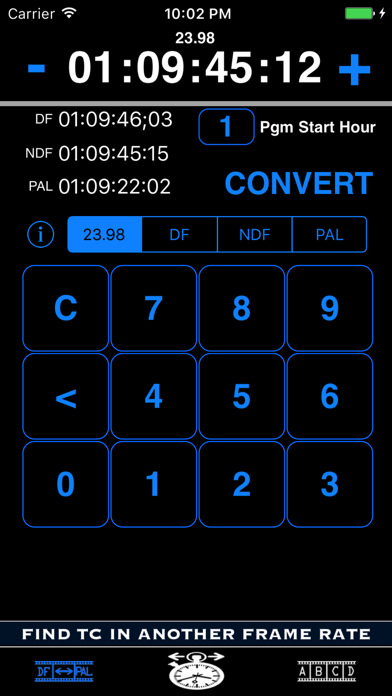
Description by Monty's Code Written by the developer, not by AppBrain. Click to read.
https://www.youtube.com/watch?v=QKM8PU2tonM
https://www.youtube.com/watch?v=LV0UYB_5tOk
The primary feature of Timecode Tool gives the user the ability to convert between 23.98, DF, NDF and PAL timecodes. PAL video runs at a faster speed than NTSC and consequently causes issues when trying to find the same spot in a feature film between those standards. Perhaps you are performing a QC pass on a PAL version of a feature film and find an issue at 2:14:30:23. How do you find the same spot in the NTSC version? Timecode Tool will easily allow you to enter the PAL timecode of 2:14:30:23 and will return to you the equivalent 23.98, DF, and NDF timecodes. It has a default value of 1 Hour as the starting time of your program material but the other 23 even hours can be selected if necessary. (A future version may allow the user to select a specific "non-even hour" timecode if there are enough requests)
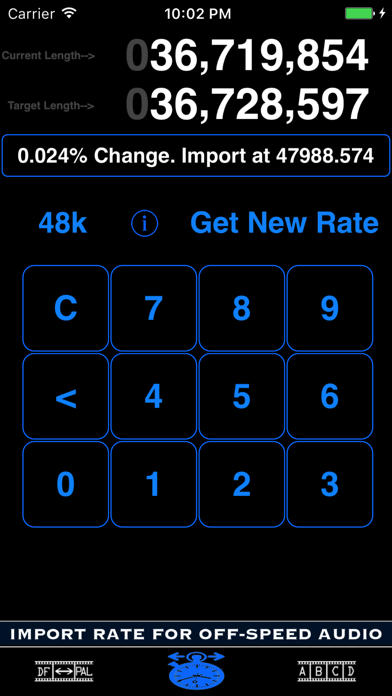
The second feature of Timecode Tool helps the user vari-speed audio that is currently running at the wrong speed. The hope is that you are using a software program that allows you to convert your audio by entering a specific sample rate ("Import Audio"). Both the difference in percentage and the correct sample rate necessary to vari-speed (VSO) when importing/exporting are provided. Example: you may have an audio file that is 20 frames shorter than it is supposed to be. After entering that file's current length, target length, and current sample rate, a simple math calculation is performed and the user is provided with the numbers necessary to import that file at a custom rate where it should stay in proper sync.
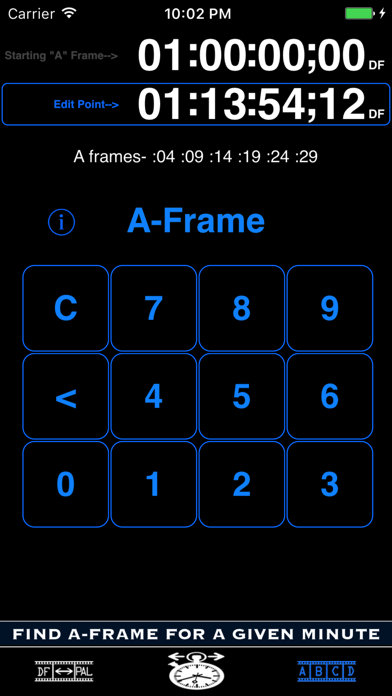
The third feature is A-Frame Verification. A-Frames occur on the same frames from second to second within a given minute. If you need to locate an A-Frame to keep the proper cadence when editing, tap the upper timecode to change the starting A-Frame for your program material/feature (if other than 01:00:00:00) and then tap the lower timecode to enter your edit point. Touch the A-Frame button to display the frames on which your A-Frame will occur within that given minute of time.