





AppBrain's verdict
- Last updated
- November 13, 2026
- Size
- 23.1 MB
User feedback
Ratings and reviews on the App StoreComments on Timeframe | Time Tracking for iOS
We don't have enough comments to show example comments. Please check back later.
Store listing
By Niko Kramer, from the App StoreDescription by Niko Kramer Written by the developer, not by AppBrain. Click to read.
Timeframe helps you maximize your productivity by not just simply tracking your time, but providing insights and tools to help you to reach your goals.
The app is designed to help you stay focused and motivated throughout the day. It has a beautiful and intuitive interface that makes it easy to use.
NATIVE MAC APP
A powerful, truly native app built specifically for macOS, with a smooth UI, optimized to handle years of time tracking data easily.
PRIVACY FIRST
Track without being tracked. We value your privacy! Learn more: https://timeframeapp.com/privacy/
SYNCHRONIZATION
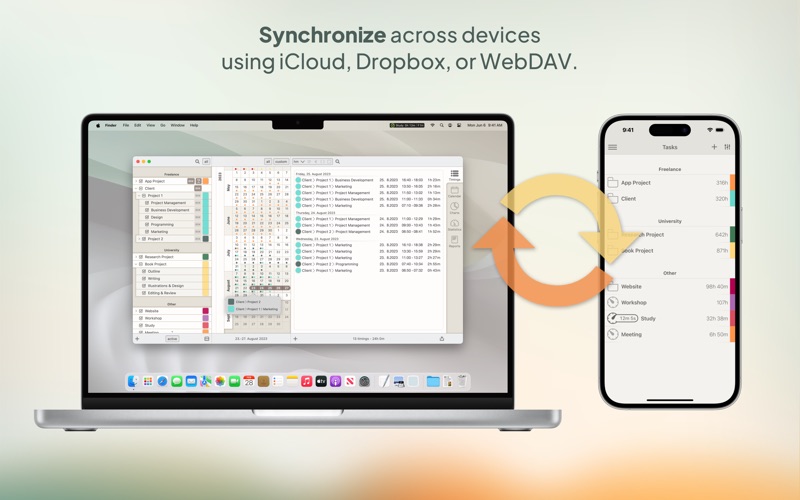
Enable iCloud, Dropbox, or WebDAV sync to automatically keep your time tracking data synchronized across all your Macs and iPhones.
IMPORT & EXPORT
Seamlessly import and export your time tracking data and charts in various file formats, including PDF, CSV, and XML.
STYLISH THEMES
Choose from 10 color themes to customize the look and feel of Timeframe and match your personal style.
AUTOMATIC BACKUP
Never worry about losing your data. Timeframe creates automatic backups and allows you to recover previous data.
INSTANT ACCESS
Easily reach common time tracking actions and information directly from the menu bar.
TARGET HOURS
Timeframe allows you to plan and keep track of your daily workload and makes sure you achieve your work goals.
CONSISTENCY ACROSS TIME ZONES
Are you working in different time zones? Timeframe automatically takes care of time shifts; your timings and reports will always be time zone independent.
Other Features:
• Free iOS companion app
• Task organization into sections and nested tasks up to 5 levels
• Weekly calendar view
• Detailed configurable statistics
• Task archiving
• Time rounding
• Simultaneous timers
• Shortcuts integration
• Idle time detection and resolving
• Undo/Redo support
• Backup and restore your data manually
• Adapts to localized date and time formats
• Customizable CSV import
• Add notes to your tasks and timings
• Define global hotkeys for common actions
- - - - -
There are three different plans to choose from:
# Timeframe Basic is free and includes all basic time tracking features, CSV import, and synchronization.
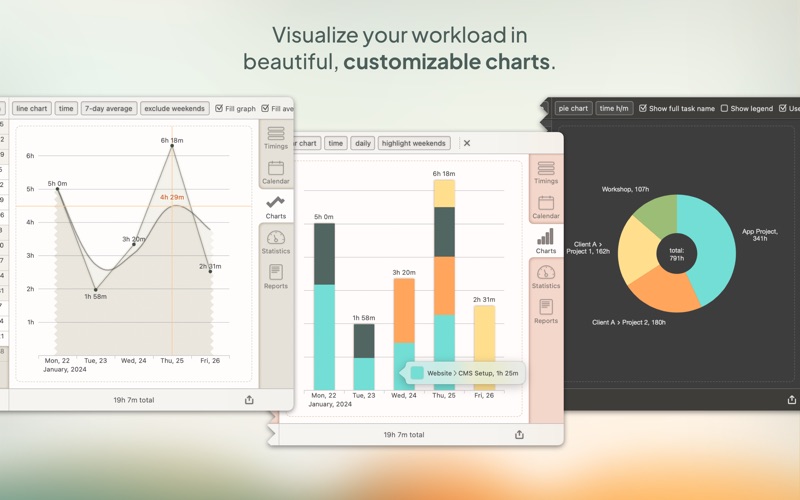
# Timeframe Personal adds plenty of features to stay productive, visualize your progress and reach your goals.
# Timeframe Business adds billing features and advanced PDF and CSV reports.
- - - - -
Timeframe is developed independently, and we listen to user feedback and requests.
We’d love to hear from you! Contact us here:
Community: https://community.timeframeapp.com/
Email: hello@timeframeapp.com
Terms of use: https://timeframeapp.com/terms/
Privacy policy: https://timeframeapp.com/privacy/
Safety and technology
Found in the app by AppBrain- Price
- Free
- App size
- 23.1 MB
- Content rating
- Everyone
Technologies used by Timeframe | Time Tracking
Releases
Updates seen on the App Store- Version
- 4.8.5
- Launched
- June 2023
No changelog data
Alternatives
Similar apps and more from Niko KramerMore from Niko Kramer

Rankings
App Store top chartsApp Store Rankings for Timeframe | Time Tracking
About the app and developer
About Timeframe | Time Tracking
Timeframe | Time Tracking is a productivity app developed by Niko Kramer.
What is the rating of Timeframe | Time Tracking?
Timeframe | Time Tracking has no ratings yet.
Is Timeframe | Time Tracking free?
Timeframe | Time Tracking is free. The app size is 23.08 MB. The latest version available is 4.8.5. The last update was on November 13, 2026.
What are the requirements for Timeframe | Time Tracking?
The app has a content rating of Everyone. The app has been available on the App Store since June 2023.
Timeframe | Time Tracking is made and published by Niko Kramer. AppBrain is an independent app data site and isn't affiliated with Niko Kramer. The app name, icon, screenshots and description belong to Niko Kramer and are shown as published on the App Store.
Developer information for Niko Kramer
Address:
Frequently asked questions about Timeframe | Time Tracking
Is Timeframe | Time Tracking free?
Yes. Timeframe | Time Tracking is free on the App Store.
Is Timeframe | Time Tracking still available?
Yes. Timeframe | Time Tracking is on the App Store, and the last update we saw was on November 13, 2026.
How large is Timeframe | Time Tracking?
Timeframe | Time Tracking is 23.08 MB.
Is Timeframe | Time Tracking suitable for children?
App Store rates the content of Timeframe | Time Tracking as suitable for everyone.
Who made Timeframe | Time Tracking?
Timeframe | Time Tracking was developed by Niko Kramer. It is listed in the productivity category on the App Store.