

To Do List - Notes & Reminders
To Do List - Notes & Reminders is made and published by Sagar Rudani. AppBrain is an independent app data site and isn't affiliated with Sagar Rudani. The app name, icon, screenshots and description belong to Sagar Rudani and are shown as published on the App Store.
AppBrain's verdict
- Last updated
- August 7, 2024
Rankings
App Store top chartsApp Store Rankings for To Do List - Notes & Reminders
Competitors
Similar apps and more from Sagar RudaniAlternatives to To Do List - Notes & Reminders






More from Sagar Rudani








Releases
Updates seen on the App Store- Version
- 1.0
- Launched
- August 2024
No changelog data
User feedback
Ratings and reviews on the App StoreComments on To Do List - Notes & Reminders for iOS
We don't have enough comments to show example comments. Please check back later.
Technology
Found in the app by AppBrain- Price
- Free
- App size
- 13.6 MB
- Content rating
- Everyone
Technologies used by To Do List - Notes & Reminders
About the app and developer
About To Do List - Notes & Reminders
To Do List - Notes & Reminders is a productivity app developed by Sagar Rudani.
What is the rating of To Do List - Notes & Reminders?
To Do List - Notes & Reminders has no ratings yet.
Is To Do List - Notes & Reminders free?
To Do List - Notes & Reminders is free. The app size is 13.55 MB. The latest version available is 1.0. The last update was on August 7, 2024.
What are the requirements for To Do List - Notes & Reminders?
The app has a content rating of Everyone. The app has been available on the App Store since August 2024.
Developer information for Sagar Rudani
Address:
Frequently asked questions about To Do List - Notes & Reminders
Is To Do List - Notes & Reminders free?
Yes. To Do List - Notes & Reminders is free on the App Store.
Is To Do List - Notes & Reminders still available?
Yes. To Do List - Notes & Reminders is on the App Store, and the last update we saw was on August 7, 2024.
How large is To Do List - Notes & Reminders?
To Do List - Notes & Reminders is 13.55 MB.
Is To Do List - Notes & Reminders suitable for children?
App Store rates the content of To Do List - Notes & Reminders as suitable for everyone.
Who made To Do List - Notes & Reminders?
To Do List - Notes & Reminders was developed by Sagar Rudani. It is listed in the productivity category on the App Store.
What are the best alternatives to To Do List - Notes & Reminders?
People looking at To Do List - Notes & Reminders also look at these productivity apps: TaskNudge, The Super Me, Do Tingz: To-Do List & Planner, Habit Tracker Daily Alert, Quick Reminder 3: Tasks & ToDo.
Store listing
By Sagar Rudani, from the App Store



Description by Sagar Rudani Written by the developer, not by AppBrain. Click to read.
Daily Planner, Notes, Reminders, Calendar
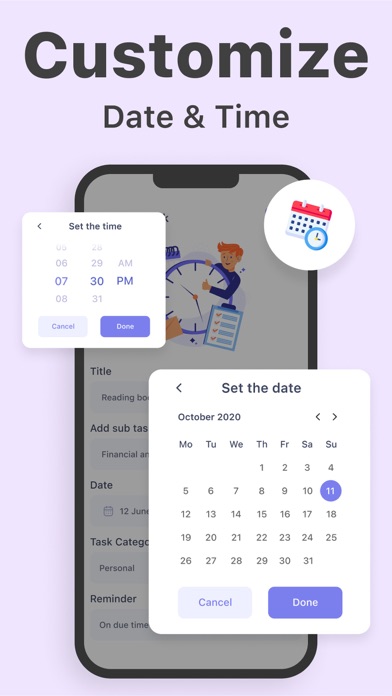
Effortlessly add tasks with a single tap and set reminders for yourself. Enjoy various views such as calendar, list, and boards. Organize tasks by work and personal life, collaborate on projects, and find tranquility.
Stay organized and on top of your tasks with our To-Do List app. Whether it's managing daily errands or planning complex projects, our app has you covered.
Key Features:
• Create Tasks and Subtasks: Break down your tasks into manageable subtasks for more detailed planning.
• Customizable Reminders: Set reminders for your tasks with various time options – 5 minutes before, 10 minutes before, 1 hour before, 1 day before, or any custom time you choose.
• Multiple Views: Choose from different views like calendar, list, and boards to see your tasks in the way that suits you best.
• Filter by Category: Easily separate your work tasks from your personal life for better organization.
• Collaborate on Projects: Work with others by sharing tasks and projects to keep everyone in sync.
• Customization Options: Use this app to your preferences with various customization settings.
Experience the ultimate task management tool designed to help you stay productive and achieve peace of mind. Download now and start organizing your life with ease!
Subscription :-
- Unlimited subscription is billed weekly, monthly or annually at the rate corresponding to the selected plan. In addition, a one-time payment will be offered if needed, which is not one of the subscription plan.
- Payment will be charged to iTunes Account at confirmation of purchase.
- Subscription automatically renews unless auto-renew is turned off at least 24-hours before the end of the current period.
- Account will be charged for renewal within 24-hours prior to the end of the current period, and identify the cost of the renewal.
- Subscriptions may be managed by the user and auto-renewal may be turned off by going to the user's Account Settings after purchase.
- Any unused portion of a free trial period, if offered, will be forfeited when the user purchases a subscription to that publication, where applicable.
Privacy Policy : https://taskmanagementprivacypolicy.blogspot.com
Terms of Use : https://sites.google.com/view/srappstermsofuse/home