

toDoit: Minimal Todo List
toDoit: Minimal Todo List is made and published by YongJun Kim. AppBrain is an independent app data site and isn't affiliated with YongJun Kim. The app name, icon, screenshots and description belong to YongJun Kim and are shown as published on the App Store.
AppBrain's verdict
- Last updated
- April 29, 2026
Rankings
App Store top chartsApp Store Rankings for toDoit: Minimal Todo List
Competitors
Similar apps and more from YongJun KimAlternatives to toDoit: Minimal Todo List


Releases
Updates seen on the App Store- Version
- 1.0.0
- Launched
- April 2026
No changelog data
User feedback
Ratings and reviews on the App StoreComments on toDoit: Minimal Todo List for iOS
We don't have enough comments to show example comments. Please check back later.
Technology
Found in the app by AppBrain- Price
- Free
- App size
- 50.8 MB
- Content rating
- Everyone
Technologies used by toDoit: Minimal Todo List
About the app and developer
About toDoit: Minimal Todo List
toDoit: Minimal Todo List is a lifestyle app developed by YongJun Kim.
User Ratings
The app has no ratings yet.
App Information
toDoit: Minimal Todo List is freely available from the App Store. The app size is 50.82 MB. The latest version available is 1.0.0. The last update was on April 29, 2026.
Technical Requirements
The app has a content rating of Everyone. The app has been available on the App Store since April 2026.
Developer information for YongJun Kim
Address:
Store listing
By YongJun Kim, from the App Store

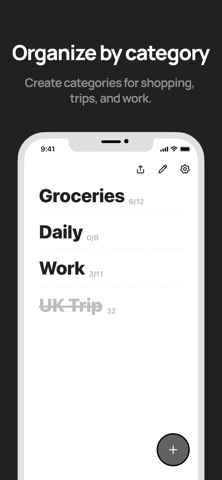

Description by YongJun Kim Written by the developer, not by AppBrain. Click to read.
Clear your busy day with toDoit.
--
■ See your progress fill up as you clear each task, all at a glance.
■ Check from your home screen — widget support
No need to open the app. Manage your tasks right from the home screen widget.
■ Share pages and tasks with a single tap
Send a link instantly to friends, coworkers, or family.
Team projects, travel prep, grocery lists — check them off together.
■ Copy & paste once, and you're done — add tasks in bulk
Text copied from notes, messengers, or social media
is automatically converted into tasks when pasted.
No more typing them one by one.
--
▶ toDoit Usage Tips
*How productive people organize their day
1. Create a "Today" page
2. Jot down everything you need to do in the morning
3. Check them off and fill your progress to 100%!
*Turn a shopping list from a messenger into tasks in one tap
1. Copy the shopping list sent by your family on a messenger
2. Open toDoit and paste — that's it!
3. Your shopping list is ready as tasks
4. Check them off one by one as you shop
--
Have questions?
Email: we.may.vin@gmail.com