

Todoit - Tasks & Daily Notes
Todoit - Tasks & Daily Notes is made and published by Rocky Lim. AppBrain is an independent app data site and isn't affiliated with Rocky Lim. The app name, icon, screenshots and description belong to Rocky Lim and are shown as published on the App Store.
AppBrain's verdict
- Rating on App Store
- 5.00
- 1 ratings
- Last updated
- May 31, 2026
It doesn't have enough ratings yet to judge what users think.
Rankings
App Store top chartsApp Store Rankings for Todoit - Tasks & Daily Notes
Competitors
Similar apps and more from Rocky LimAlternatives to Todoit - Tasks & Daily Notes






More from Rocky Lim


Releases
Updates seen on the App Store- Version
- 2.2.0
- Launched
- May 2023
No changelog data
User feedback
Ratings and reviews on the App StoreComments on Todoit - Tasks & Daily Notes for iOS
We don't have enough comments to show example comments. Please check back later.
Technology
Found in the app by AppBrain- Price
- Free
- App size
- 40.8 MB
- Content rating
- Everyone
Technologies used by Todoit - Tasks & Daily Notes
About the app and developer
About Todoit - Tasks & Daily Notes
Todoit - Tasks & Daily Notes is a lifestyle app developed by Rocky Lim.
What is the rating of Todoit - Tasks & Daily Notes?
Todoit - Tasks & Daily Notes is rated 5.00 out of 5 stars, based on one rating ratings.
Is Todoit - Tasks & Daily Notes free?
Todoit - Tasks & Daily Notes is free. The app size is 40.79 MB. The latest version available is 2.2.0. The last update was on May 31, 2026.
What are the requirements for Todoit - Tasks & Daily Notes?
The app has a content rating of Everyone. The app has been available on the App Store since May 2023.
Developer information for Rocky Lim
Address:
Store listing
By Rocky Lim, from the App Store



Description by Rocky Lim Written by the developer, not by AppBrain. Click to read.
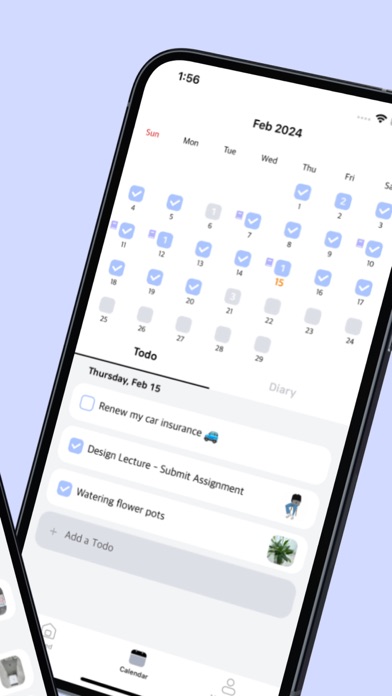
- You can add today’s tasks very simply
- It’s okay if it’s not something you want to do today. You can change the date to your desired date by changing the date!
- You can easily remember your tasks by adding photos!
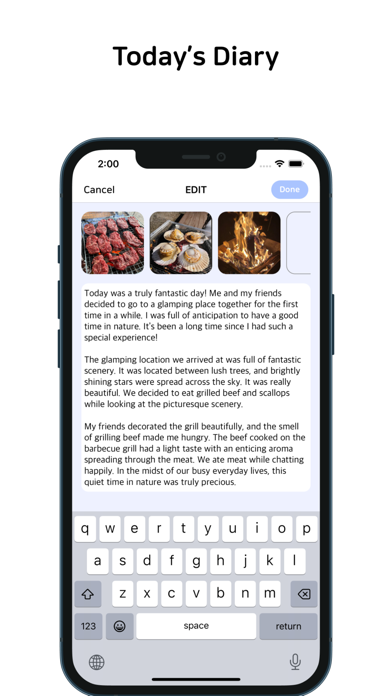
● Keep a diary
- You can simply record your day today on Todoit!
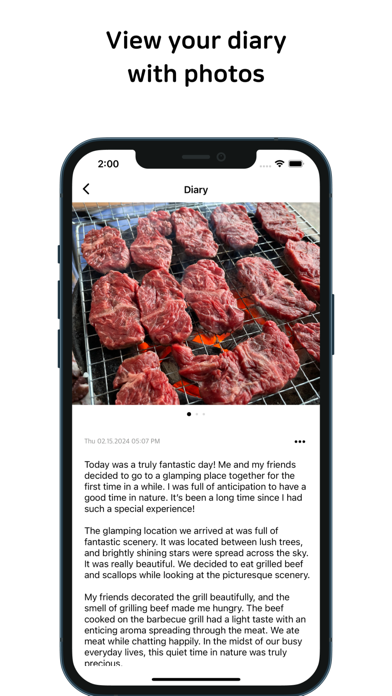
- You can create more precious memories by attaching photos
- You can collect the diaries you wrote by date in the feed
● Calendar
- You can write tasks on the calendar
- You can see at a glance when you wrote your to-do list and diary!
● Goal management
- You can set and write my goals in My Space
- Make sure to achieve your goal
[Todoit Precautions]
- Todoit does not store user data on the server. All posts and photos you write will be saved on your phone. If you change your phone or delete and reinstall the app, be sure to back up your data using “iCloud Backup” on the Todoit settings screen!
- In the case of photo upload, you can change the photo upload quality on the settings screen.
- If image files do not appear properly after importing data from iCloud, check whether all image files in the Todoit -> images folder in iCloud have been downloaded!