

TouchDraw 2
TouchDraw 2 is made and published by Elevenworks LLC. AppBrain is an independent app data site and isn't affiliated with Elevenworks LLC. The app name, icon, screenshots and description belong to Elevenworks LLC and are shown as published on the App Store.
AppBrain's verdict
Established- Rating on App Store
- 3.90
- 21 ratings
- Last updated
- July 20, 2026
- Size
- 114.3 MB
It doesn't have enough ratings yet to judge what users think.
User feedback
Ratings and reviews on the App StoreComments on TouchDraw 2 for iOS
We don't have enough comments to show example comments. Please check back later.
Store listing
By Elevenworks LLC, from the App Store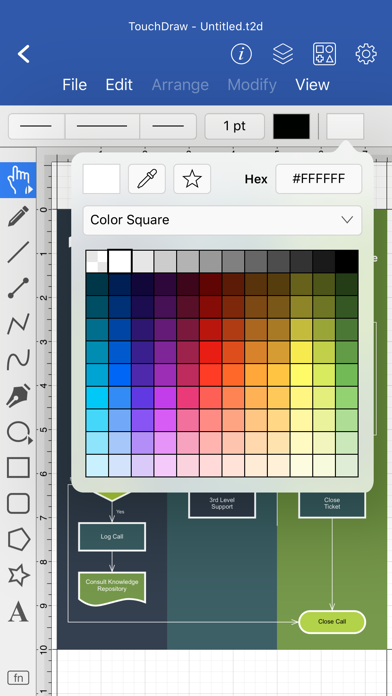


Description by Elevenworks LLC Written by the developer, not by AppBrain. Click to read.
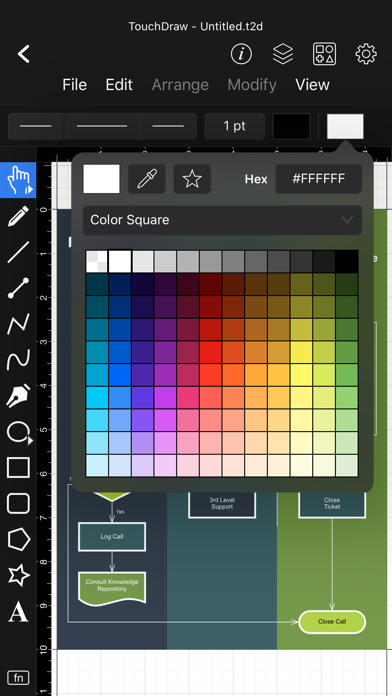
From the first tap, TouchDraw 2 feels intuitive. Use familiar multi-touch gestures and Apple Pencil to draw shapes and lines naturally. Smart guides, snap-to-grid tools, and shape recognition help beginners create polished results, while more advanced users can take advantage of layers, dimension lines, and connectors that stay intelligently linked as you move elements.
TouchDraw is perfect for countless scenarios—flowcharts, floor plans, mind maps, technical drawings, illustrations, and more. It adapts to your needs without locking you into a specific workflow. This version includes a free 7-day trial, after which you can unlock the full experience with a one-time purchase. No subscriptions, no recurring fees—just a single payment to own it forever.
Key Features:
* Designed for touch and Apple Pencil with an intuitive, gesture-based interface
* Smart shape recognition and snapping tools for easy alignment and layout
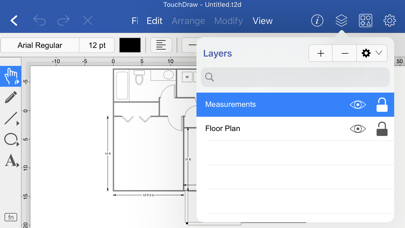
* Layers, dimensions, and connector lines for detailed, organized drawings
* Ideal for diagrams, plans, charts, illustrations, and other 2D visuals
* Import/export to SVG, PDF, PNG, and Visio® formats; iCloud Drive support
Includes a free 7-day trial with a one-time purchase to unlock the full app
Safety and technology
Found in the app by AppBrain- Price
- Free
- App size
- 114.3 MB
- Content rating
- Everyone
Technologies used by TouchDraw 2
Releases
Updates seen on the App Store- Version
- 2.5.6
- Launched
- September 2020
No changelog data
Alternatives
Similar apps and more from Elevenworks LLCAlternatives to TouchDraw 2






More from Elevenworks LLC

Rankings
App Store top chartsApp Store Rankings for TouchDraw 2
About the app and developer
About TouchDraw 2
TouchDraw 2 is a productivity app developed by Elevenworks LLC.
What is the rating of TouchDraw 2?
TouchDraw 2 is rated 3.90 out of 5 stars, based on 21 ratings.
Is TouchDraw 2 free?
TouchDraw 2 is free. The app size is 114.35 MB. The latest version available is 2.5.6. The last update was on July 20, 2026.
What are the requirements for TouchDraw 2?
The app has a content rating of Everyone. The app has been available on the App Store since September 2020.
Developer information for Elevenworks LLC
Address: