

tpPLC is made and published by TP-Link Systems Inc. AppBrain is an independent app data site and isn't affiliated with TP-Link Systems Inc. The app name, icon, screenshots and description belong to TP-Link Systems Inc. and are shown as published on the App Store.
AppBrain's verdict
EstablishedPoorly rated- Rating on App Store
- 1.71
- 169 ratings
- Last updated
- October 24, 2025
Users are critical: 1.7 stars from 169 ratings.
Rankings
App Store top chartsApp Store Rankings for tpPLC
Competitors
Similar apps and more from TP-Link Systems Inc.Alternatives to tpPLC


More from TP-Link Systems Inc.


Releases
Updates seen on the App Store- Version
- 1.6.9
- Launched
- January 2016
No changelog data
User feedback
Ratings and reviews on the App StoreComments on tpPLC for iOS
We don't have enough comments to show example comments. Please check back later.
Technology
Found in the app by AppBrain- Price
- Free
- App size
- 16.1 MB
- Content rating
- Everyone
Technologies used by tpPLC
About the app and developer
About tpPLC
tpPLC is an utilities app developed by TP-Link Systems Inc.
User Ratings
tpPLC is rated 1.71 out of 5 stars. The rating is based on 170 ratings.
App Information
tpPLC is freely available from the App Store. The app size is 16.09 MB. The latest version available is 1.6.9. The last update was on October 24, 2025.
Technical Requirements
The app has a content rating of Everyone. The app has been available on the App Store since January 2016.
Developer information for TP-Link Systems Inc.
Address:
Frequently asked questions about tpPLC
Is tpPLC free?
Yes. tpPLC is free on the App Store.
Is tpPLC still available?
Yes. tpPLC is on the App Store, and the last update we saw was on October 24, 2025.
How large is tpPLC?
tpPLC is 16.09 MB.
Is tpPLC suitable for children?
App Store rates the content of tpPLC as suitable for everyone.
How do people rate tpPLC?
tpPLC scores 1.71 out of 5 stars, from 169 ratings on the App Store.
Who made tpPLC?
tpPLC was developed by TP-Link Systems Inc. It is listed in the utilities category on the App Store.
What are the best alternatives to tpPLC?
People looking at tpPLC also look at these utilities apps: TP-Link Omada, TP-Link Deco, Wi-Fi Toolkit, MikroTik, eWeLink.
Store listing
By TP-Link Systems Inc., from the App Store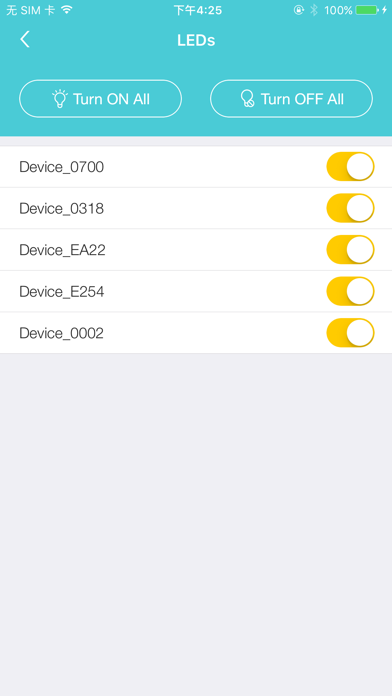


Description by TP-Link Systems Inc. Written by the developer, not by AppBrain. Click to read.
Simply connect your smart device to the Wi-Fi network of a compatible TP-Link powerline extender and start managing with ease. It will list all the compatible powerline adapters and powerline extenders in your current network, and allow you to manage your powerline devices individually as well as the whole powerline network with a few taps.
Features
• Display information of all compatible powerline devices in the current network.
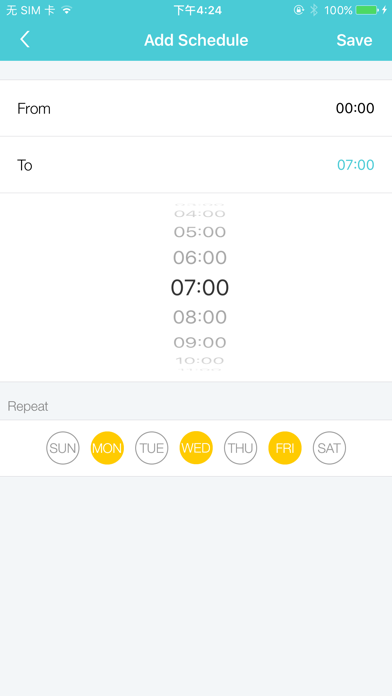
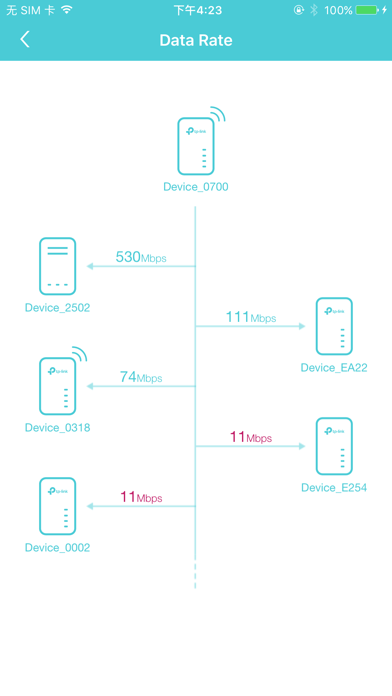
• Manage a powerline device such as changing its device name, turning on or off its LEDs, viewing its data rate, resetting to factory defaults, and removing it from the current network. For a powerline extender, you can also change and schedule its Wi-Fi settings, and redirect to the web management interface.
• Manage the whole powerline network such as adding a new powerline device, setting a new powerline network name, and turning on or off the LEDs on all the powerline devices in the network.
Compatible Devices:
https://www.tp-link.com/powerline/compatible-devices/
Privacy Policy & Terms of Use
https://privacy.tp-link.com/app/tpPLC/privacy