

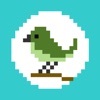
Trace illustration
Trace illustration is made and published by Kouichi INAFUKU. AppBrain is an independent app data site and isn't affiliated with Kouichi INAFUKU. The app name, icon, screenshots and description belong to Kouichi INAFUKU and are shown as published on the App Store.
AppBrain's verdict
- Last updated
- June 30, 2026
Rankings
App Store top chartsApp Store Rankings for Trace illustration
Competitors
Similar apps and more from Kouichi INAFUKUAlternatives to Trace illustration




More from Kouichi INAFUKU






Releases
Updates seen on the App Store- Version
- 1.2.0
- Launched
- November 2016
No changelog data
User feedback
Ratings and reviews on the App StoreComments on Trace illustration for iOS
We don't have enough comments to show example comments. Please check back later.
Technology
Found in the app by AppBrain- Price
- $1.99
- App size
- 9.79 MB
- Content rating
- Everyone
Technologies used by Trace illustration
About the app and developer
About Trace illustration
Trace illustration is a photo & video app developed by Kouichi INAFUKU.
User Ratings
The app has no ratings yet.
App Information
Trace illustration costs $1.99. The app size is 9.79 MB. The latest version available is 1.2.0. The last update was on June 30, 2026.
Technical Requirements
The app has a content rating of Everyone. The app has been available on the App Store since November 2016.
Developer information for Kouichi INAFUKU
Address:
Store listing
By Kouichi INAFUKU, from the App StoreDescription by Kouichi INAFUKU Written by the developer, not by AppBrain. Click to read.
- You can disable image manipulation (zoom in, zoom out, move, rotate) while the image is being displayed.
- You can outline the image.
- The brightness of the screen can be set to the maximum (it will be automatically restored after the application is closed).
In addition to drawing illustrations, you can also display images of hiragana and kanji characters to practice writing them.
The menus and other features have been optimized for children, but adults can also use the app without any problems.
Please note
Please do not use oil-based pens or any other pens that may smear on the back of the iPad screen.