

Trail: Travel Planner
Trail: Travel Planner is made and published by Mark Christian Buot. AppBrain is an independent app data site and isn't affiliated with Mark Christian Buot. The app name, icon, screenshots and description belong to Mark Christian Buot and are shown as published on the App Store.
AppBrain's verdict
- Last updated
- September 21, 2026
Rankings
App Store top chartsApp Store Rankings for Trail: Travel Planner
Competitors
Similar apps and more from Mark Christian BuotAlternatives to Trail: Travel Planner


More from Mark Christian Buot

Releases
Updates seen on the App Store- Version
- 1.0.9
- Launched
- April 2026
No changelog data
User feedback
Ratings and reviews on the App StoreComments on Trail: Travel Planner for iOS
We don't have enough comments to show example comments. Please check back later.
Technology
Found in the app by AppBrain- Price
- Free
- App size
- 65.7 MB
- Content rating
- Everyone
Technologies used by Trail: Travel Planner
About the app and developer
About Trail: Travel Planner
Trail: Travel Planner is a travel app developed by Mark Christian Buot.
User Ratings
The app has no ratings yet.
App Information
Trail: Travel Planner is freely available from the App Store. The app size is 65.71 MB. The latest version available is 1.0.9. The last update was on September 21, 2026.
Technical Requirements
The app has a content rating of Everyone. The app has been available on the App Store since April 2026.
Developer information for Mark Christian Buot
Address:
Store listing
By Mark Christian Buot, from the App Store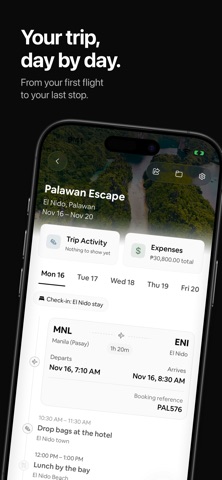



Description by Mark Christian Buot Written by the developer, not by AppBrain. Click to read.
Find a place to go
Explore destinations by continent and country. Browse ready-made itineraries, choose your dates, and make the plan your own. Discover also brings today's trip plans and nearby experiences into one view.
Plan each day
Build a multi-day itinerary with timed activities, flights and accommodation details. Add places, adjust your schedule, and keep the details with the day they belong to.
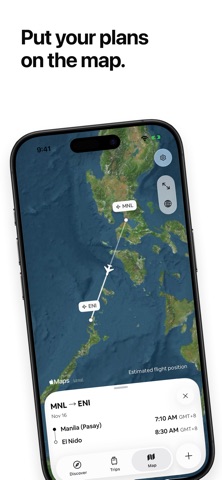
See your trip on the map
Follow your planned flight routes, find airports and activities, and open the details of each stop from the map.
Bring your bookings with you
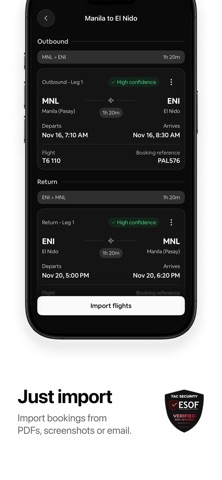
Import flights from PDFs, screenshots or Gmail, then review the details before saving. Gmail can also bring in stays and itinerary items. Keep imported source files with your trip so you can refer back to the original booking.
Keep track of spending
Record expenses in their original currencies and see a total in your trip's currency. Link expenses to plans and keep your spending organized as you go. Currency conversions are indicative.
Keep the next moment close
Live Activities show your departure countdown, scheduled flight progress or an activity in progress on your Lock Screen. Flight times and progress come from your saved itinerary.
Ask Siri about your plans
On supported devices running iOS 27, ask Siri to show your Trail itinerary or add an activity to an existing trip. Open the trip or activity from the result.
Share a plan
Share trips through a link or QR code for someone else to import into Trail.
Your plans stay on your device
Create and manage manual trip plans without an account, and access saved plans offline. Online discovery, maps, currency updates and booking imports need an internet connection. Gmail import is optional and requires your permission.
Trail helps you spend less time gathering details and more time enjoying the trip.