

Transcribe Best
Transcribe Best is made and published by JP Software. AppBrain is an independent app data site and isn't affiliated with JP Software. The app name, icon, screenshots and description belong to JP Software and are shown as published on the App Store.
AppBrain's verdict
- Rating on App Store
- 4.50
- 6 ratings
- Last updated
- September 26, 2024
It doesn't have enough ratings yet to judge what users think.
Rankings
App Store top chartsApp Store Rankings for Transcribe Best
Competitors
Similar apps and more from JP SoftwareMore from JP Software


Releases
Updates seen on the App Store- Version
- 1.3.0
- Launched
- April 2024
No changelog data
User feedback
Ratings and reviews on the App StoreComments on Transcribe Best for iOS
We don't have enough comments to show example comments. Please check back later.
Technology
Found in the app by AppBrain- Price
- $11.99
- App size
- 44.4 MB
- Content rating
- Everyone
Technologies used by Transcribe Best
About the app and developer
About Transcribe Best
Transcribe Best is a productivity app developed by JP Software.
What is the rating of Transcribe Best?
Transcribe Best is rated 4.50 out of 5 stars, based on 6 ratings.
Is Transcribe Best free?
Transcribe Best costs $11.99. The app size is 44.38 MB. The latest version available is 1.3.0. The last update was on September 26, 2024.
What are the requirements for Transcribe Best?
The app has a content rating of Everyone. The app has been available on the App Store since April 2024.
Developer information for JP Software
Address:
Store listing
By JP Software, from the App Store


Description by JP Software Written by the developer, not by AppBrain. Click to read.
Features:
- Works offline, without internet
- 99 supported languages
- Works on 3+ hour files
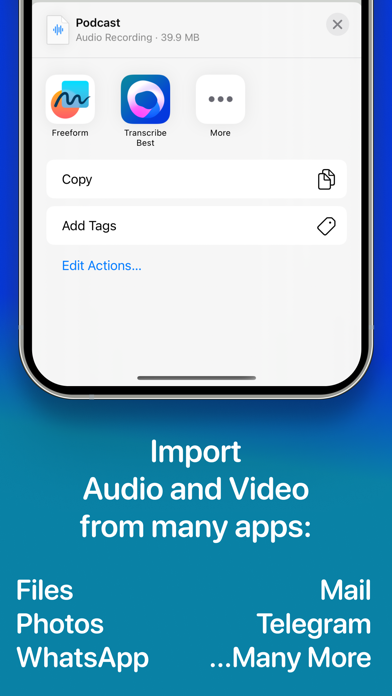
- Import videos to transcribe their audio
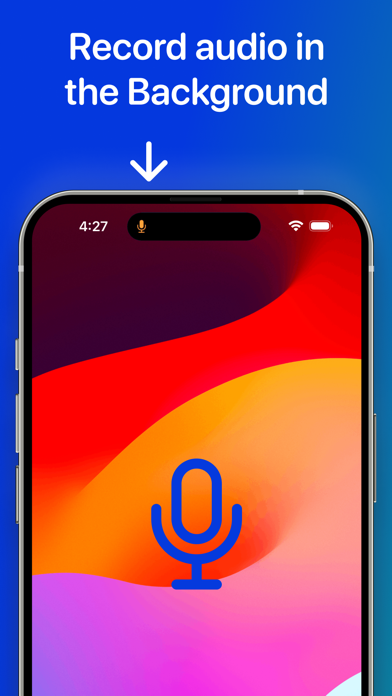
- Record audio in the app
- Record when the app is in the background
- No subscription needed
- Privacy friendly
- Import audio and video from the Files app
- Import audio and video from any app that supports sharing
- Export as subtitles in VTT and SRT format
- Automatically converts most audio and video formats like M4A, FLAC, MP3, MP4, WAV, ACC, MOV, WebM, AVI, FLV, and many more
Supported languages: Afrikaans, Albanian, Amharic, Arabic, Armenian, Assamese, Azerbaijani, Bashkir, Basque, Belarusian, Bengali, Bosnian, Breton, Bulgarian, Cantonese, Catalan, Chinese, Croatian, Czech, Danish, Dutch, English, Estonian, Faroese, Finnish, French, Galician, Georgian, German, Greek, Gujarati, Haitian creole, Hausa, Hawaiian, Hebrew, Hindi, Hungarian, Icelandic, Indonesian, Italian, Japanese, Javanese, Kannada, Kazakh, Khmer, Korean, Lao, Latin, Latvian, Lingala, Lithuanian, Luxembourgish, Macedonian, Malagasy, Malay, Malayalam, Maltese, Maori, Marathi, Mongolian, Myanmar, Nepali, Norwegian, Nynorsk, Occitan, Pashto, Persian, Polish, Portuguese, Punjabi, Romanian, Russian, Sanskrit, Serbian, Shona, Sindhi, Sinhala, Slovak, Slovenian, Somali, Spanish, Sundanese, Swahili, Swedish, Tagalog, Tajik, Tamil, Tatar, Telugu, Thai, Tibetan, Turkish, Turkmen, Ukrainian, Urdu, Uzbek, Vietnamese, Welsh, Yiddish, and Yoruba.