

Transcribe Helper
Transcribe Helper is made and published by Access Informatics. AppBrain is an independent app data site and isn't affiliated with Access Informatics. The app name, icon, screenshots and description belong to Access Informatics and are shown as published on the App Store.
AppBrain's verdict
- Last updated
- October 5, 2024
Rankings
App Store top chartsApp Store Rankings for Transcribe Helper
Competitors
Similar apps and more from Access InformaticsMore from Access Informatics


Releases
Updates seen on the App Store- Version
- 1.9
- Launched
- December 2018
No changelog data
User feedback
Ratings and reviews on the App StoreComments on Transcribe Helper for iOS
We don't have enough comments to show example comments. Please check back later.
Technology
Found in the app by AppBrain- Price
- $5.99
- App size
- 2.03 MB
- Content rating
- Everyone
Technologies used by Transcribe Helper
About the app and developer
About Transcribe Helper
Transcribe Helper is a business app developed by Access Informatics.
User Ratings
The app has no ratings yet.
App Information
Transcribe Helper costs $5.99. The app size is 2.03 MB. The latest version available is 1.9. The last update was on October 5, 2024.
Technical Requirements
The app has a content rating of Everyone. The app has been available on the App Store since December 2018.
Developer information for Access Informatics
Address:
Frequently asked questions about Transcribe Helper
Is Transcribe Helper free?
No. Transcribe Helper costs $5.99 on the App Store.
Is Transcribe Helper still available?
Yes. Transcribe Helper is on the App Store, and the last update we saw was on October 5, 2024.
How large is Transcribe Helper?
Transcribe Helper is 2.03 MB.
Is Transcribe Helper suitable for children?
App Store rates the content of Transcribe Helper as suitable for everyone.
Who made Transcribe Helper?
Transcribe Helper was developed by Access Informatics. It is listed in the business category on the App Store.
Store listing
By Access Informatics, from the App Store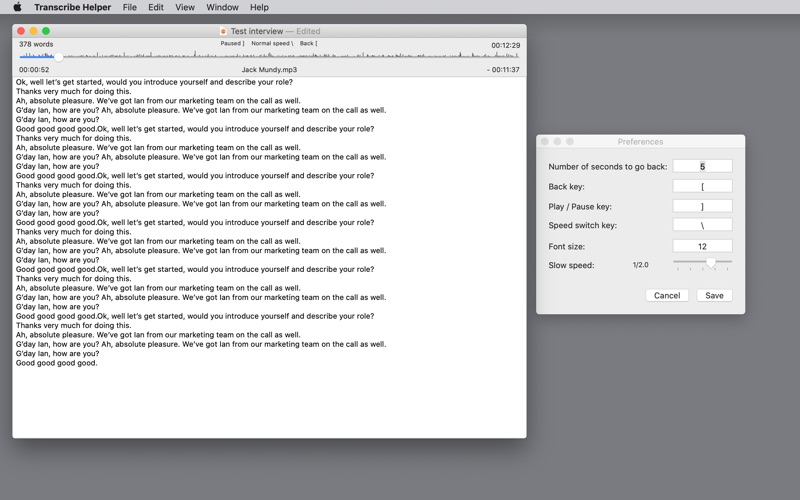

Description by Access Informatics Written by the developer, not by AppBrain. Click to read.
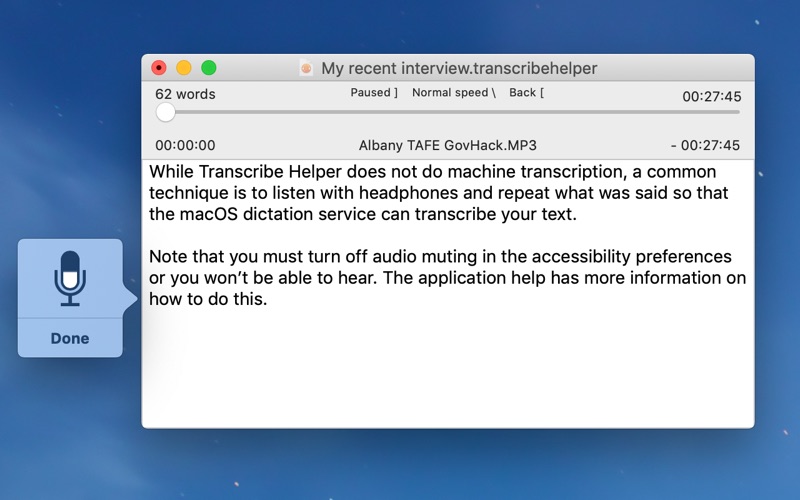
Important note: This app does not automatically transcribe the speech for you - it's a utility to make it easy for you to type up what was recorded.
Using a set of keys that are not normally used in transcription, a typist can pause, go back, replay and even play at a slower speed without changing the pitch.
The keys to control play are configurable and the amount of slow down and number of seconds to skip backwards can be set.
A timestamp of how far through the recording can be inserted into the text.
Resulting text can be exported to plain text.
The document includes the audio recording so the original doesn't need to be kept after importing.
Application help has more detailed information including how to use macOS dictation.