

Transforma - File Converter
Transforma - File Converter is made and published by Pawel Zalewski. AppBrain is an independent app data site and isn't affiliated with Pawel Zalewski. The app name, icon, screenshots and description belong to Pawel Zalewski and are shown as published on the App Store.
AppBrain's verdict
- Rating on App Store
- 1.00
- 1 ratings
- Last updated
- April 24, 2026
It doesn't have enough ratings yet to judge what users think.
Rankings
App Store top chartsApp Store Rankings for Transforma - File Converter
Competitors
Similar apps and more from Pawel ZalewskiAlternatives to Transforma - File Converter




More from Pawel Zalewski

Releases
Updates seen on the App Store- Version
- 1.5.1
- Launched
- March 2026
No changelog data
User feedback
Ratings and reviews on the App StoreComments on Transforma - File Converter for iOS
We don't have enough comments to show example comments. Please check back later.
Technology
Found in the app by AppBrain- Price
- Free
- App size
- 15.1 MB
- Content rating
- Everyone
Technologies used by Transforma - File Converter
About the app and developer
About Transforma - File Converter
Transforma - File Converter is an utilities app developed by Pawel Zalewski.
User Ratings
Transforma - File Converter is rated 1.00 out of 5 stars. The rating is based on one rating ratings.
App Information
Transforma - File Converter is freely available from the App Store. The app size is 15.09 MB. The latest version available is 1.5.1. The last update was on April 24, 2026.
Technical Requirements
The app has a content rating of Everyone. The app has been available on the App Store since March 2026.
Developer information for Pawel Zalewski
Address:
Store listing
By Pawel Zalewski, from the App Store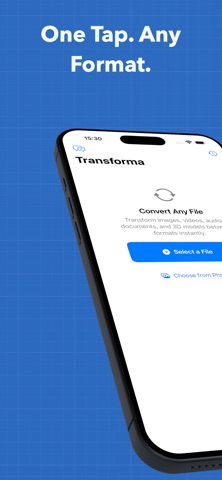


Description by Pawel Zalewski Written by the developer, not by AppBrain. Click to read.
WHAT MAKES TRANSFORMA DIFFERENT
Unlike online converters, Transforma works 100% on your device using Apple's native frameworks. This means:
- Complete privacy — files never leave your iPhone
- Works offline — convert anywhere, no internet needed
- No file size limits — convert what your device can handle
- Instant results — no upload/download wait times
- Try free — 5 conversions at no cost, then unlock unlimited with a one-time purchase
SUPPORTED FORMATS (40+)
Images: HEIC, JPEG, PNG, GIF, TIFF, BMP, WebP, JPEG 2000, ICO, EXR, TGA
Video: MOV, MP4, M4V with H.264, HEVC, and ProRes codecs (up to 4K)
Audio: MP3, AAC, M4A, WAV, AIFF, FLAC, ALAC, OGG, OPUS, CAF
Documents: PDF, DOCX, RTF, HTML, TXT, Markdown, ePub
Data: CSV, JSON, YAML, XLSX, PLIST, TOML, XML
Archives: ZIP, TAR, GZIP, BZ2, 7z
3D Models: USDZ, OBJ, STL, PLY, USD, SCN
HOW IT WORKS
1. Open Transforma and select your file (from Files, Photos, or Share Sheet)
2. Tap the output format you want
3. Done — share or save your converted file
FEATURES
- Batch Conversion: Convert multiple files at once
- Background Removal: AI-powered subject isolation using Apple Vision
- Quality Controls: Adjust resolution, bitrate, quality, and codec settings
- Metadata Preserved: EXIF, GPS, and camera info carried forward
- Share Sheet Integration: Convert files from any app without leaving it
- Conversion History: Easily find and reshare previous conversions
- Drag and Drop: Works with iPad multitasking
BUILT WITH APPLE FRAMEWORKS
Transforma uses AVFoundation, CoreImage, PDFKit, Vision, and ModelIO — the same frameworks Apple uses in its own apps. No third-party libraries, no web views, no hidden servers.
Try 5 conversions free, then unlock unlimited with a one-time purchase. No subscriptions. No ads.