
Translate Me - Translator
Translate Me - Translator is made and published by Yana Beschetnikova. AppBrain is an independent app data site and isn't affiliated with Yana Beschetnikova. The app name, icon, screenshots and description belong to Yana Beschetnikova and are shown as published on the App Store.
AppBrain's verdict
Loved by users- Rating on App Store
- 4.91
- 129 ratings
- Last updated
- January 23, 2024
Users love it: 4.9 stars from 129 ratings.
Rankings
App Store top chartsApp Store Rankings for Translate Me - Translator
Competitors
Similar apps and more from Yana BeschetnikovaAlternatives to Translate Me - Translator







More from Yana Beschetnikova

Releases
Updates seen on the App Store- Version
- 1.3
- Launched
- July 2022
No changelog data
User feedback
Ratings and reviews on the App StoreComments on Translate Me - Translator for iOS
We don't have enough comments to show example comments. Please check back later.
Technology
Found in the app by AppBrain- Price
- Free
- App size
- 40.7 MB
- Content rating
- Everyone
Technologies used by Translate Me - Translator
About the app and developer
About Translate Me - Translator
Translate Me - Translator is a productivity app developed by Yana Beschetnikova.
User Ratings
Translate Me - Translator is rated 4.91 out of 5 stars. The rating is based on 130 ratings.
App Information
Translate Me - Translator is freely available from the App Store. The app size is 40.72 MB. The latest version available is 1.3. The last update was on January 23, 2024.
Technical Requirements
The app has a content rating of Everyone. The app has been available on the App Store since July 2022.
Developer information for Yana Beschetnikova
Address:
Store listing
By Yana Beschetnikova, from the App Store


Description by Yana Beschetnikova Written by the developer, not by AppBrain. Click to read.
FEATURES:
• Dialogue mode for two - inverted screen
• Translations in more than 32 languages.
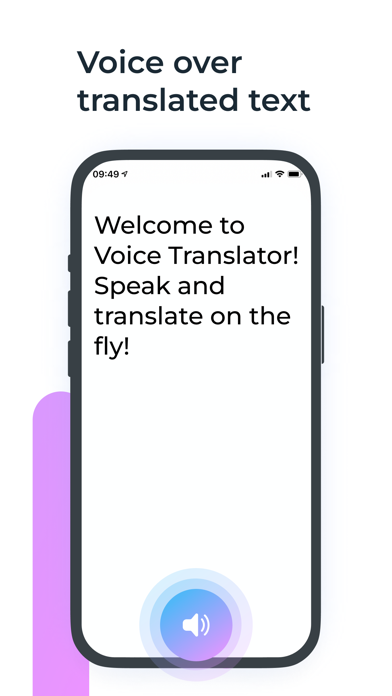
• Recognized text to voice
• On-the-fly speech recognition
• Write text and translate in real time
• Accurate recognition of punctuation marks in your speech
• Offline translation mode
• Voice-to-voice conversations
HOW TO USE:
1. Choose a language for your speech
2. Select the language of translation / interlocutor
3. Tap the "Record" button and say something (or write text)
4. Your speech will be instantly translated into the language of the interlocutor and displayed on the screen
5. Voice your text and the translated text
If you have an interlocutor - turn over part of the screen for him and let him say something too. You will immediately see the translation of his speech into the chosen language. Try it and check it out!
Terms of Service:
https://sites.google.com/view/voice-translate/terms
Privacy Policy:
https://sites.google.com/view/voice-translate/privacy-policy