

TRUE MANAGER™ AIR
TRUE MANAGER™ AIR is made and published by Trividia Health, Inc. AppBrain is an independent app data site and isn't affiliated with Trividia Health, Inc. The app name, icon, screenshots and description belong to Trividia Health, Inc. and are shown as published on the App Store.
AppBrain's verdict
EstablishedPoorly rated- Rating on App Store
- 2.07
- 380 ratings
- Last updated
- January 13, 2026
Users are critical: 2.1 stars from 380 ratings.
Rankings
App Store top chartsApp Store Rankings for TRUE MANAGER™ AIR
Competitors
Similar apps and more from Trividia Health, Inc.Alternatives to TRUE MANAGER™ AIR







Releases
Updates seen on the App Store- Version
- 2.1.7
- Launched
- June 2015
No changelog data
User feedback
Ratings and reviews on the App StoreComments on TRUE MANAGER™ AIR for iOS
We don't have enough comments to show example comments. Please check back later.
Technology
Found in the app by AppBrain- Price
- Free
- App size
- 13.6 MB
- Content rating
- Medium
Technologies used by TRUE MANAGER™ AIR
About the app and developer
About TRUE MANAGER™ AIR
TRUE MANAGER™ AIR is a medical app developed by Trividia Health, Inc.
What is the rating of TRUE MANAGER™ AIR?
TRUE MANAGER™ AIR is rated 2.07 out of 5 stars, based on 380 ratings.
Is TRUE MANAGER™ AIR free?
TRUE MANAGER™ AIR is free. The app size is 13.64 MB. The latest version available is 2.1.7. The last update was on January 13, 2026.
What are the requirements for TRUE MANAGER™ AIR?
The app has a content rating of Medium Maturity. The app has been available on the App Store since June 2015.
Developer information for Trividia Health, Inc.
Address:
Store listing
By Trividia Health, Inc., from the App Store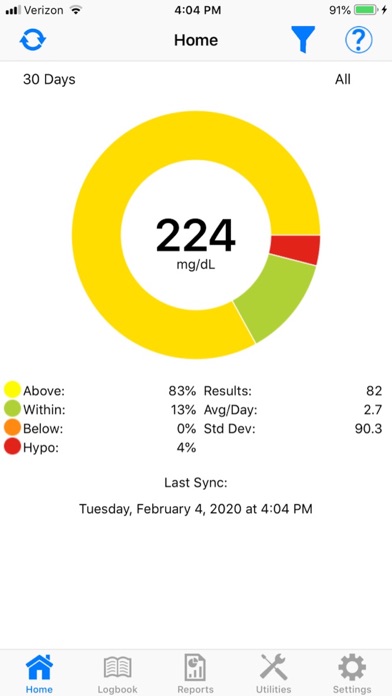

Description by Trividia Health, Inc. Written by the developer, not by AppBrain. Click to read.
Features:
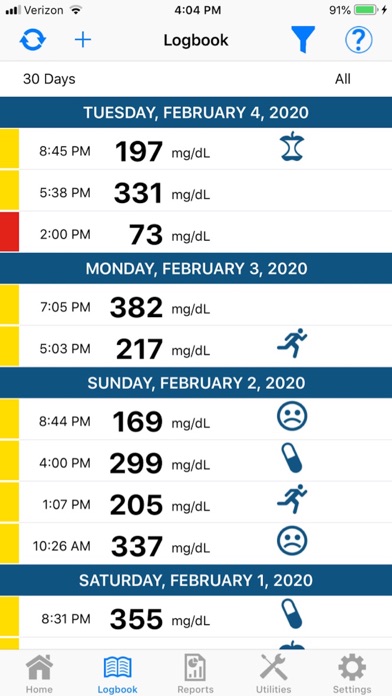
o Simple to navigate logbook shows date, time, blood glucose results and event tag from meter
o Additional event tags may be added to results in addition to personal notes
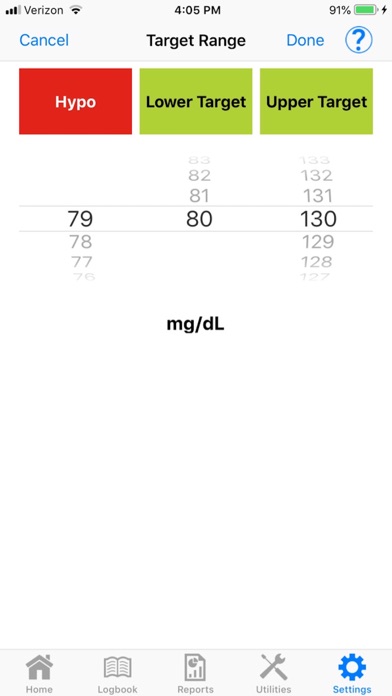
o Each blood glucose result is color coded to indicate if you are within acceptable range. You may customize the ranges given to you by your healthcare professional or use the default setting which are the established 2015 American Diabetes Association guideline target ranges (mg/dL):
YELLOW = Above Normal, greater than 130
GREEN = Normal, 80-130
RED = Hypoglycemic, less than 70
NOTE: A doctor or healthcare professional determines how often to test and what the target ranges are for blood glucose results.
o Six Reports provide total insights :
▪ Average Report - View 7, 14, 30, 60, 90 and 120 day averages to review general trending and spot areas for improvement.
▪ Conformance Report - This report displays pre- and post- meal glucose results in a pie chart format. Each pie chart is divided into color coded sections identifying the percentage of glucose results that are above, within or below targeted ranges for each testing time.
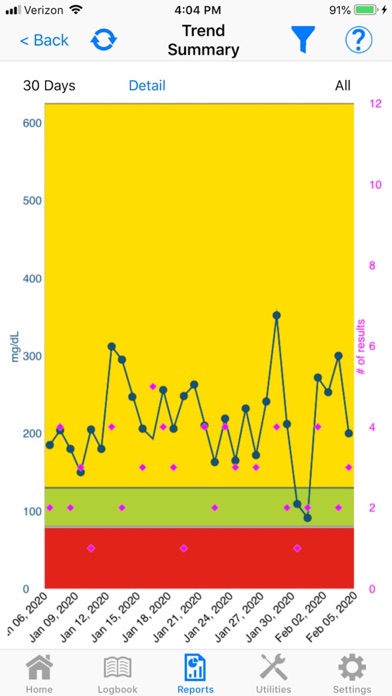
▪ Glucose Trend Report - This graph can be customized by target range, date and time to reveal patterns and to quickly identify glucose results that are too low or too high.
▪ Logbook Report - Review all glucose results, including control results, over a specific time period in chronological order.
▪ Modal Day/Week Report - View all results in specific time blocks per day or week. Color coded for easy review of glucose results within, above or below customized target ranges.
o Share data via PDF through email with healthcare providers, friends and family.
o Help screens are available on most pages if assistance is needed.
Important Information:
• TRUE MANAGER AIR App is not for diagnostic use.
• NEVER change your treatment plan without consulting a Doctor or Healthcare Professional.
• TRUE MANAGER AIR App is for use with only specified supported mobile devices. Go to www.trividiahealth.com/truemanagerair for a list of compatible mobile devices.
• This product is intended for single patient use to support better diabetes management without providing specific treatment or treatment suggestions.
• Refer to your "TRUE" branded wireless glucose meter Owner’s Booklet for pairing instructions.