

TslaMirror
TslaMirror is made and published by Wuhan TrustComputing IT Co., Ltd. AppBrain is an independent app data site and isn't affiliated with Wuhan TrustComputing IT Co., Ltd. The app name, icon, screenshots and description belong to Wuhan TrustComputing IT Co., Ltd. and are shown as published on the App Store.
AppBrain's verdict
Established- Rating on App Store
- 3.74
- 27 ratings
- Last updated
- October 15, 2026
- Size
- 22.1 MB
It doesn't have enough ratings yet to judge what users think.
User feedback
Ratings and reviews on the App StoreComments on TslaMirror for iOS
We don't have enough comments to show example comments. Please check back later.
Store listing
By Wuhan TrustComputing IT Co., Ltd., from the App Store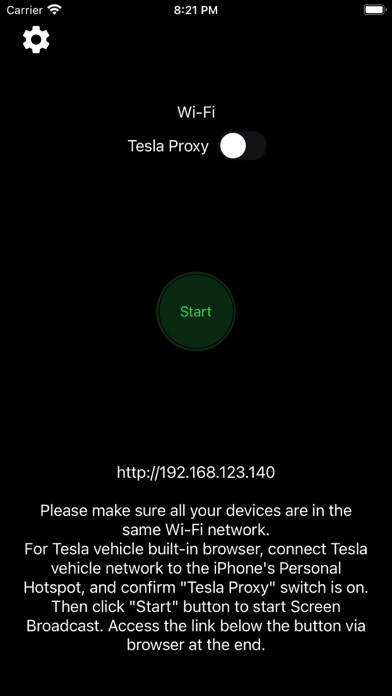
Description by Wuhan TrustComputing IT Co., Ltd. Written by the developer, not by AppBrain. Click to read.
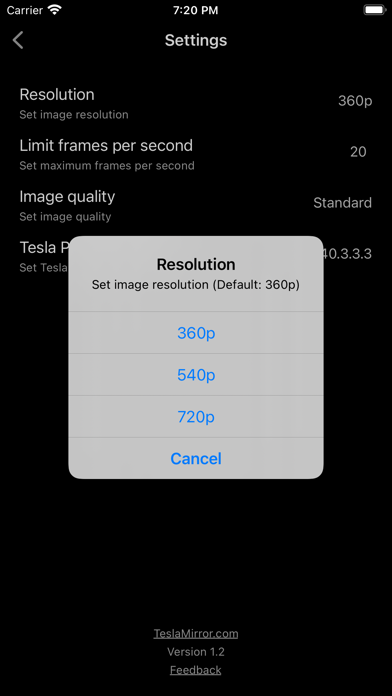
TslaMirror is an app designed to mirror your iPhone apps to your Tesla’s built-in browser.
- Supported apps include Waze, Google Maps, Apple Maps, YouTube, TikTok, Plex, and more.
- DRM-protected apps, including but not limited to Netflix, Apple TV, YouTube TV, Amazon Prime Video, and Hulu, are not supported. Some DRM-protected apps may block video mirroring, resulting in a black screen in the Tesla browser.
Instructions for the Tesla built-in browser:
1. If possible, update your Tesla’s infotainment system to the most recent version.
2. Make sure the vehicle is PARKED (0 mph / 0 km/h).
3. Connect your Tesla to your iPhone Personal Hotspot (cellular data required). MCU2 or MCU3 hardware is required: available on Model 3 and Model Y, Cybertruck, Model S built after March 2018, Model X built after March 2018, or vehicles upgraded from MCU1 to MCU2/3.
4. Ensure the iPhone is not in Low Power Mode. Launch the TslaMirror app and toggle on “Proxy.”
5. Tap “Start,” then select “Start Broadcast” to begin screen broadcast.
6. In your Tesla’s built-in browser, go to https://TslaMirror.com
7. Lossless audio playback is supported in the browser.
8. Keep your iPhone unlocked; due to Screen Broadcast API limitations, locking the screen stops casting and requires restarting the broadcast.
Key Features
1. No additional internet traffic is used for mirroring; traffic stays on the iPhone’s Personal Hotspot. However, while the Tesla is connected to the hotspot, the vehicle may use your cellular data for its own internet access.
2. Private: the screencast is only available to devices connected to the iPhone Personal Hotspot Wi-Fi network.
3. A 5 GHz Personal Hotspot (supported from the iPhone 12 series) is highly recommended. Do not enable “Maximize Compatibility” on iPhone 12 models; enabling it forces a 2.4 GHz hotspot.
4. H.264/H.265 mirroring recommendations:
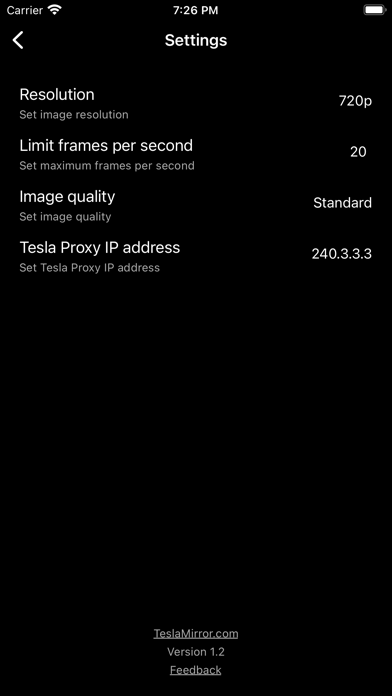
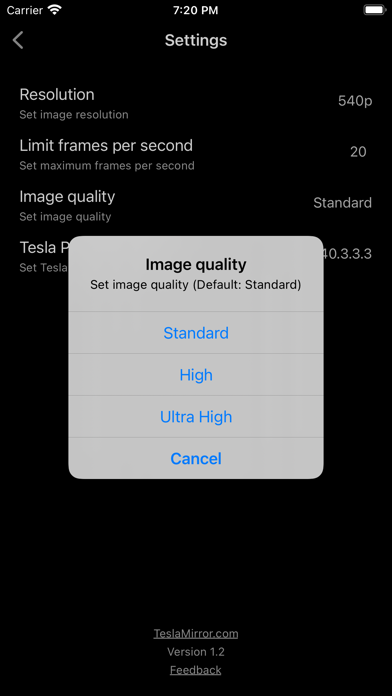
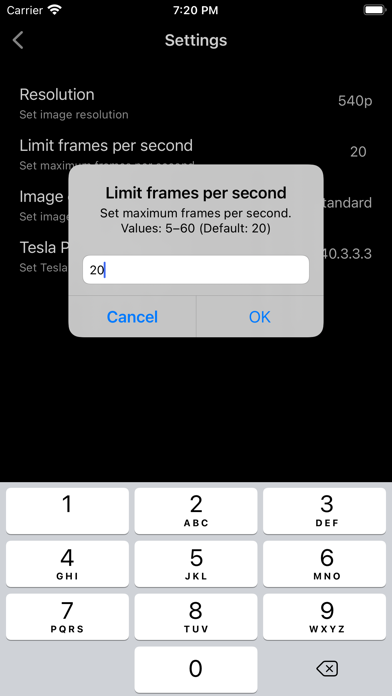
- MCU3 (AMD Ryzen): H.265 mode with 720p@60 fps recommended, as 1080p requires higher bandwidth. MCU3 supports up to 1080p@60fps (H.264 and H.265).
- For Tesla in-car system software version 2025.38.11 and later, H.265 mirroring is now recommended for both MCU2 and MCU3.
- MCU2 (Intel Atom): H.264 mode with 540p@30fps recommended only for very old Tesla in-car system.
FAQ
1. This is not CarPlay.
2. iOS apps that use the AVPlayer framework (e.g., Apple Music, Netflix) are not supported.
3. Netflix is not supported.
Privacy/Security Notice: This app does not collect usage statistics, personal information, or analytics. On iOS 13 and later, it uses Location Services only to read the Wi-Fi network name (SSID). Location data is never stored or collected. No information is stored by us.
Disclaimer: This software and documentation are not affiliated with or endorsed by Tesla, Inc. Use at your own risk. We do not guarantee proper functioning. Some features require specific vehicle options (e.g., MCU2 or newer). The app uses interfaces similar to those used by official Tesla apps, but you are responsible for any changes to your car resulting from use. Use requires the vehicle’s built-in browser. We are not liable for any damages to you, your car, or any other property in conjunction with the use of this app.
Warning and Legal Disclaimer: Use only while PARKED (0 mph / 0 km/h). Local laws may restrict the use of a built-in web browser in a vehicle.
Terms of Use (EULA): https://teslamirror.com/terms.html
Privacy Policy: https://teslamirror.com/privacy.html
Safety and technology
Found in the app by AppBrain- Price
- Free
- App size
- 22.1 MB
- Content rating
- Everyone
Technologies used by TslaMirror
Releases
Updates seen on the App Store- Version
- 9.83
- Launched
- December 2020
No changelog data
Alternatives
Similar apps and more from Wuhan TrustComputing IT Co., Ltd.Alternatives to TslaMirror



More from Wuhan TrustComputing IT Co., Ltd.

Rankings
App Store top chartsApp Store Rankings for TslaMirror
About the app and developer
About TslaMirror
TslaMirror is an utilities app developed by Wuhan TrustComputing IT Co., Ltd.
User Ratings
TslaMirror is rated 3.74 out of 5 stars. The rating is based on 27 ratings.
App Information
TslaMirror is freely available from the App Store. The app size is 22.11 MB. The latest version available is 9.83. The last update was on October 15, 2026.
Technical Requirements
The app has a content rating of Everyone. The app has been available on the App Store since December 2020.
Developer information for Wuhan TrustComputing IT Co., Ltd.
Wuhan TrustComputing IT Co., Ltd.
Address: