

TSO Skyway
TSO Skyway is made and published by TRACKING SOLUTIONS CORP. AppBrain is an independent app data site and isn't affiliated with TRACKING SOLUTIONS CORP. The app name, icon, screenshots and description belong to TRACKING SOLUTIONS CORP and are shown as published on the App Store.
AppBrain's verdict
- Last updated
- June 24, 2021
Rankings
App Store top chartsApp Store Rankings for TSO Skyway
Competitors
Similar apps and more from TRACKING SOLUTIONS CORPAlternatives to TSO Skyway


More from TRACKING SOLUTIONS CORP








Releases
Updates seen on the App Store- Version
- 2.0
- Launched
- May 2015
No changelog data
User feedback
Ratings and reviews on the App StoreComments on TSO Skyway for iOS
We don't have enough comments to show example comments. Please check back later.
Technology
Found in the app by AppBrain- Price
- Free
- App size
- 7.63 MB
- Content rating
- Everyone
Technologies used by TSO Skyway
About the app and developer
About TSO Skyway
TSO Skyway is a business app developed by TRACKING SOLUTIONS CORP.
What is the rating of TSO Skyway?
TSO Skyway has no ratings yet.
Is TSO Skyway free?
TSO Skyway is free. The app size is 7.63 MB. The latest version available is 2.0. The last update was on June 24, 2021.
What are the requirements for TSO Skyway?
The app has a content rating of Everyone. The app has been available on the App Store since May 2015.
Developer information for TRACKING SOLUTIONS CORP
Address:
Store listing
By TRACKING SOLUTIONS CORP, from the App Store
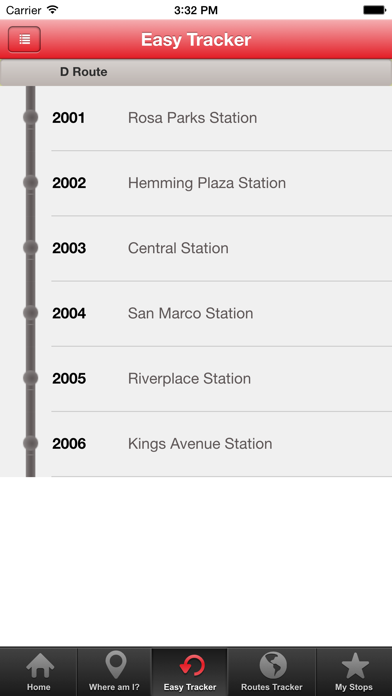


Description by TRACKING SOLUTIONS CORP Written by the developer, not by AppBrain. Click to read.
Features & Specs:
•View all Route Schedules & Shuttle Times
•Filter your Information Search by selecting a Stop# or Route
•View Detailed Stop Information
•All Trolley Routes are shown on user friendly Maps which are constantly Updating
•Know all the nearest stops to your Location for easy access to your closest Shuttle & Route
•Search by entering a complete address Location & our system will Automatically Choose The Best Route for you
•Directions are shown Simple and Easy to follow, by just reading the step by step instructions & following the Blue Line
Note: If a Stop or Route is not near your location the system will guide you by giving you Walking Directions on how to reach your nearest Stop or Route. (you will see the Line to Follow on the Maps)