

Tuna IPTV Player
Tuna IPTV Player is made and published by ANDREALITY S.L. AppBrain is an independent app data site and isn't affiliated with ANDREALITY S.L. The app name, icon, screenshots and description belong to ANDREALITY S.L. and are shown as published on the App Store.
AppBrain's verdict
- Last updated
- September 8, 2026
Rankings
App Store top chartsApp Store Rankings for Tuna IPTV Player
Competitors
Similar apps and more from ANDREALITY S.L.


Releases
Updates seen on the App Store- Version
- 1.1.0
- Launched
- March 2026
No changelog data
User feedback
Ratings and reviews on the App StoreComments on Tuna IPTV Player for iOS
We don't have enough comments to show example comments. Please check back later.
Technology
Found in the app by AppBrain- Price
- Free
- App size
- 40.3 MB
- Content rating
- Everyone
Technologies used by Tuna IPTV Player
About the app and developer
About Tuna IPTV Player
Tuna IPTV Player is an entertainment app developed by ANDREALITY S.L.
What is the rating of Tuna IPTV Player?
Tuna IPTV Player has no ratings yet.
Is Tuna IPTV Player free?
Tuna IPTV Player is free. The app size is 40.32 MB. The latest version available is 1.1.0. The last update was on September 8, 2026.
What are the requirements for Tuna IPTV Player?
The app has a content rating of Everyone. The app has been available on the App Store since March 2026.
Developer information for ANDREALITY S.L.
Address:
Store listing
By ANDREALITY S.L., from the App Store
Description by ANDREALITY S.L. Written by the developer, not by AppBrain. Click to read.
* Channel Browser
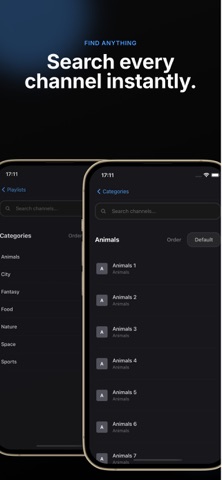
Channels are organized exactly as your M3U defines them, with a category sidebar for fast navigation. A 4-column grid lets you scan hundreds of channels at a glance. Tap into any channel to start streaming immediately.
* Search
Find any channel across your entire playlist with the global search bar, or filter within the current category using in-category search. Your recent searches are saved so you can jump back to them quickly.
* Favorites & Recents
Mark any channel as a favorite with a single click — favorites appear at the top of the list and get their own dedicated category. A Recents category keeps track of everything you've watched, so you can always pick up where you left off.
* EPG — Electronic Program Guide
Connect an XMLTV EPG source to see what's on now and what's coming up next, directly on the channel cards. The guide refreshes automatically in the background so it's always up to date.
* Playlist Management
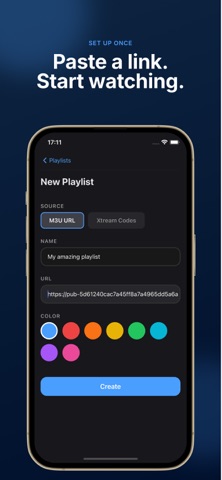
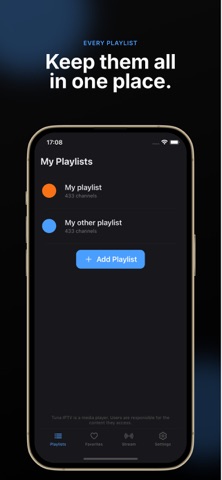
Add multiple M3U playlists and switch between them from the home screen. Refresh any playlist on demand to pick up the latest channels from your provider. The app preserves your last-watched channel and category and can resume automatically on launch.
* Channel & Category Controls
Hide channels or entire categories you don't use. Rename categories to match your preferences. Merge similar categories into one. Review and clean up duplicate channels with the built-in duplicate review tool. All changes are stored locally and survive playlist refreshes.
* Sort Options
Sort channels alphabetically, by most recently watched, or keep the original playlist order. Pin favorites to the top with a single toggle.
* Single Stream Player
Paste any direct stream URL from the Streams tab and play it instantly — no playlist needed.
Tuna IPTV Player does not provide any content, channels, or subscriptions. You must supply your own M3U playlist URL from your IPTV provider.