

TunerLab Audio Editor
TunerLab Audio Editor is made and published by HappyTimes Tech Co., Ltd. AppBrain is an independent app data site and isn't affiliated with HappyTimes Tech Co., Ltd. The app name, icon, screenshots and description belong to HappyTimes Tech Co., Ltd. and are shown as published on the App Store.
AppBrain's verdict
Loved by users- Rating on App Store
- 4.66
- 125 ratings
- Last updated
- December 14, 2023
- Size
- 95.3 MB
Users love it: 4.7 stars from 125 ratings.
User feedback
Ratings and reviews on the App StoreComments on TunerLab Audio Editor for iOS
We don't have enough comments to show example comments. Please check back later.
Store listing
By HappyTimes Tech Co., Ltd., from the App Store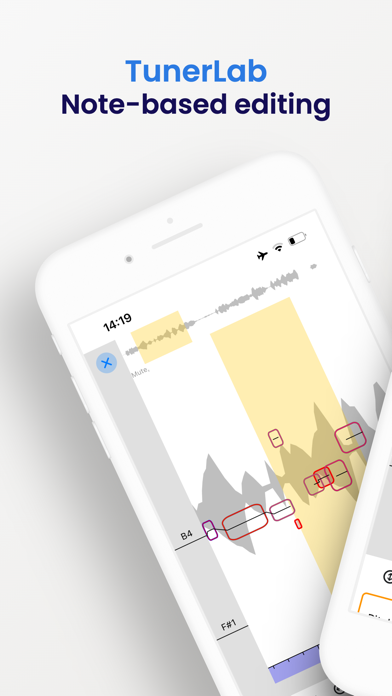
Description by HappyTimes Tech Co., Ltd. Written by the developer, not by AppBrain. Click to read.
NOTE-BASED OPERATION
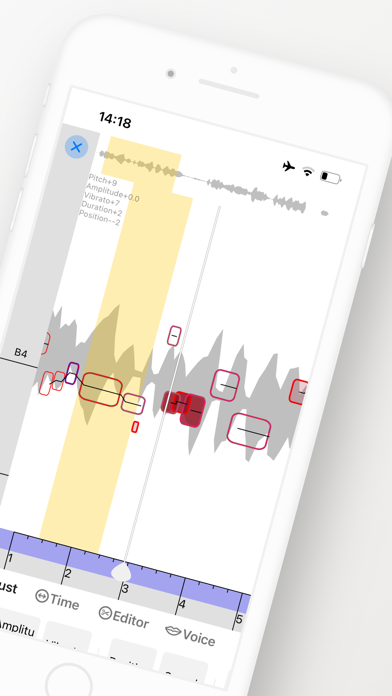
Note-based operation, which allows you to identify individual notes within an audio file and understand their place in the overall musical context. With TunerLab, you can modify various aspects of your audio tracks such as pitch, vibrato, volume, sibilants, note length, and timing, making it an indispensable tool for quick vocal tuning, creating harmonies and re-voicing instruments.
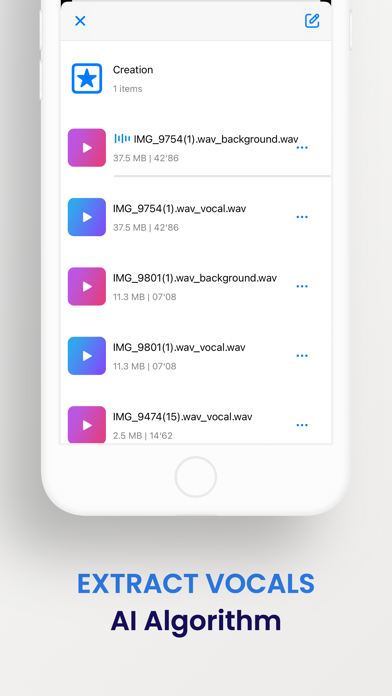
EXTRACT VOCALS
Separate vocals from existing songs with vocal remover and create something incredible. Import a song, separate the vocals with vocal remover, select an effect, and you have an instantly memorable remix. You can even separate and edit vocals from music videos or try using TunerLab as a karaoke app by separating vocals with our vocal remover.
AUDIO EDITING
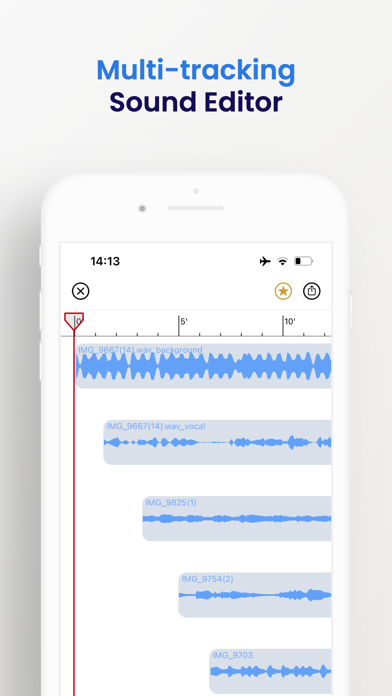
The editor allows you to add multiple tracks, adjust clip positions, and apply sound effects. It also supports multitrack audio editing and mixing with professional jitter quantization and anti-interference filters, ensuring high-quality output and smooth cut boundaries. Additionally, you can crop a clip from a music file, apply various sound effects to change the tone, and easily export the finalized audio.
More Features:
- 「Setting as ringtone」: Easily set your chosen audio as your phone's ringtone.
- 「Audio import」: App offers 6 free convenient ways to import audio, including video extract, WiFi, UTI, other app share, file, and clipboard.
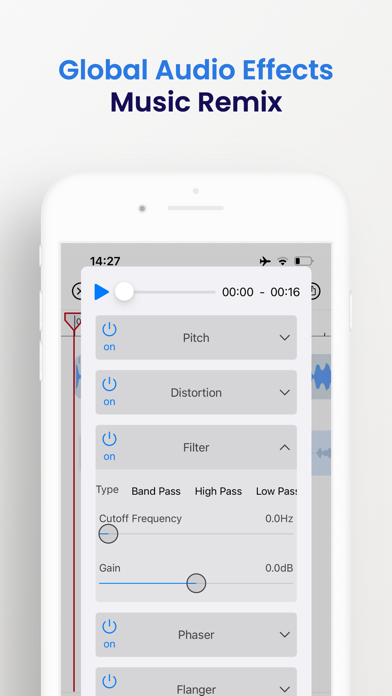
-「Global effects」: Apply real-time global effects to your mixing output, including chorus, reverb, and tempo changer (keep pitch).
- 「Export」: Easily export your audio in a variety of formats, including M4A, AAC, ALAC, MP3, FLAC, and WAV.
- 「Built-in audio extractor」: Extract audio tracks from video files with ease using the built-in audio extractor.
-「Auto-draft」: Save time and work more efficiently with the auto-draft feature that automatically saves your draft for easy re-editing.
-「Undo/Redo」: Support unlimited times of undo and redo
- 「Splicing and sound mixing」: One-key switching; support free drag, easy to operate
- 「 Recording 」: Support wired or wireless (AirPods and Pro) earphones and in-ear monitor; support accompaniment play;
With so many powerful features, it's no wonder why TunerLab is used by countless users around the world every day.
[Contact us]
Email: globalfadeback@163.com
Your suggestion is very important to me, you can contact me using the feedback in the app.
Automatic renewal statement:
1. Payment: "Continuous monthly / year" products are auto-renewable products. After confirming the purchase, you will be charged from your Apple iTunes account;
2. Renewal: 24 hours before the expiration of your subscription period, Apple will automatically deduct the charge from your ITunes account, and the validity period of "Remove ads" will be automatically extended after success;
3. If you need to cancel the automatic renewal, please turn off the automatic renewal manually in the Apple ID account settings at least 24 hours before the subscription period expires. No charge will be made after closing.
Terms of Service:
https://vl2d7p74tu.feishu.cn/docx/HcHHdXlnvoV6sOxKl4ccErZYnr4
Privacy Policy:
https://vl2d7p74tu.feishu.cn/docx/Ma7xdszymo8gpDxBJbGcV0YCnab
Safety and technology
Found in the app by AppBrain- Price
- Free
- App size
- 95.3 MB
- Content rating
- Low
Technologies used by TunerLab Audio Editor
Releases
Updates seen on the App Store- Version
- 2.0
- Launched
- March 2023
No changelog data
Alternatives
Similar apps and more from HappyTimes Tech Co., Ltd.Alternatives to TunerLab Audio Editor


More from HappyTimes Tech Co., Ltd.




Rankings
App Store top chartsApp Store Rankings for TunerLab Audio Editor
About the app and developer
About TunerLab Audio Editor
TunerLab Audio Editor is a music app developed by HappyTimes Tech Co., Ltd.
User Ratings
TunerLab Audio Editor is rated 4.66 out of 5 stars. The rating is based on 130 ratings.
App Information
TunerLab Audio Editor is freely available from the App Store. The app size is 95.33 MB. The latest version available is 2.0. The last update was on December 14, 2023.
Technical Requirements
The app has a content rating of Low Maturity. The app has been available on the App Store since March 2023.
Developer information for HappyTimes Tech Co., Ltd.
Address:
Frequently asked questions about TunerLab Audio Editor
Is TunerLab Audio Editor free?
Yes. TunerLab Audio Editor is free on the App Store.
Is TunerLab Audio Editor still available?
Yes. TunerLab Audio Editor is on the App Store, and the last update we saw was on December 14, 2023.
How large is TunerLab Audio Editor?
TunerLab Audio Editor is 95.33 MB.
Is TunerLab Audio Editor suitable for children?
App Store gives TunerLab Audio Editor a low maturity rating, so it is meant for older children and up.
How do people rate TunerLab Audio Editor?
TunerLab Audio Editor scores 4.66 out of 5 stars, from 125 ratings on the App Store.
Who made TunerLab Audio Editor?
TunerLab Audio Editor was developed by HappyTimes Tech Co., Ltd. It is listed in the music category on the App Store.
What are the best alternatives to TunerLab Audio Editor?
People looking at TunerLab Audio Editor also look at these music apps: Audio Editor HD, Audio One: Multitrack Editor, Audio Editor & Tool, Audio Editor : Audiolab, Audio Fusion.