

Turbo video Cutter
Turbo video Cutter is made and published by Moses Julius. AppBrain is an independent app data site and isn't affiliated with Moses Julius. The app name, icon, screenshots and description belong to Moses Julius and are shown as published on the App Store.
AppBrain's verdict
- Last updated
- June 13, 2024
- Size
- 69.0 MB
User feedback
Ratings and reviews on the App StoreComments on Turbo video Cutter for iOS
We don't have enough comments to show example comments. Please check back later.
Store listing
By Moses Julius, from the App StoreDescription by Moses Julius Written by the developer, not by AppBrain. Click to read.
The creation of this app arises with the need to provide users with App that is both easy to use and has multiple features that covers all your video editing needs with a single click. With so many video editing apps out there, we wanted an App that was easy to use and does not require multiple steps to create your ideal content. Moreover, this App is completely free and available offline.
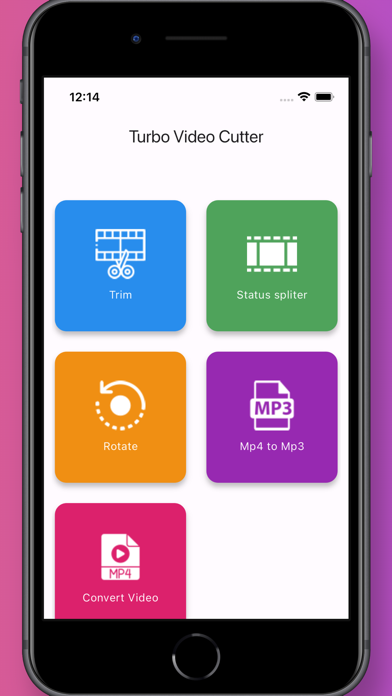
This App contains multiple features such as Trimming of videos, Split videos to 30-second clips for your status and reels, Convert Mp4 videos into high quality Mp3 audio files, save your creations in your gallery and Share your content as you like.
Trim:
Trim your videos according to your liking, whether it be for your social media or educational purposes, you can trim off extra video with ease.
Status splitter:
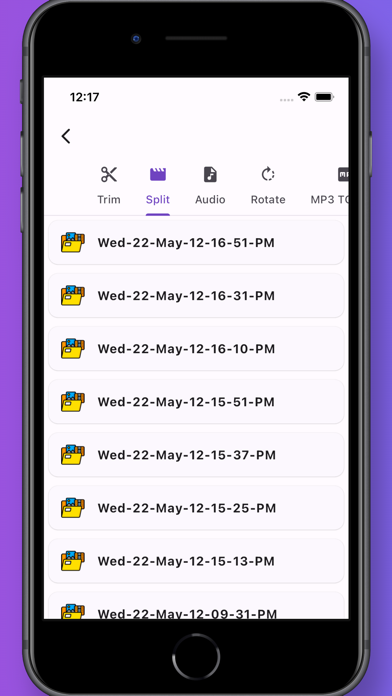
Split your video content into 30 second clips that are easy to be uploaded to your status and reels.
Rotate:
Rotate your videos to any angle you like to create the most engaging content with ease of some simple clicks.
Mp4 to Mp3:
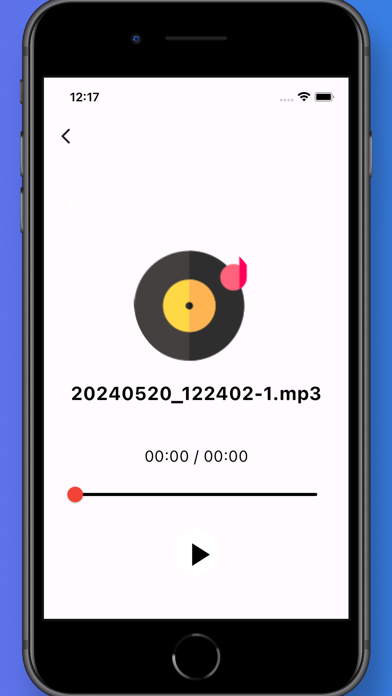
Convert Mp4 videos to Mp3 audio files, this app converts your video content to high quality audio files with audio files containing high quality sound that is without any extra noise or glitch.
Content saved in gallery:
Once your done with editing, App provides you with a feature to save your content in your gallery so that you can use that content whenever you like or need it.
Share:
You can easily share your content from within the app as it provides you with a feature to share as soon as you are done with editing.
How to use Turbo video cutter:
1. At homepage the App provides you with 4 features Trim, Status Split, Mp4 to Mp3 and Rotate.
2. Select whatever option you want to select.
3. Then the app takes to your gallery from where you select your video.
4. Now Trim, Split, convert or rotate your video according to your liking.
5. Now the app provides with options to save and share your content.
6. Save your content to your gallery.
7. Share your content from within the App or share it from your gallery.
8. And your done with your Video Editing!
We hope you find this App helpful and it provides you with a tool that is great for video content so that you can create engaging content for your social media. This app is completely free and available offline, so download it now and check out its amazing features, use it and share it with your friends.
terms & condition :https://sites.google.com/view/turbo-video-cutter/home
privacy policy:https://sites.google.com/view/turbo-video-cutter/privacypolicy
Safety and technology
Found in the app by AppBrain- Price
- Free
- App size
- 69.0 MB
- Content rating
- Everyone
Technologies used by Turbo video Cutter
Releases
Updates seen on the App Store- Version
- 10.0.0
- Launched
- December 2023
No changelog data
Alternatives
Similar apps and more from Moses Julius


Rankings
App Store top chartsApp Store Rankings for Turbo video Cutter
About the app and developer
About Turbo video Cutter
Turbo video Cutter is an entertainment app developed by Moses Julius.
What is the rating of Turbo video Cutter?
Turbo video Cutter has no ratings yet.
Is Turbo video Cutter free?
Turbo video Cutter is free. The app size is 69.04 MB. The latest version available is 10.0.0. The last update was on June 13, 2024.
What are the requirements for Turbo video Cutter?
The app has a content rating of Everyone. The app has been available on the App Store since December 2023.
Developer information for Moses Julius
Address:
Frequently asked questions about Turbo video Cutter
Is Turbo video Cutter free?
Yes. Turbo video Cutter is free on the App Store.
Is Turbo video Cutter still available?
Yes. Turbo video Cutter is on the App Store, and the last update we saw was on June 13, 2024.
How large is Turbo video Cutter?
Turbo video Cutter is 69.04 MB.
Is Turbo video Cutter suitable for children?
App Store rates the content of Turbo video Cutter as suitable for everyone.
Who made Turbo video Cutter?
Turbo video Cutter was developed by Moses Julius. It is listed in the entertainment category on the App Store.
What are the best alternatives to Turbo video Cutter?
People looking at Turbo video Cutter also look at these entertainment apps: Coloring & Drawing Games Kids, Srpsko narodno pozorište, Shorts Video Status Share, QFM Radio, Lively: Live Wallpapers 4K.