

Turn Off PC
Turn Off PC is made and published by Marcos Antonio Salas Abello. AppBrain is an independent app data site and isn't affiliated with Marcos Antonio Salas Abello. The app name, icon, screenshots and description belong to Marcos Antonio Salas Abello and are shown as published on the App Store.
AppBrain's verdict
- Rating on App Store
- 4.43
- 7 ratings
- Last updated
- September 1, 2026
It doesn't have enough ratings yet to judge what users think.
Rankings
App Store top chartsApp Store Rankings for Turn Off PC
Competitors
Similar apps and more from Marcos Antonio Salas AbelloAlternatives to Turn Off PC





More from Marcos Antonio Salas Abello

Releases
Updates seen on the App Store- Version
- 2.5.4
- Launched
- August 2024
No changelog data
User feedback
Ratings and reviews on the App StoreComments on Turn Off PC for iOS
We don't have enough comments to show example comments. Please check back later.
Technology
Found in the app by AppBrain- Price
- Free
- App size
- 42.6 MB
- Content rating
- Everyone
Technologies used by Turn Off PC
About the app and developer
About Turn Off PC
Turn Off PC is an utilities app developed by Marcos Antonio Salas Abello.
User Ratings
Turn Off PC is rated 4.43 out of 5 stars. The rating is based on 7 ratings.
App Information
Turn Off PC is freely available from the App Store. The app size is 42.63 MB. The latest version available is 2.5.4. The last update was on September 1, 2026.
Technical Requirements
The app has a content rating of Everyone. The app has been available on the App Store since August 2024.
Developer information for Marcos Antonio Salas Abello
Address:
Store listing
By Marcos Antonio Salas Abello, from the App Store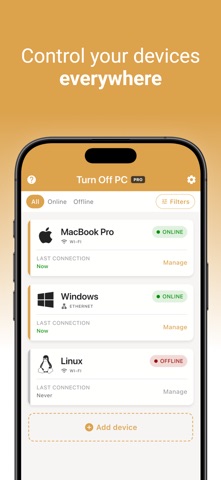
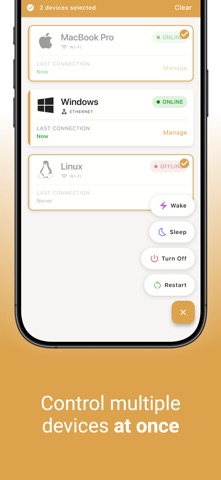
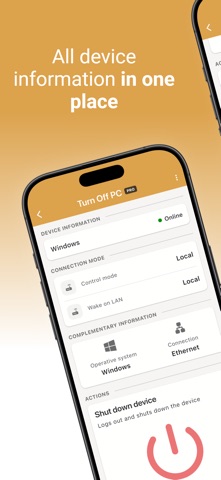
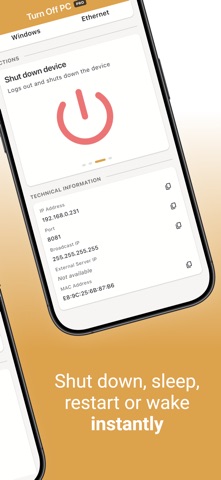
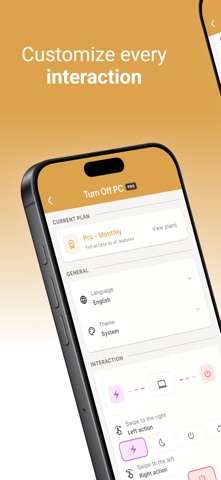
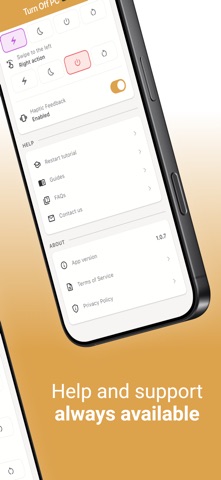
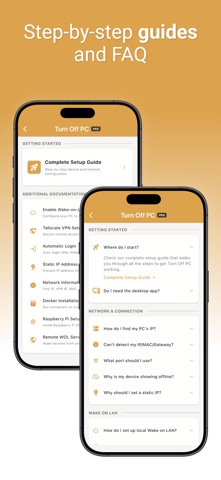

Description by Marcos Antonio Salas Abello Written by the developer, not by AppBrain. Click to read.
Whether you're at home or away, Turn Off PC works over your local Wi-Fi network or remotely through a VPN. Available for Windows, macOS and Linux.
KEY FEATURES
• Shut down, restart, sleep and wake your PC.
• Wake-on-LAN support.
• Control your devices over your local network or remotely via VPN.
• Siri support to control your devices with your voice.
• Apple Shortcuts integration for powerful automations.
• Control Center integration for instant access to your devices.
• Home screen widgets for one-tap control.
• Built-in setup guides and step-by-step tutorials.
GET STARTED
1. Install Turn Off PC on your iPhone.
2. Install Turn Off PC Desktop on your computer.
3. Add your computer.
4. You're ready to go.
Terms of Use: https://turnoffpc.com/terms/