

TV Assistant
TV Assistant is made and published by Shenzhen Horion Software Co., Ltd. AppBrain is an independent app data site and isn't affiliated with Shenzhen Horion Software Co., Ltd. The app name, icon, screenshots and description belong to Shenzhen Horion Software Co., Ltd and are shown as published on the App Store.
AppBrain's verdict
- Rating on App Store
- 2.33
- 3 ratings
- Last updated
- October 23, 2025
It doesn't have enough ratings yet to judge what users think.
Rankings
App Store top chartsApp Store Rankings for TV Assistant
Competitors
Similar apps and more from Shenzhen Horion Software Co., LtdAlternatives to TV Assistant


More from Shenzhen Horion Software Co., Ltd


Releases
Updates seen on the App Store- Version
- 3.0.8
- Launched
- November 2024
No changelog data
User feedback
Ratings and reviews on the App StoreComments on TV Assistant for iOS
We don't have enough comments to show example comments. Please check back later.
Technology
Found in the app by AppBrain- Price
- Free
- App size
- 35.0 MB
- Content rating
- Everyone
Technologies used by TV Assistant
About the app and developer
About TV Assistant
TV Assistant is an utilities app developed by Shenzhen Horion Software Co., Ltd.
What is the rating of TV Assistant?
TV Assistant is rated 2.33 out of 5 stars, based on 3 ratings.
Is TV Assistant free?
TV Assistant is free. The app size is 35.01 MB. The latest version available is 3.0.8. The last update was on October 23, 2025.
What are the requirements for TV Assistant?
The app has a content rating of Everyone. The app has been available on the App Store since November 2024.
Developer information for Shenzhen Horion Software Co., Ltd
Shenzhen Horion Software Co., Ltd
Address:
Store listing
By Shenzhen Horion Software Co., Ltd, from the App Store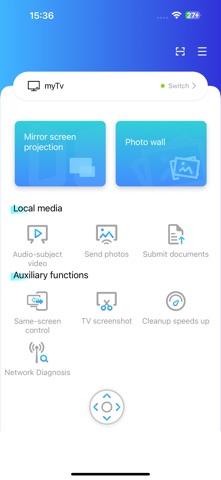
Description by Shenzhen Horion Software Co., Ltd Written by the developer, not by AppBrain. Click to read.
Robust Screen Mirroring
Stream your phone’s screen, documents, audio files, videos, and images to your smart TV with stable, smooth performance, delivering a high-quality big-screen experience.
Convenient Reverse Control & Interaction
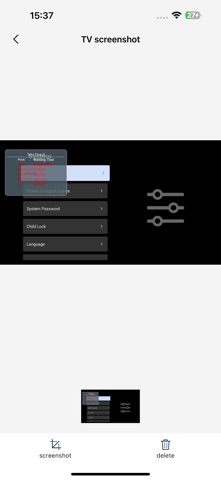
View your smart TV’s screen directly on your phone and control the TV via your phone’s touchscreen. Instantly capture TV screen images and save them to your phone for easy sharing or archiving.
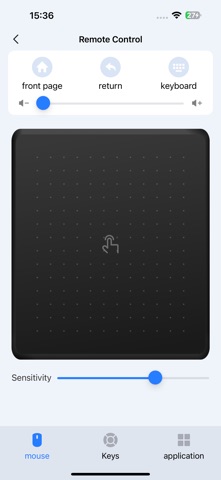
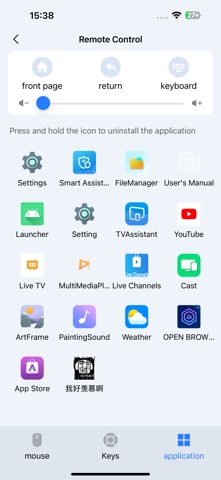
Multi-Functional Remote Control
Combines traditional remote functions with innovative operations, offering multiple control modes to enhance interaction flexibility—perfect for intuitive, seamless TV management.
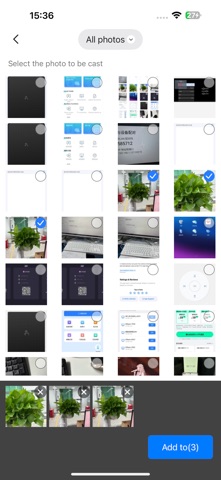
Heartwarming Photo Wall for Emotional Connection
Batch-transfer photos from your phone’s album to your TV and showcase them in elegant artistic frames or set them as screensavers. This feature lets families share cherished memories on the big screen, strengthening emotional bonds in home entertainment—a rare and delightful addition to TV apps.
Network & Performance Optimization
Built-in network diagnostics quickly resolve connectivity issues, while cleaning and acceleration tools optimize performance, extend your TV’s lifespan, and enhance your overall usage experience.
Ideal for elevating your smart TV experience with convenience, creativity, and family-centric warmth.