

uAttend
uAttend is made and published by Workwell Technologies, Inc. AppBrain is an independent app data site and isn't affiliated with Workwell Technologies, Inc. The app name, icon, screenshots and description belong to Workwell Technologies, Inc. and are shown as published on the App Store.
AppBrain's verdict
EstablishedPoorly rated- Rating on App Store
- 1.78
- 245 ratings
- Last updated
- May 2, 2026
Users are critical: 1.8 stars from 245 ratings.
Rankings
App Store top chartsApp Store Rankings for uAttend
Competitors
Similar apps and more from Workwell Technologies, Inc.Alternatives to uAttend


More from Workwell Technologies, Inc.


Releases
Updates seen on the App Store- Version
- 3.1.37
- Launched
- April 2011
No changelog data
User feedback
Ratings and reviews on the App StoreComments on uAttend for iOS
We don't have enough comments to show example comments. Please check back later.
Technology
Found in the app by AppBrain- Price
- Free
- App size
- 221.5 MB
- Content rating
- Everyone
Technologies used by uAttend
About the app and developer
About uAttend
uAttend is a business app developed by Workwell Technologies, Inc.
User Ratings
uAttend is rated 1.78 out of 5 stars. The rating is based on 250 ratings.
App Information
uAttend is freely available from the App Store. The app size is 221.45 MB. The latest version available is 3.1.37. The last update was on May 2, 2026.
Technical Requirements
The app has a content rating of Everyone. The app has been available on the App Store since April 2011.
Developer information for Workwell Technologies, Inc.
Address:
Frequently asked questions about uAttend
Is uAttend free?
Yes. uAttend is free on the App Store.
Is uAttend still available?
Yes. uAttend is on the App Store, and the last update we saw was on May 2, 2026.
How large is uAttend?
uAttend is 221.45 MB.
Is uAttend suitable for children?
App Store rates the content of uAttend as suitable for everyone.
How do people rate uAttend?
uAttend scores 1.78 out of 5 stars, from 245 ratings on the App Store.
Who made uAttend?
uAttend was developed by Workwell Technologies, Inc. It is listed in the business category on the App Store.
What are the best alternatives to uAttend?
People looking at uAttend also look at these business apps: uAttend Staffing, Mi Banco Mobile, Mi Acueductos, QuickBooks Workforce, ATH Móvil.
Store listing
By Workwell Technologies, Inc., from the App Store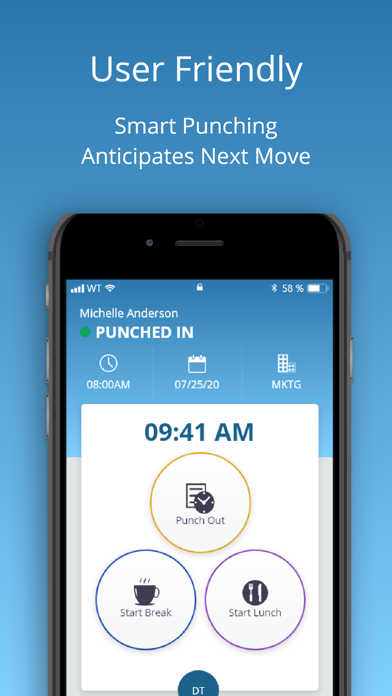
Description by Workwell Technologies, Inc. Written by the developer, not by AppBrain. Click to read.
SMART PUNCHING
Hourly employees can clock in and out for work, lunches and breaks. It’s all possible in the app! To streamline the process, the app shows the next most likely punch option available to each employee. When someone is on their lunch break, they’ll return to a screen prompt to punch in from lunch.Once punched in, the employee will see their punch status along with the time, date and department they are punched into. They can even transfer departments with the touch of a button.
DEPARTMENT TRANSFERS
When transferring departments employees are prompted to enter the new department or search by name. Once you transfer it automatically punches you out of your existing department and punches you into the new one.
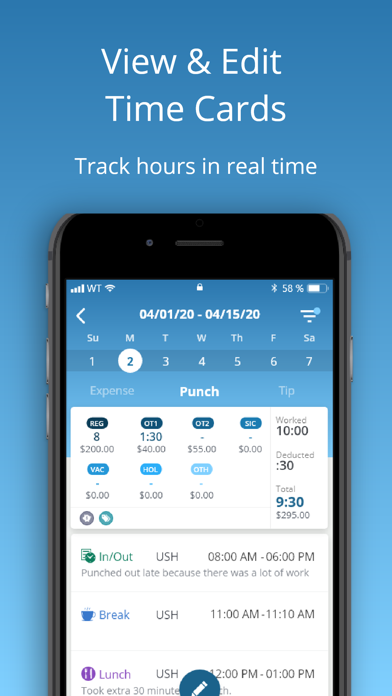
EASY ACCESS TO TIME CARDS
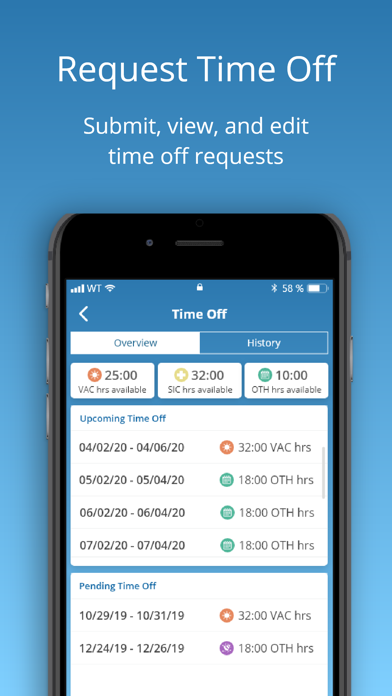
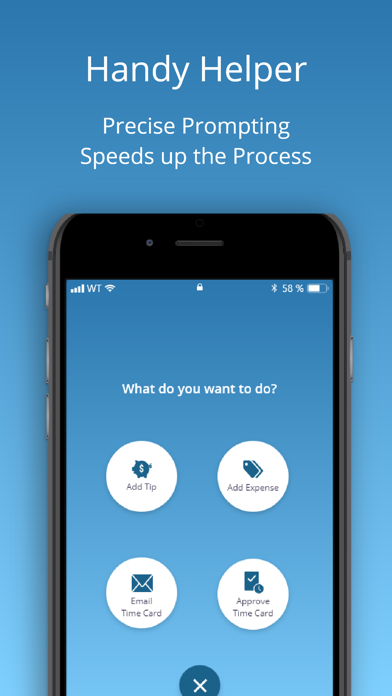
Employees with permission can view current and past time cards. It’s easy to approve or email their time cards to a supervisor or themselves in an instant.
ADDING TIPS AND EXPENSES
Employees can add tips and expenses right from the app. This comes in handy for reporting purposes and so payroll can handle. Add expenses based on the expense codes your account has set up. Track gas, team lunches or whatever you need by selecting the category and adding the amount. Once everything is entered, you can filter by gross pay, notes, tips and expenses.
LEAVING NOTES
Keep the lines of communication open knowing staff can write a short note to their supervisor with each punch.
ADMINISTRATOR/SUPERVISOR FEATURES
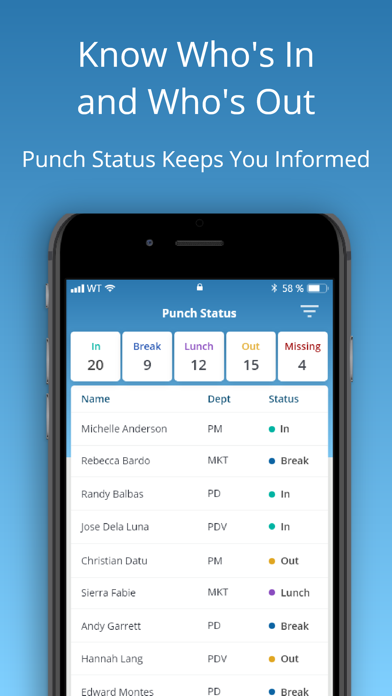
Administrators and supervisors enjoy real-time oversight on employee time and attendance regardless of location. The app provides a list of all employees and their punch status. At a glance you’ll know who’s in, who’s out and who’s missing. Filter by different statuses to identify who’s at lunch. Administrators view and edit all departments while supervisors view and edit departments or employees they are responsible for. Email timecards individually or to multiple people.
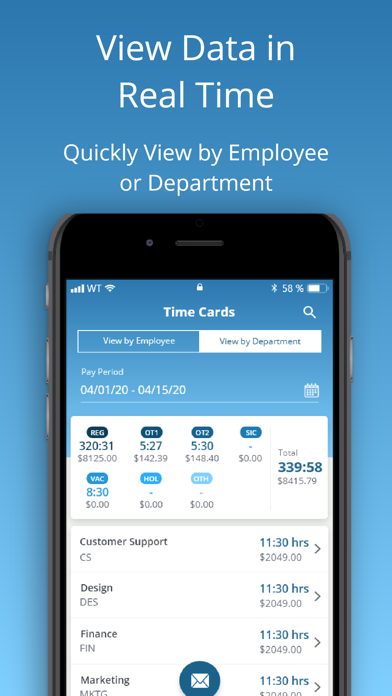
EDITING TIME CARDS
Within your account, you can filter by employee or department to return results. Search employees to show gross pay, overtime, benefit hours and more. Email the timecard summary for all employees and add notes before sending.As an administrator you can edit punches, facilitate group punches, approve timecards and even contact support directly from the app. If you change your pay period after the fact, there is a way to recalculate timecards as well.