

UCSB Mobile Banking
UCSB Mobile Banking is made and published by Union County Savings Bank. AppBrain is an independent app data site and isn't affiliated with Union County Savings Bank. The app name, icon, screenshots and description belong to Union County Savings Bank and are shown as published on the App Store.
AppBrain's verdict
Loved by users- Rating on App Store
- 4.74
- 145 ratings
- Last updated
- May 5, 2026
Users love it: 4.7 stars from 145 ratings.
Rankings
App Store top chartsApp Store Rankings for UCSB Mobile Banking
Competitors
Similar apps and more from Union County Savings BankAlternatives to UCSB Mobile Banking





More from Union County Savings Bank


Also available on Google Play

Releases
Updates seen on the App Store- Version
- 26.1.401.1
- Launched
- January 2023
No changelog data
User feedback
Ratings and reviews on the App StoreComments on UCSB Mobile Banking for iOS
We don't have enough comments to show example comments. Please check back later.
Technology
Found in the app by AppBrain- Price
- Free
- App size
- 106.4 MB
- Content rating
- Everyone
Technologies used by UCSB Mobile Banking
About the app and developer
About UCSB Mobile Banking
UCSB Mobile Banking is a finance app developed by Union County Savings Bank.
What is the rating of UCSB Mobile Banking?
UCSB Mobile Banking is rated 4.74 out of 5 stars, based on 150 ratings.
Is UCSB Mobile Banking free?
UCSB Mobile Banking is free. The app size is 106.41 MB. The latest version available is 26.1.401.1. The last update was on May 5, 2026.
What are the requirements for UCSB Mobile Banking?
The app has a content rating of Everyone. The app has been available on the App Store since January 2023.
Developer information for Union County Savings Bank
Address:
Store listing
By Union County Savings Bank, from the App Store

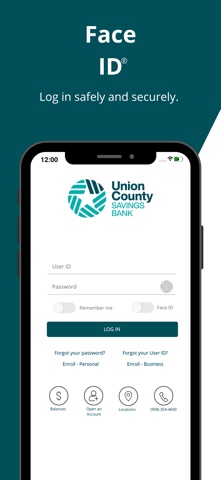

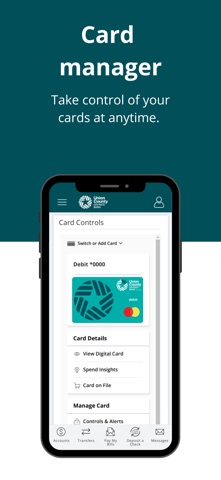
Description by Union County Savings Bank Written by the developer, not by AppBrain. Click to read.
For Retail Customers:
Manage your personal finances seamlessly with features that help you stay on top of your accounts:
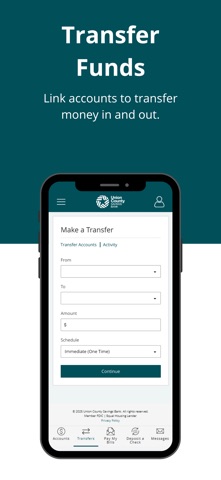
• Account Inquiries & Internal Transfers: Easily check balances and make transfers, including loan payments.
• External Transfers: Move money between your accounts at other banks.
• Zelle®: Send and receive money quickly and securely with friends and family.
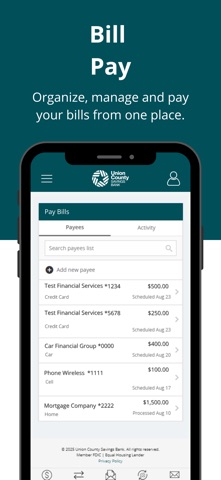
• Bill Pay: Schedule, manage, and pay your bills on time.
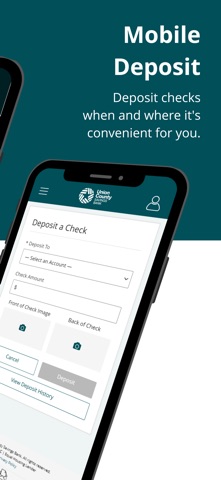
• Mobile Deposit: Snap a photo to deposit checks without a trip to the branch.
• Custom Alerts: Stay informed with real-time notifications about your account activity.
• iOpen: Open new accounts directly from the app.
• eStatements: Access and view your electronic statements anytime.
• Order Checks: Easily reorder checks directly from the app.
For Business Customers:
Take your business banking on the go with powerful tools tailored to your needs:
• Account Inquiries & Internal Transfers: Check balances and transfer funds, including making loan payments.
• Zelle®: Send payments securely to vendors and partners.
• Bill Pay: Simplify business bill payments, manage schedules, and keep track of your payments.
• Mobile Deposit: Deposit checks conveniently from anywhere.
• Custom Alerts: Get real-time updates on your business accounts.
• Wire Transfers: Initiate domestic wire transfers securely.
• ACH: Manage and execute ACH transactions with ease for payroll, vendor payments, and more.
• eStatements: Review your business account eStatements at any time.
• Order Checks: Reorder checks for your business account with just a few taps.
Secure. Fast. Convenient.
Download the UCSB Mobile Banking App today and experience banking that fits your lifestyle. Stay connected, stay in control, and manage your finances whenever and wherever you need to. [No additional fees apply.*]
*Carrier’s data rates may apply.