It doesn't have enough ratings yet to judge what users think.
UFOCUS: Screen time control is made and published by
Asadbek Noyibjonov.
AppBrain is an independent app data site and isn't affiliated with Asadbek Noyibjonov.
The app name, icon, screenshots and description belong to Asadbek Noyibjonov and are shown as
published on the App Store.
About UFOCUS: Screen time control
UFOCUS: Screen time control is a productivity app developed by Asadbek Noyibjonov.
User Ratings
UFOCUS: Screen time control is rated 5.00 out of 5 stars. The rating is based on one rating ratings.
App Information
UFOCUS: Screen time control is freely available from the App Store. The app size is 76.61 MB. The latest version available is 1.0.7. The last update was on July 4, 2026.
Technical Requirements
The app has a content rating of High Maturity. The app has been available on the App Store since March 2026.
Description by Asadbek Noyibjonov(from the App Store)
HOW TO USE Focus
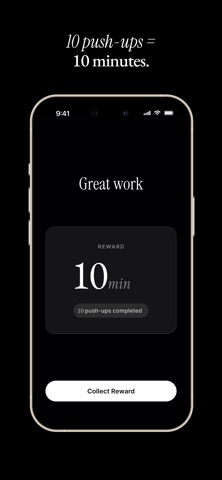
1) Choose the apps you want to limit 2) Select a physical challenge (push-ups, squats, etc.) 3) Complete the exercise to unlock screen time
Focus adds real-world friction before opening distracting apps. Instead of relying on willpower alone, you earn your scrolling time by moving your body.
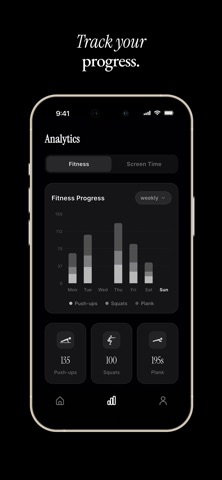
Whether you’re trying to study, work, or simply spend less time on social media, Focus helps you build healthier phone habits and stay in control of your screen time.
If you have ideas or questions, please contact us at hello@ufocus.app.
NOTE: Focus uses Apple’s Screen Time framework to block selected apps and monitor usage. Exercise tracking features may vary by device. SUBSCRIPTION INFORMATION*
uFocus SUBSCRIPTION is required to use and enjoy full access to features and content. If you choose a uFocus subscription, payment will be charged to your Apple Account after the free trial ends.
The subscription will automatically renew unless turned off in your Apple Account Settings at least 24 hours before the current period ends. From Apple Account settings you can manage your subscription and turn off auto-renew. Your Apple Account will be charged when the purchase is confirmed. If you subscribe before your trial ends, the remaining free trial period will be forfeited when your purchase is confirmed.
Each subscription will automatically renew 3 days before the expiration date for
the same time period. Subscriptions can be cancelled at any time before the renewal.