

UNFCU Digital Banking
UNFCU Digital Banking is made and published by United Nations Federal Credit Union. AppBrain is an independent app data site and isn't affiliated with United Nations Federal Credit Union. The app name, icon, screenshots and description belong to United Nations Federal Credit Union and are shown as published on the App Store.
AppBrain's verdict
EstablishedPoorly rated- Rating on App Store
- 2.94
- 161 ratings
- Last updated
- May 7, 2026
Users are critical: 2.9 stars from 161 ratings.
Rankings
App Store top chartsApp Store Rankings for UNFCU Digital Banking
Competitors
Similar apps and more from United Nations Federal Credit UnionAlternatives to UNFCU Digital Banking



Also available on Google Play

Releases
Updates seen on the App Store- Version
- 2.7.0
- Launched
- May 2017
No changelog data
User feedback
Ratings and reviews on the App StoreComments on UNFCU Digital Banking for iOS
We don't have enough comments to show example comments. Please check back later.
Technology
Found in the app by AppBrain- Price
- Free
- App size
- 73.0 MB
- Content rating
- Everyone
Technologies used by UNFCU Digital Banking
About the app and developer
About UNFCU Digital Banking
UNFCU Digital Banking is a finance app developed by United Nations Federal Credit Union.
What is the rating of UNFCU Digital Banking?
UNFCU Digital Banking is rated 2.94 out of 5 stars, based on 160 ratings.
Is UNFCU Digital Banking free?
UNFCU Digital Banking is free. The app size is 73.05 MB. The latest version available is 2.7.0. The last update was on May 7, 2026.
What are the requirements for UNFCU Digital Banking?
The app has a content rating of Everyone. The app has been available on the App Store since May 2017.
Developer information for United Nations Federal Credit Union
United Nations Federal Credit Union
Address:
Store listing
By United Nations Federal Credit Union, from the App Store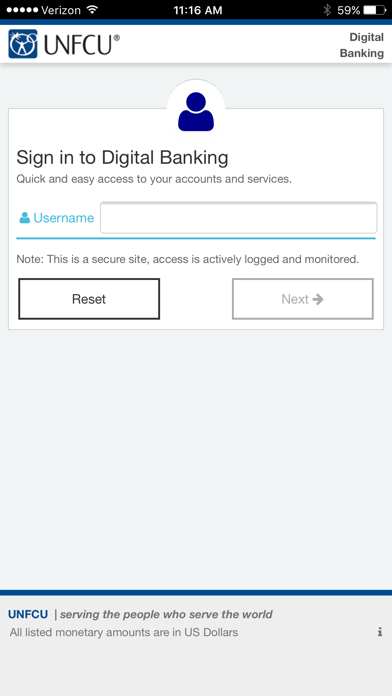


Description by United Nations Federal Credit Union Written by the developer, not by AppBrain. Click to read.
• View the current balance and transactions conducted in the last three years for each of your UNFCU savings and checking accounts, credit cards, loans, and mortgages.
• Make UNFCU loan, credit card, and mortgage payments.
• Borrow against your line(s) of credit.
• Transfer funds to other accounts at UNFCU, other financial institutions, and registered Kenya M-Pesa* accounts.
• Apply for a new loan or track the status of an existing application.
• Securely deposit checks with a picture using Remote Check Deposit.
• Temporarily lock or unlock your debit or credit card.
To access your UNFCU accounts on the mobile app you must first enroll in Digital Banking at www.unfcu.org. You can then log in using the username and password that you create.