

Universal Remote - TV & AC
Universal Remote - TV & AC is made and published by 旭芳 任. AppBrain is an independent app data site and isn't affiliated with 旭芳 任. The app name, icon, screenshots and description belong to 旭芳 任 and are shown as published on the App Store.
AppBrain's verdict
- Rating on App Store
- 1.00
- 1 ratings
- Last updated
- August 15, 2026
It doesn't have enough ratings yet to judge what users think.
Rankings
App Store top chartsApp Store Rankings for Universal Remote - TV & AC
Competitors
Similar apps and more from 旭芳 任Alternatives to Universal Remote - TV & AC


More from 旭芳 任


Releases
Updates seen on the App Store- Version
- 2.1.0
- Launched
- May 2026
No changelog data
User feedback
Ratings and reviews on the App StoreComments on Universal Remote - TV & AC for iOS
We don't have enough comments to show example comments. Please check back later.
Technology
Found in the app by AppBrain- Price
- Free
- App size
- 28.3 MB
- Content rating
- High
Technologies used by Universal Remote - TV & AC
About the app and developer
About Universal Remote - TV & AC
Universal Remote - TV & AC is an utilities app developed by 旭芳 任.
What is the rating of Universal Remote - TV & AC?
Universal Remote - TV & AC is rated 1.00 out of 5 stars, based on one rating ratings.
Is Universal Remote - TV & AC free?
Universal Remote - TV & AC is free. The app size is 28.26 MB. The latest version available is 2.1.0. The last update was on August 15, 2026.
What are the requirements for Universal Remote - TV & AC?
The app has a content rating of High Maturity. The app has been available on the App Store since May 2026.
Developer information for 旭芳 任
Address:
Store listing
By 旭芳 任, from the App Store

Description by 旭芳 任 Written by the developer, not by AppBrain. Click to read.
Key Features
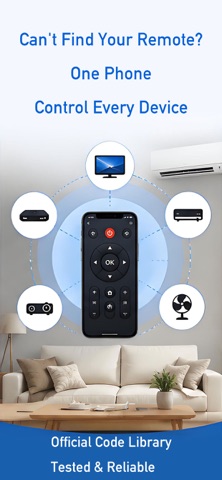
• Add devices by type — air conditioner, TV, set-top box, projector, audio, fan, water heater, lights, smart curtains, clothes rack, robot vacuum, and more.
• Brand selection and naming — browse brands by category, then name your device and assign a room.
• Remote panels — layouts tailored to each appliance type for everyday use.
• Device list — see all added devices and open remote control in one tap.
Notes
• Your data is stored primarily on this device.
• Remote control may depend on system environment, accessory connection, and recognition status.
• If something doesn’t work, follow the in-app guidance to check settings or connection.
• This app contains ads.