

Universal SmartTV RC
Universal SmartTV RC is made and published by Nguyen Tue Lam. AppBrain is an independent app data site and isn't affiliated with Nguyen Tue Lam. The app name, icon, screenshots and description belong to Nguyen Tue Lam and are shown as published on the App Store.
AppBrain's verdict
- Last updated
- May 31, 2026
Rankings
App Store top chartsApp Store Rankings for Universal SmartTV RC
Competitors
Similar apps and more from Nguyen Tue LamAlternatives to Universal SmartTV RC



More from Nguyen Tue Lam



Releases
Updates seen on the App Store- Version
- 1.0
- Launched
- May 2026
No changelog data
User feedback
Ratings and reviews on the App StoreComments on Universal SmartTV RC for iOS
We don't have enough comments to show example comments. Please check back later.
Technology
Found in the app by AppBrain- Price
- Free
- App size
- 42.0 MB
- Content rating
- Everyone
Technologies used by Universal SmartTV RC
About the app and developer
About Universal SmartTV RC
Universal SmartTV RC is an utilities app developed by Nguyen Tue Lam.
User Ratings
The app has no ratings yet.
App Information
Universal SmartTV RC is freely available from the App Store. The app size is 42.03 MB. The latest version available is 1.0. The last update was on May 31, 2026.
Technical Requirements
The app has a content rating of Everyone. The app has been available on the App Store since May 2026.
Developer information for Nguyen Tue Lam
Address:
Store listing
By Nguyen Tue Lam, from the App Store


Description by Nguyen Tue Lam Written by the developer, not by AppBrain. Click to read.
SUPPORTED TVs
• Panasonic (Network Control)
• LG (webOS)
• Samsung (Tizen)
• Sony (Android TV / Google TV)
• Roku
FEATURES
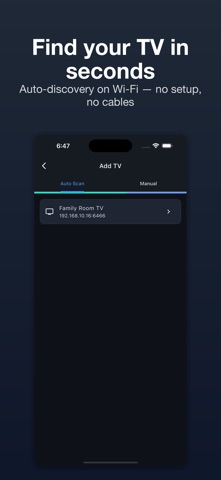
• One-tap connection — auto-discovers TVs on your network
• Full D-pad navigation with key repeat for volume, channels, and playback
• Voice search — hold the mic button and speak
• Quick-launch shortcuts for Netflix and YouTube
• TV keyboard — type text and send directly to your TV
• LG touchpad — pointer control for webOS
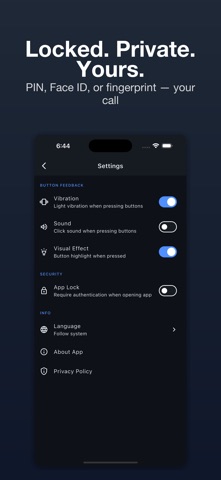
• App Lock — protect with PIN, Face ID, or fingerprint
• Multiple TVs — manage and switch between TVs easily
PRIVACY
All TV control happens locally on your Wi-Fi network. No account required. No TV data is stored on any server.
REQUIREMENTS
• TV and phone must be on the same Wi-Fi network
• Smart TV network control must be enabled (see Settings on your TV)
Terms of Use: https://www.apple.com/legal/internet-services/itunes/dev/stdeula/