

UTube Embed Player
UTube Embed Player is made and published by Nobutaka Yuasa. AppBrain is an independent app data site and isn't affiliated with Nobutaka Yuasa. The app name, icon, screenshots and description belong to Nobutaka Yuasa and are shown as published on the App Store.
AppBrain's verdict
Loved by users- Rating on App Store
- 4.61
- 150 ratings
- Last updated
- September 3, 2025
Users love it: 4.6 stars from 150 ratings.
Rankings
App Store top chartsApp Store Rankings for UTube Embed Player
Competitors
Similar apps and more from Nobutaka YuasaAlternatives to UTube Embed Player







More from Nobutaka Yuasa


Releases
Updates seen on the App Store- Version
- 1.8.0
- Launched
- January 2024
No changelog data
User feedback
Ratings and reviews on the App StoreComments on UTube Embed Player for iOS
We don't have enough comments to show example comments. Please check back later.
Technology
Found in the app by AppBrain- Price
- Free
- App size
- 20.8 MB
- Content rating
- High
Technologies used by UTube Embed Player
About the app and developer
About UTube Embed Player
UTube Embed Player is a photo & video app developed by Nobutaka Yuasa.
What is the rating of UTube Embed Player?
UTube Embed Player is rated 4.61 out of 5 stars, based on 150 ratings.
Is UTube Embed Player free?
UTube Embed Player is free. The app size is 20.83 MB. The latest version available is 1.8.0. The last update was on September 3, 2025.
What are the requirements for UTube Embed Player?
The app has a content rating of High Maturity. The app has been available on the App Store since January 2024.
Developer information for Nobutaka Yuasa
Address:
Store listing
By Nobutaka Yuasa, from the App Store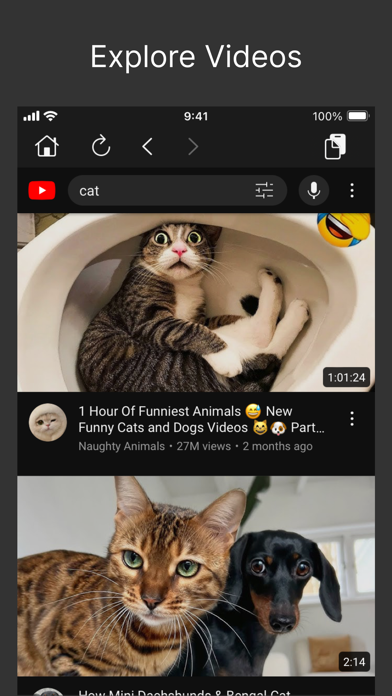


Description by Nobutaka Yuasa Written by the developer, not by AppBrain. Click to read.
It plays YouTube videos using the YouTube embedded player.
Functionality:
- Enables the playback of YouTube videos within the app
- Locally keeps a record of your viewing history
- Note: Some YouTube videos may have restrictions that prevent playback in embedded players.
The app respects these limitations and will not be able to play such content.
- To use PiP, switch to full-screen mode in the video player, then swipe up to go to the Home Screen
This app does not offer many functionalities besides playing YouTube videos.
It might be better to find a YouTube video elsewhere and then paste the link into the app.