

Vektaro
by Birkan Aksoy
· Graphics & Design
· $34.99
On the App Store since June 2026
· Data updated
Vektaro is made and published by Birkan Aksoy. AppBrain is an independent app data site and isn't affiliated with Birkan Aksoy. The app name, icon, screenshots and description belong to Birkan Aksoy and are shown as published on the App Store.
AppBrain's verdict
- Last updated
- August 15, 2026
Rankings
App Store top chartsApp Store Rankings for Vektaro
This app is not ranked
Competitors
Similar apps and more from Birkan AksoyMore from Birkan Aksoy



Releases
Updates seen on the App Store- Version
- 1.1
- Launched
- June 2026
No changelog data
User feedback
Ratings and reviews on the App StoreComments on Vektaro for iOS
We don't have enough comments to show example comments. Please check back later.
Technology
Found in the app by AppBrain- Price
- $34.99
- App size
- 4.20 MB
- Content rating
- Everyone
Technologies used by Vektaro
About the app and developer
About Vektaro
Vektaro is a graphics & design app developed by Birkan Aksoy.
User Ratings
The app has no ratings yet.
App Information
Vektaro costs $34.99. The app size is 4.20 MB. The latest version available is 1.1. The last update was on August 15, 2026.
Technical Requirements
The app has a content rating of Everyone. The app has been available on the App Store since June 2026.
Developer information for Birkan Aksoy
Address:
Store listing
By Birkan Aksoy, from the App Store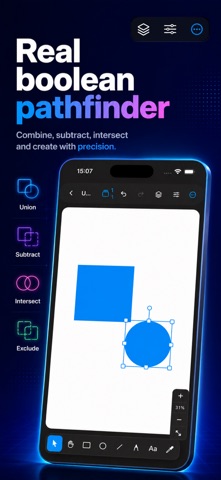





Screenshots by Birkan Aksoy, from the the App Store listing
Description by Birkan Aksoy Written by the developer, not by AppBrain. Click to read.
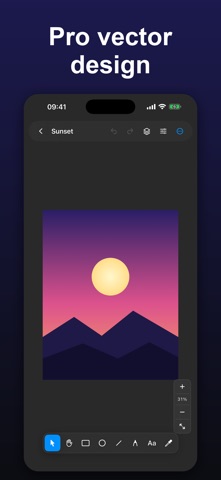
Vektaro is a powerful, touch-first vector design studio for iPhone and iPad. Whether you're crafting logos, icons, social media graphics, or illustrations, Vektaro gives you precise, professional tools — right in your pocket.
DRAW WITH PRECISION
• Rectangle, ellipse, line, and free-form path tools
• Illustrator-style Bezier pen — tap for corners, drag for curves
• Full node and control-handle editing; add or remove points anytime
REAL PATHFINDER
• Boolean operations: Union, Subtract, Intersect, Exclude
• True vector geometry — not pixels
RICH STYLING
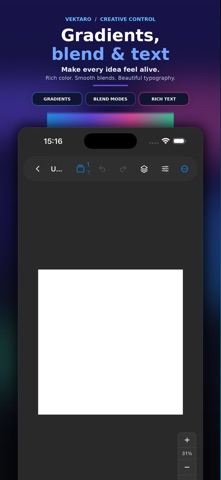
• Multi-stop linear & radial gradients
• Drop shadows, 16 blend modes, dashed strokes, arrowheads
• Eyedropper and recent-color swatches
TEXT & IMAGES
• Inline text editing with custom fonts
• Import photos and mask them to any shape
ORGANIZE & WORK FAST
• Reorderable layers with grouping, locking, and renaming
• Multi-select, align & distribute, group resize and rotate
• Grid with snapping for pixel-perfect layouts
• Document gallery with automatic saving
MADE FOR iPad & iPhone
• Adaptive layout with persistent panels on iPad
• Keyboard shortcuts and Apple Pencil support
• Hand tool, pinch-to-zoom, and zoom-to-fit
EXPORT ANYWHERE
• PNG at @1x, @2x, @3x
• PDF
• True vector SVG
No subscriptions. No accounts. No tracking. Buy once — it's yours.
DRAW WITH PRECISION
• Rectangle, ellipse, line, and free-form path tools
• Illustrator-style Bezier pen — tap for corners, drag for curves
• Full node and control-handle editing; add or remove points anytime
REAL PATHFINDER
• Boolean operations: Union, Subtract, Intersect, Exclude
• True vector geometry — not pixels
RICH STYLING
• Multi-stop linear & radial gradients
• Drop shadows, 16 blend modes, dashed strokes, arrowheads
• Eyedropper and recent-color swatches
TEXT & IMAGES
• Inline text editing with custom fonts
• Import photos and mask them to any shape
ORGANIZE & WORK FAST
• Reorderable layers with grouping, locking, and renaming
• Multi-select, align & distribute, group resize and rotate
• Grid with snapping for pixel-perfect layouts
• Document gallery with automatic saving
MADE FOR iPad & iPhone
• Adaptive layout with persistent panels on iPad
• Keyboard shortcuts and Apple Pencil support
• Hand tool, pinch-to-zoom, and zoom-to-fit
EXPORT ANYWHERE
• PNG at @1x, @2x, @3x
• True vector SVG
No subscriptions. No accounts. No tracking. Buy once — it's yours.