

Vermeer Projects Suite
Vermeer Projects Suite is made and published by Vermeer. AppBrain is an independent app data site and isn't affiliated with Vermeer. The app name, icon, screenshots and description belong to Vermeer and are shown as published on the App Store.
AppBrain's verdict
Established- Rating on App Store
- 4.17
- 6 ratings
- Last updated
- March 22, 2021
It doesn't have enough ratings yet to judge what users think.
Rankings
App Store top chartsApp Store Rankings for Vermeer Projects Suite
Competitors
Similar apps and more from VermeerAlternatives to Vermeer Projects Suite





More from Vermeer


Releases
Updates seen on the App Store- Version
- 2.3.2
- Launched
- June 2016
No changelog data
User feedback
Ratings and reviews on the App StoreComments on Vermeer Projects Suite for iOS
We don't have enough comments to show example comments. Please check back later.
Technology
Found in the app by AppBrain- Price
- Free
- App size
- 39.9 MB
- Content rating
- Everyone
Technologies used by Vermeer Projects Suite
About the app and developer
About Vermeer Projects Suite
Vermeer Projects Suite is an utilities app developed by Vermeer.
What is the rating of Vermeer Projects Suite?
Vermeer Projects Suite is rated 4.17 out of 5 stars, based on 6 ratings.
Is Vermeer Projects Suite free?
Vermeer Projects Suite is free. The app size is 39.93 MB. The latest version available is 2.3.2. The last update was on March 22, 2021.
What are the requirements for Vermeer Projects Suite?
The app has a content rating of Everyone. The app has been available on the App Store since June 2016.
Developer information for Vermeer
Address:
Store listing
By Vermeer, from the App Store



Description by Vermeer Written by the developer, not by AppBrain. Click to read.
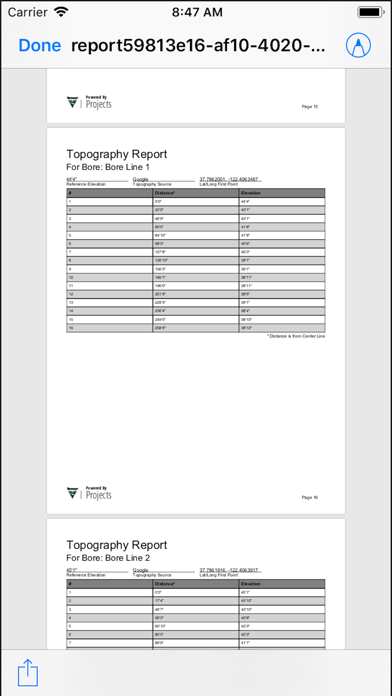
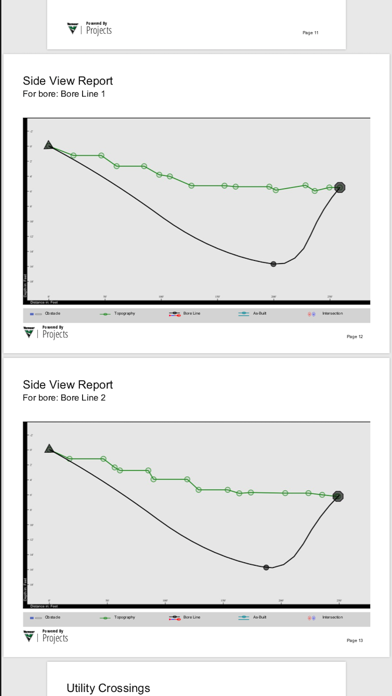
Depending on your Projects level, you could have the ability to visually capture the jobsite over a Google Maps image, including intended bore path white line, pothole locations, utility locate positions, marked utilities and bore path as-built. Achieve even better accuracy by pairing your GPS-enabled smart device with an external GPS antenna (sold separately).
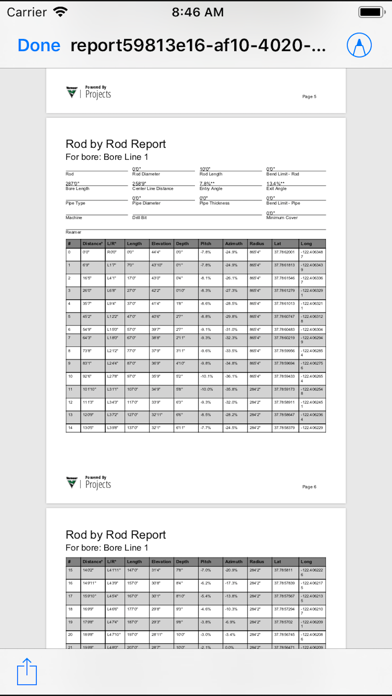
In addition, users can create rod-by-rod plans and add actual DCI® log-while-drilling (LWD™) data. With settings for product pipe tolerance and drill rod bend radius, users can properly plan their utility installation project within industry standards and communicate it easily to everyone involved with the job.
A Vermeer Projects subscription is required.
Learn more about Vermeer productivity tools: https://www.vermeer.com/productivity_tools.
Vermeer productivity tools make it easier to access information about your machine or project more quickly. Productivity tools are delivered through digital technology. Some productivity tools are specifically designed to work on machines, while others are jobsite or project-based. Whether you choose a single Vermeer productivity tool, or combine them, you can make the process of bidding, planning and billing jobs more efficient. To learn more about all Vermeer productivity tools and purchase Vermeer Projects, visit https://store.vermeer.com/.