




AppBrain's verdict
- Last updated
- November 25, 2026
- Size
- 6.64 MB
User feedback
Ratings and reviews on the App StoreComments on Vetero° Menu Bar Weather for iOS
We don't have enough comments to show example comments. Please check back later.
Store listing
By Adam Rozynski, from the App StoreDescription by Adam Rozynski Written by the developer, not by AppBrain. Click to read.
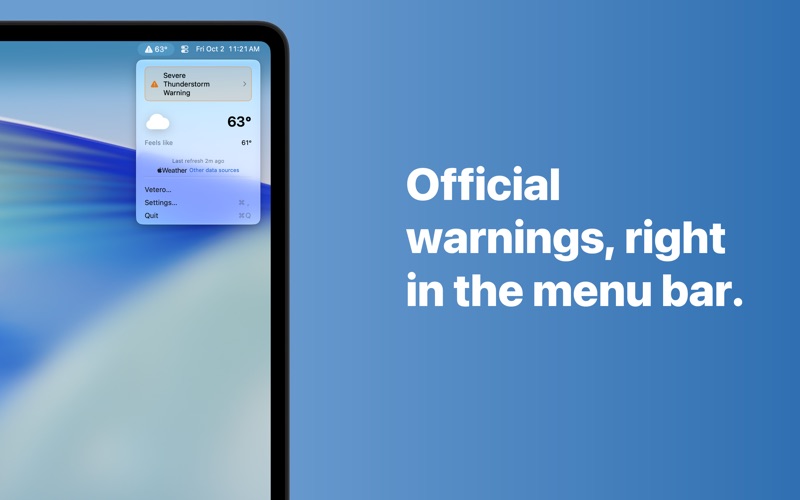
Official severe weather warnings are free for everyone, not a Plus feature. You see them in the menu bar and on the forecast, and the most serious ones are Time Sensitive, so they arrive even during a Focus.
Free for everyone:
• A menu bar you configure: the temperature or how warm it feels, a condition symbol, a warning badge, and humidity, wind, UV and pressure as items of their own.
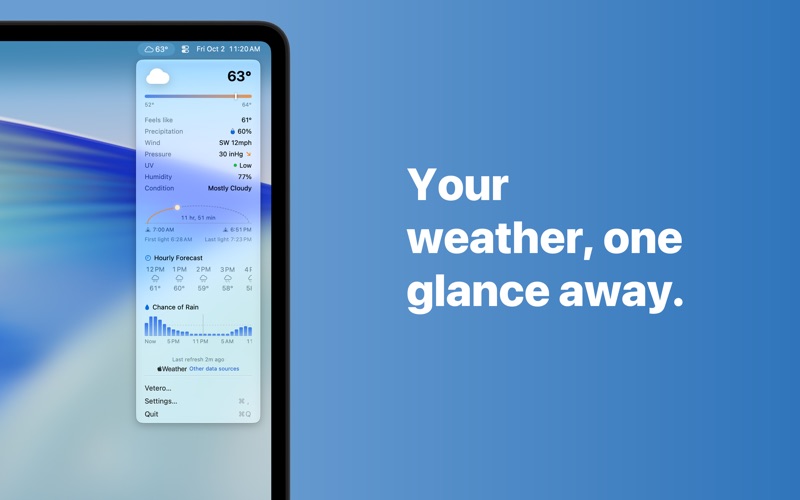
• Everything in one popover: feels-like, precipitation, wind and gusts, pressure, UV, humidity and the condition, with dew point, visibility and the moon phase if you want them. No tabs, nothing to scroll for.
• Sunrise and sunset: the sun's real path across the day, first and last light, how long the day is, and today's high and low as a range.
• The next three hours, and tomorrow's forecast.
• The next hour of rain in words: when it starts and when it stops.
• Notifications when rain is about to start and when a freeze follows a mild spell.
• A forecast for your location, precise wherever you happen to be, or for a city you pick.
• A short tour on first launch, which you can open again from the menu.
Vetero Plus adds:
• Fresher weather, refreshed as often as every 10 minutes instead of every 100.
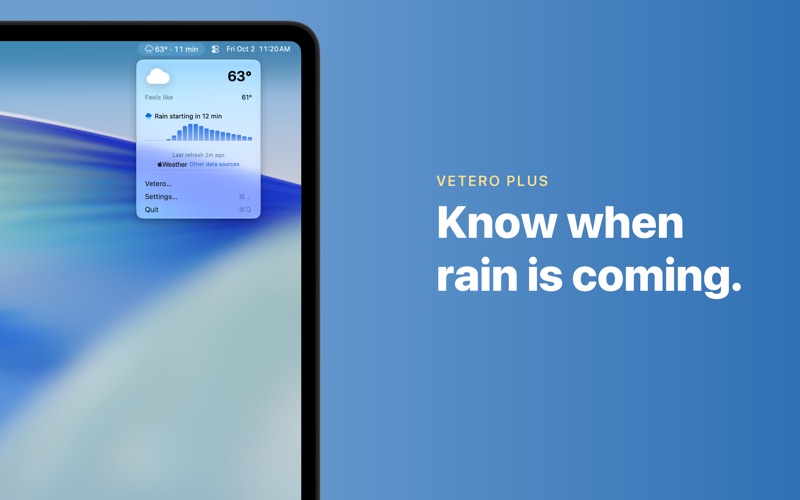
• A countdown in the menu bar to the minute rain or snow starts.
• A ten-day forecast: nine more days after tomorrow.
• Twelve hours ahead, in a strip you scroll sideways, so the popover stays the same height.
• Rain by the minute: the next hour on a chart, showing how hard it will fall.
• Chance of rain by the hour: a bar an hour for the next two days.
• A morning briefing at a time you pick, with the sky, the high and low, and when rain is likely.
• Alerts for damaging gusts, very high UV, and a much colder or warmer tomorrow.
The next hour of rain in words, the notification when rain is about to start, rain by the minute and the countdown all depend on a minute-by-minute forecast that Apple Weather has only in some countries. Where it has none, Vetero doesn't offer them.
Why Vetero:
• Apple Weather data: the same source the rest of your Mac uses.
• Backing an independent developer: subscribing to Vetero Plus supports their work directly and helps the app grow.
Vetero is free. Vetero Plus is an optional yearly auto-renewable subscription with a two-week free trial. Before you start it, Vetero shows the day of the first charge. The subscription renews automatically each year unless you cancel it at least 24 hours before the current period ends. You can manage or cancel it in your App Store account settings.
Weather data from Apple Weather.
Terms of Use (EULA): https://www.apple.com/legal/internet-services/itunes/dev/stdeula/
Privacy Policy: https://www.micropixels.software/vetero/terms
Support: https://www.micropixels.software/vetero
Safety and technology
Found in the app by AppBrain- Price
- Free
- App size
- 6.64 MB
- Content rating
- Everyone
Technologies used by Vetero° Menu Bar Weather
Releases
Updates seen on the App Store- Version
- 1.3.0
- Launched
- June 2023
No changelog data
Alternatives
Similar apps and more from Adam RozynskiMore from Adam Rozynski


Rankings
App Store top chartsApp Store Rankings for Vetero° Menu Bar Weather
About the app and developer
About Vetero° Menu Bar Weather
Vetero° Menu Bar Weather is a weather app developed by Adam Rozynski.
User Ratings
The app has no ratings yet.
App Information
Vetero° Menu Bar Weather is freely available from the App Store. The app size is 6.64 MB. The latest version available is 1.3.0. The last update was on November 25, 2026.
Technical Requirements
The app has a content rating of Everyone. The app has been available on the App Store since June 2023.
Vetero° Menu Bar Weather is made and published by Adam Rozynski. AppBrain is an independent app data site and isn't affiliated with Adam Rozynski. The app name, icon, screenshots and description belong to Adam Rozynski and are shown as published on the App Store.
Developer information for Adam Rozynski
Address: