It doesn't have enough ratings yet to judge what users think.
Veyl: AI Video Generator is made and published by
Natalya Hrabennikava.
AppBrain is an independent app data site and isn't affiliated with Natalya Hrabennikava.
The app name, icon, screenshots and description belong to Natalya Hrabennikava and are shown as
published on the App Store.
About Veyl: AI Video Generator
Veyl: AI Video Generator is a photo & video app developed by Natalya Hrabennikava.
User Ratings
Veyl: AI Video Generator is rated 4.57 out of 5 stars. The rating is based on 56 ratings.
App Information
Veyl: AI Video Generator is freely available from the App Store. The app size is 51.88 MB. The latest version available is 2.0. The last update was on September 2, 2026.
Technical Requirements
The app has a content rating of High Maturity. The app has been available on the App Store since April 2026.
Description by Natalya Hrabennikava(from the App Store)
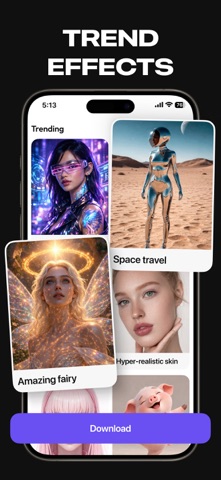
Veyl is a powerful AI-powered creative studio that transforms your ideas into stunning visuals, videos, and audio with just a few taps. Whether you want to generate cinematic videos, create unique AI portraits, analyze media content, or enhance voice recordings, Veyl brings advanced AI tools into one simple and intuitive app.
Designed for creators, professionals, and anyone curious about AI creativity, Veyl helps you turn inspiration into polished results in seconds.
AI Video Creation Generate dynamic videos from your ideas and bring your imagination to life. Turn prompts and media into engaging visual content ready to share.
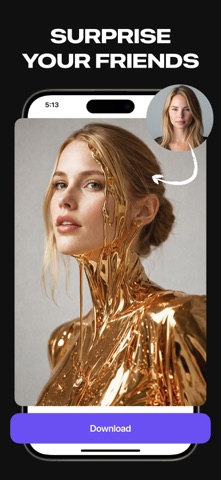
Stunning AI Art & Portraits Create beautiful AI-generated images and portraits with modern styles and professional-quality results.
Smart Content Analyzer Upload media and instantly receive structured summaries and key insights. Perfect for reviewing recordings, meetings, or presentations quickly.
AI Voice Engine Enhance and process voice recordings with intelligent audio technology for clear and smooth playback.
Fast, Simple, and Powerful
Create videos and visual content in seconds
Generate artistic AI portraits
Analyze and summarize media files
Process and enhance voice recordings
Export and share your results easily
Veyl combines multiple advanced AI capabilities in one streamlined interface, making powerful creative tools accessible to everyone.
Subscription Information
Subscription Payment: Subscription payments will be charged to your iTunes account at confirmation of purchase and at the beginning of each renewal period. The subscription automatically renews unless it is canceled.
Subscription Cancellation: You can cancel your subscription in your iTunes settings at least 24 hours before the end of the current subscription period. The cancellation will take effect the day after the last day of the current subscription period, and you will be downgraded to the free version of the service.
Each subscription will automatically renew 3 days before the expiration date for
the same time period. Subscriptions can be cancelled at any time before the renewal.