

Vibepad is made and published by Saturn Studio. AppBrain is an independent app data site and isn't affiliated with Saturn Studio. The app name, icon, screenshots and description belong to Saturn Studio and are shown as published on the App Store.
AppBrain's verdict
- Last updated
- October 2, 2026
Rankings
App Store top chartsApp Store Rankings for Vibepad
Competitors
Similar apps and more from Saturn Studio





Releases
Updates seen on the App Store- Version
- 0.7.0
- Launched
- September 2025
No changelog data
User feedback
Ratings and reviews on the App StoreComments on Vibepad for iOS
We don't have enough comments to show example comments. Please check back later.
Technology
Found in the app by AppBrain- Price
- Free
- App size
- 34.3 MB
- Content rating
- Everyone
Technologies used by Vibepad
About the app and developer
About Vibepad
Vibepad is a productivity app developed by Saturn Studio.
User Ratings
The app has no ratings yet.
App Information
Vibepad is freely available from the App Store. The app size is 34.27 MB. The latest version available is 0.7.0. The last update was on October 2, 2026.
Technical Requirements
The app has a content rating of Everyone. The app has been available on the App Store since September 2025.
Developer information for Saturn Studio
Address:
Store listing
By Saturn Studio, from the App Store


Description by Saturn Studio Written by the developer, not by AppBrain. Click to read.
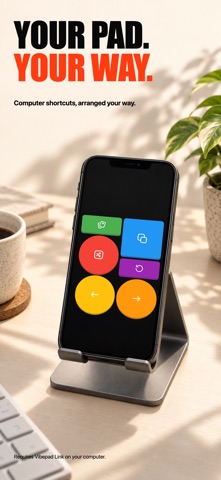
Vibepad turns your iPhone into a customizable Bluetooth macro pad for your computer. Build buttons for AI coding-agent workflows, terminal commands, editing shortcuts, reusable text, and everyday desktop controls—without adding another device to your desk.
One tap for repetitive workflows
Map the same keyboard actions your tools already accept. Create buttons for approval, cancel, navigation, test commands, reusable prompts, and repeatable routines. Vibepad controls the desktop through the shortcuts and text you configure; it does not require a direct integration with any specific app.
Customize every control
- Keyboard shortcuts and hotkeys
- Reusable text snippets
- Multi-step sequences combining shortcuts, text, and delays
- App-aware layouts that switch with the active desktop app
- Drag-and-drop editing with flexible sizes, shapes, colors, and 1,000+ icons
- Portrait and landscape configurations
Work your way
Create multiple layouts for coding, editing, meetings, or everyday shortcuts. Duplicate, import, and export configurations as JSON, or use the web Pad Builder when you want more room to design.
Direct Bluetooth, clear setup
1. Install Vibepad on your iPhone.
2. Install the Vibepad Link companion app on your computer.
3. Pair over Bluetooth Low Energy and start controlling your computer.
Core controls travel directly over Bluetooth, so they do not need Wi-Fi or a cloud account after setup. The lightweight desktop companion is required and runs in the background.
Optional voice input
Add a Microphone button to use your phone as a wireless microphone for your computer's dictation app. Audio travels over Bluetooth to the desktop companion, which provides the Vibepad Mic input, and your dictation app turns speech into text. No API key is needed, and Vibepad does not save or upload the audio. Requires Vibepad Link 0.3.0 or later for Mac and the Vibepad Mic driver installed from the helper. Bluetooth microphone is not yet supported on Windows. Tap to start and stop, or hold to talk; optionally trigger your dictation app’s shortcut. Keep Vibepad open while speaking. Your dictation app’s settings determine whether transcription runs locally or in the cloud.
Prefer to transcribe on your phone? A Speech-to-Text button turns speech into text and sends it to your computer. It requires your own OpenAI API key and an internet connection. Your key is stored only on your device.
Build the controls that fit your workflow, then keep them one tap away on the phone you already own.