

VicEmergency
VicEmergency is made and published by State of Victoria - Department of Justice. AppBrain is an independent app data site and isn't affiliated with State of Victoria - Department of Justice. The app name, icon, screenshots and description belong to State of Victoria - Department of Justice and are shown as published on the App Store.
AppBrain's verdict
EstablishedTop 10- Best rank
- #10
- Top Free, Australia
- Rating on App Store
- 3.50
- 4 ratings
- Last updated
- October 1, 2026
It doesn't have enough ratings yet to judge what users think. Its best ranking is #10 in Top Free, News in Australia.
Rankings
App Store top charts- Highest rank
- #10
- Chart
- Top Free
- News
- Country
- Australia
App Store Rankings for VicEmergency
Top rankings
| Rank | Country | Category | List |
|---|---|---|---|
| 10 | Australia | News | Top Free |
Ranking history in Australia
Competitors
Similar apps and more from State of Victoria - Department of JusticeAlternatives to VicEmergency


 Alert SA


Releases
Updates seen on the App Store- Version
- 6.9.3
- Launched
- March 2010
No changelog data
User feedback
Ratings and reviews on the App StoreComments on VicEmergency for iOS
We don't have enough comments to show example comments. Please check back later.
Technology
Found in the app by AppBrain- Price
- Free
- App size
- 15.3 MB
- Content rating
- Everyone
Technologies used by VicEmergency
About the app and developer
About VicEmergency
VicEmergency is a news app developed by State of Victoria - Department of Justice.
What is the rating of VicEmergency?
VicEmergency is rated 3.50 out of 5 stars, based on 4 ratings.
Is VicEmergency free?
VicEmergency is free. The app size is 15.33 MB. The latest version available is 6.9.3. The last update was on October 1, 2026.
What are the requirements for VicEmergency?
The app has a content rating of Everyone. The app has been available on the App Store since March 2010.
Developer information for State of Victoria - Department of Justice
Store listing
By State of Victoria - Department of Justice, from the App Store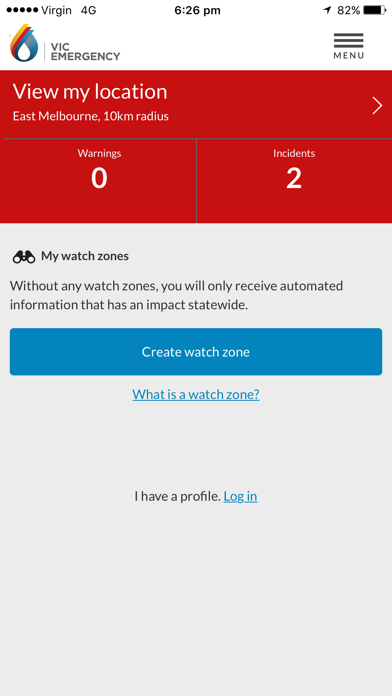
Description by State of Victoria - Department of Justice Written by the developer, not by AppBrain. Click to read.
Watch the VicEmergency video at www.youtube.com/channel/UCskGgVGdfEp1C3BMiiwAyzQ
To review support articles or submit a request, visit http://support.emergency.vic.gov.au
Main Features:
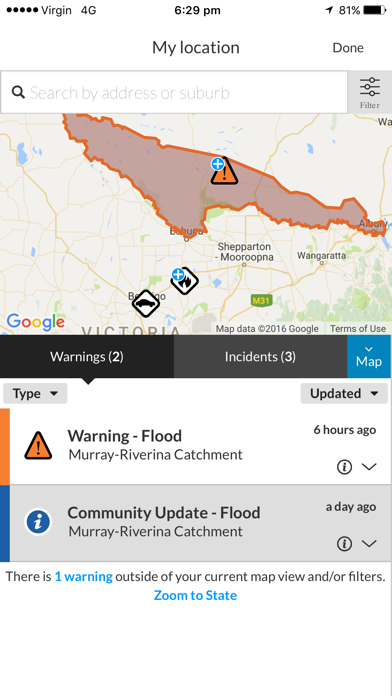
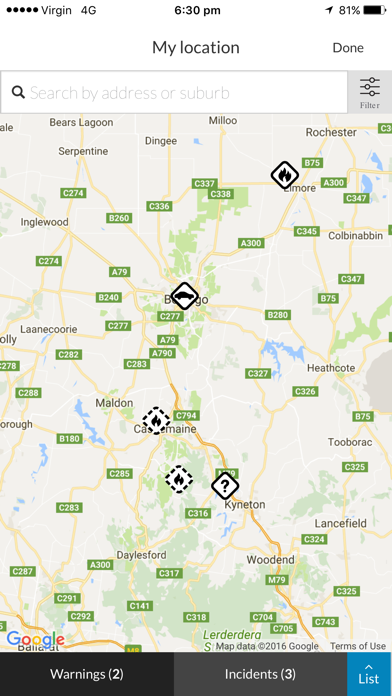
• Live incident map showing current warnings, planned burns and other types of incidents across Victoria.***
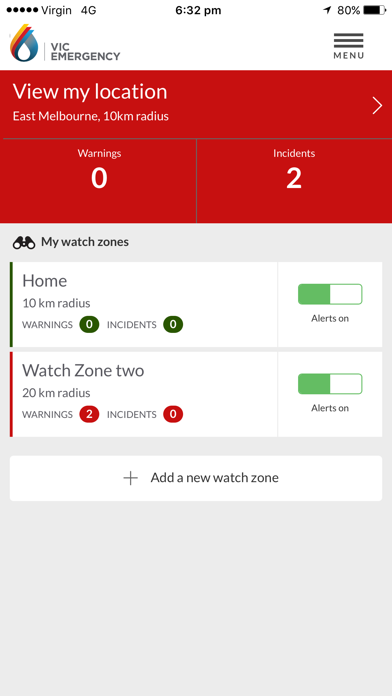
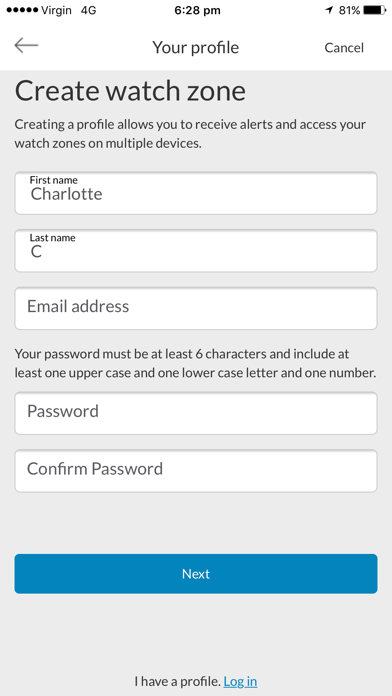
• Simple to create a profile and use watch zones that ensure you get official warnings for your local area. Warnings and information* are pushed out to a user's phone when issued by Victoria’s emergency services.
• GPS integration to determine your current location** and surrounding incidents.
• Emergency Warnings, Warnings, Advice and information as issued by Victoria’s emergency services
• Share incidents and warnings with friends and family.
• View forecast Fire Danger Ratings on the map.
• View today's and tomorrow’s Total Fire Ban status.
* Your device must have an internet connection to receive warnings and information issued by Victorian emergency services.
** To view your current location, GPS must be switched on and location functionality enabled.
*** Map symbols represent the origin of the emergency, not its current location or spread.
The VicEmergency app is just one tool to assist you to access warnings and information about emergencies, however you should never rely on just one information channel. Emergency services use a range of other information channels including SKY TV, ABC local radio, some commercial and designated community radio stations, VicEmergency Hotline on 1800 226 226, VicEmergency website on www.emergency.vic.gov.au and VicEmergency Twitter and Facebook.
Are you getting a message asking you to turn on notifications? You need to ensure that push notifications are enabled specifically for the VicEmergency app, as follows:
For iOS10, iOS9, iOS8 and iOS6:
1. Click on the Settings icon and then select Notifications.
2. Scroll down, click the VicEmergency icon
3. Ensure 'Allow Notifications" or "Notification Centre" (iOS6) at top of the screen is set to On.
4. We recommend that you set Alert Style as 'Banners' or Alerts' and ensure that Sounds and "Show on Lock Screen" or "View in Lock Screen" (iOS6) are set to On.
For iOS7:
1. Open the device's Settings icon and then select 'Notification Center'.
2. Under 'Access on Lock Screen', check that 'Notifications View' is On (showing as green).
3. Scroll further down and ensure that VicEmergency is in the list under INCLUDE. Click it to open it.
4. At the top, set Alert Style as 'Banners' or Alerts'
5. Then ensure that everything in this section is turned On - ‘Badge App Icon’, ‘Sounds’, 'Show in Notification Center', 'Show on Lock Screen’, etc (all should be showing as green).