Videk Camera is an overall app developed by Andrei Nevar.
Download Statistics
User Ratings
The app has no ratings yet.
App Information
Videk Camera is FREE to download. The APK download size is 4.08 MB. The latest version available is 1.1. The last update was on May 17, 2026.
Technical Requirements
The app has a content rating of Everyone. The app has been available on Google Play April 2026.
Description
Videk CameraMan
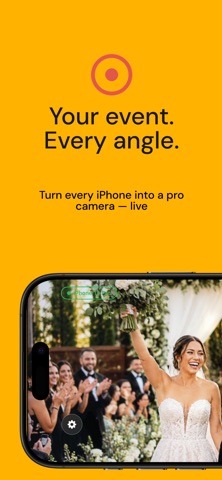
Videk CameraMan transforms your iPhone or iPad into a professional camera source for live multi-camera productions. Pair it with the free Videk Director app on another device and start switching between camera angles in real time - no expensive equipment required.
How It Works
Open Videk CameraMan, enter the 6-digit session code shown on the Director device, and you’re connected. All communication happens over your local Wi-Fi network - fast, private, and with no internet dependency for local production.
Professional Camera Controls
Go beyond auto mode with full manual control over your shot: - Exposure compensation (EV), ISO, and shutter speed - White balance adjustment (2000K–8000K) - Tap-to-focus with auto exposure lock - Smooth zoom slider with lens-switching markers - Front and rear camera switching during a live session - Torch control for low-light situations
Capture Quality
Shoot in the resolution and frame rate your production demands: - 720p, 1080p, or 4K (3840×2160) - 24, 30, or 60 fps - Hardware-accelerated H.264 encoding - Optional video stabilization - Professional Monitoring Tools
See what the pros see - right on your device screen. These overlays are visible only to the camera operator and never affect the stream sent to the Director: - Zebra Stripes - highlight overexposed areas - Focus Peaking - outline sharp, in-focus regions - Real-time Histogram - view luminance distribution at a glance - False Color - map brightness to color for precise exposure - Rule of Thirds Grid - improve composition - Frame Guides - safe areas for 16:9, 4:3, 1:1, and 2.35:1 - Built for Multi-Camera Production
Videk CameraMan is one half of the Videk system. On the Director device, your feeds come together for: - Real-time switching between all connected cameras - Live streaming to YouTube, Twitch, Instagram, TikTok, or any RTMP server - Multi-track recording of every camera source - Live text and image overlays - Export to Final Cut Pro, iMovie, or iCloud
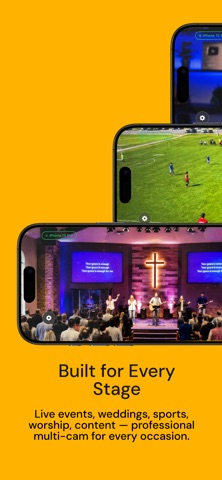
Perfect For - Live events, concerts, and conferences - YouTube and podcast production - Houses of worship and ceremony streaming - Sports coverage and performances - Real estate walkthroughs - Education and lecture recording
Simple Setup, No Extra Gear All you need are iPhones or iPads on the same Wi-Fi network. One device runs Videk Director; the rest run Videk CameraMan. Connect with a 6-digit code and start producing.
Free to Start Connect up to 2 cameras, switch live, stream, and record - all for free. Upgrade to Pro for unlimited cameras, video export, Final Cut Pro timeline export, and iCloud archiving.
Requirements Videk CameraMan requires iOS 17 or later. A 5 GHz Wi-Fi network is recommended for best performance. Download Videk Director separately to complete your setup.
Each subscription will automatically renew 3 days before the expiration date for
the same time period. Subscriptions can be cancelled at any time before the renewal.