

Video Audio Converter
Video Audio Converter is made and published by Apps Places. AppBrain is an independent app data site and isn't affiliated with Apps Places. The app name, icon, screenshots and description belong to Apps Places and are shown as published on the App Store.
AppBrain's verdict
Established- Rating on App Store
- 4.34
- 67 ratings
- Last updated
- August 25, 2025
- Size
- 55.9 MB
It doesn't have enough ratings yet to judge what users think.
User feedback
Ratings and reviews on the App StoreComments on Video Audio Converter for iOS
We don't have enough comments to show example comments. Please check back later.
Store listing
By Apps Places, from the App Store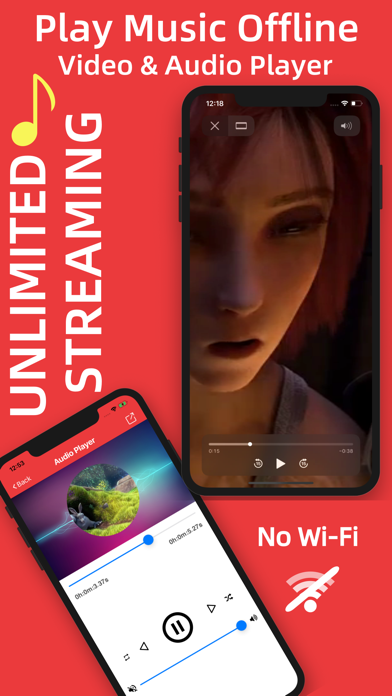
Description by Apps Places Written by the developer, not by AppBrain. Click to read.
Access, import and download your MUSIC or VIDEO inside this app and listen anytime and anywhere. Play OFFLINE and No LIMITS.
You don’t need any internet connection, the conversion will be done in offline.
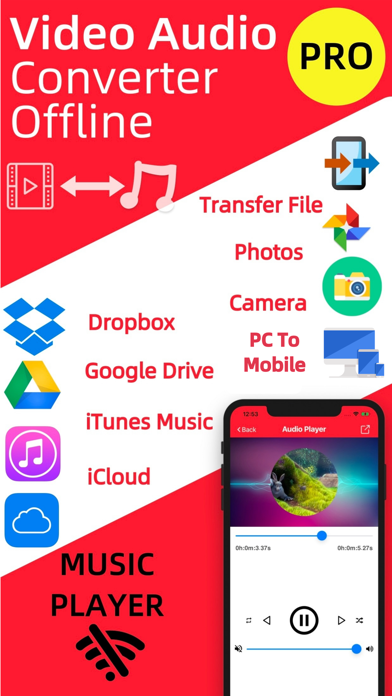
Support Google Drive, iCloud, Dropbox, Apple Music so you can easily access any files from cloud
You can transfer files from your computer
You can take a video or audio file from photo library or another app. You can take file from photos, by using your phone camera.
Play music or video by using our media player.
Play music in background.
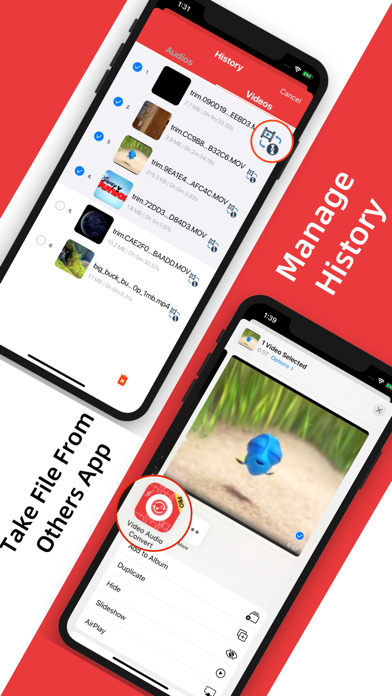
Find all the video or audio files from history and manage history files.
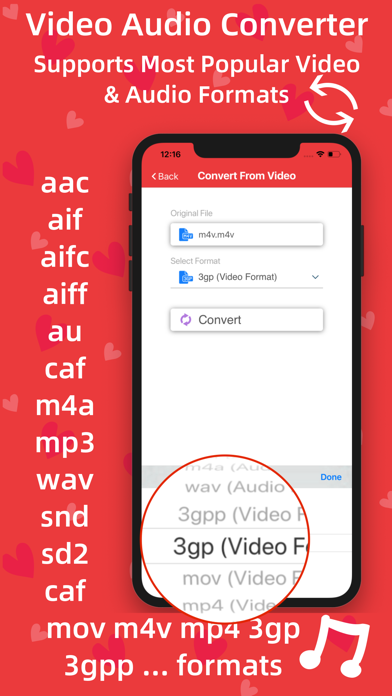
Supported formats:
Almost all video and audio formats.
Video to Audio Conversion,
Input Formats: mp4, m4v, mov
Output Formats: aif, caf, m4a, wav
Audio to Audio Conversion,
Input Formats: aac, aif, aifc, aiff, au, caf, m4a, mp3, wav, snd, sd2
Output Formats: aif, caf, m4a, wav
Video to Video Conversion,
Input Formats: mp4, m4v, mov, 3gp, 3gpp
Output Formats: mp4, m4v, mov, 3gp, 3gpp
Main Features:
-> Offline Video Audio Converter
Don’t need any internet connection or Wi-Fi, every conversion will be done offline.
-> Convert Video
This app can convert any major video formats include mp4, m4v, mov, 3gp, 3gpp and many more.
-> Convert Audio
This app can convert any major audio formats include aac, aif, aifc, aiff, au, caf, m4a, mp3, wav, snd, sd2 and many more.
-> Import Video or Audio File from Dropbox, Google Drive, iCloud and Apple Music
-> Import files from PC
-> Take Video or Audio File From Others App
You can take any video or audio file from any app by using share option and find icon of this app to share your desired file and access quickly to convert file.
-> Import Video or Audio File from Photos Album
->Create video file from Camera Roll by using this app
-> Video Player (Supports HD videos)
Not only conversion, It’s a media player for playing any files of appropriate formats such as mp4, m4v, mov, 3gp, 3gpp and many more.
-> Audio Player
Most powerful audio or music player supports almost all audio formats. Playing music in background is also supported.
-> Share files anywhere and anytime
-> Manageable History
Convert file again & again from history and manage your history.
Share files from your history.
In-App purchases:
- Lifetime Premium
Subscriptions:
- 1 Week
- 1 Month
What is included:
- Unlimited convert videos to videos
- Unlimited convert videos to audios
- Unlimited convert audios to audios
- Unlimited support Dropbox, Google Drive, iCloud, Music Library
- Unlimited store music or video and play in offline
- Unlimited share audios and videos
- Unlimited use music and media player
- No Ads
- All new features
Additional Subscription Information:
- Subscription options are: 1 month, 1-week. Alternatively a lifetime payment is available.
- Payment will be charged to iTunes Account at confirmation of purchase.
- Your Subscription automatically renews unless auto-renew is turned off at least 24-hours before the end of the current period.
- Your Account will be charged for renewal within 24-hours prior to the end of the current period with the same cost you have started your subscription.
- Any unused portion of a free trial will be forfeited if you purchase a subscription.
- To restore your upgrade to Video to Audio Converter on a new device, go to the Settings screen, tap the “Restore” option and your subscription or previous purchases will become active free of charge.
For more information :
Terms of Use - https://sites.google.com/view/appsplaces-videoaudioconverter
Privacy Policy - http://appsplaces.com/policy.html
Install and enjoy unlimited conversion of video audio files anytime and anywhere.
Safety and technology
Found in the app by AppBrain- Price
- Free
- App size
- 55.9 MB
- Content rating
- Everyone
Technologies used by Video Audio Converter
Releases
Updates seen on the App Store- Version
- 2.8
- Launched
- February 2020
No changelog data
Alternatives
Similar apps and more from Apps PlacesAlternatives to Video Audio Converter

 Video to MP3 - Extract audio




More from Apps Places


Rankings
App Store top chartsApp Store Rankings for Video Audio Converter
About the app and developer
About Video Audio Converter
Video Audio Converter is an utilities app developed by Apps Places.
User Ratings
Video Audio Converter is rated 4.34 out of 5 stars. The rating is based on 67 ratings.
App Information
Video Audio Converter is freely available from the App Store. The app size is 55.87 MB. The latest version available is 2.8. The last update was on August 25, 2025.
Technical Requirements
The app has a content rating of Everyone. The app has been available on the App Store since February 2020.
Developer information for Apps Places
Address: