

Video Camera
Video Camera is made and published by HurryApp LTD. AppBrain is an independent app data site and isn't affiliated with HurryApp LTD. The app name, icon, screenshots and description belong to HurryApp LTD and are shown as published on the App Store.
AppBrain's verdict
- Rating on App Store
- 4.20
- 25 ratings
- Last updated
- February 19, 2025
It doesn't have enough ratings yet to judge what users think.
Rankings
App Store top chartsApp Store Rankings for Video Camera
Competitors
Similar apps and more from HurryApp LTDMore from HurryApp LTD







Releases
Updates seen on the App Store- Version
- 1.2
- Launched
- April 2024
No changelog data
User feedback
Ratings and reviews on the App StoreComments on Video Camera for iOS
We don't have enough comments to show example comments. Please check back later.
Technology
Found in the app by AppBrain- Price
- Free
- App size
- 31.5 MB
- Content rating
- Everyone
Technologies used by Video Camera
About the app and developer
About Video Camera
Video Camera is a photo & video app developed by HurryApp LTD.
User Ratings
Video Camera is rated 4.20 out of 5 stars. The rating is based on 25 ratings.
App Information
Video Camera is freely available from the App Store. The app size is 31.52 MB. The latest version available is 1.2. The last update was on February 19, 2025.
Technical Requirements
The app has a content rating of Everyone. The app has been available on the App Store since April 2024.
Developer information for HurryApp LTD
Address:
Store listing
By HurryApp LTD, from the App Store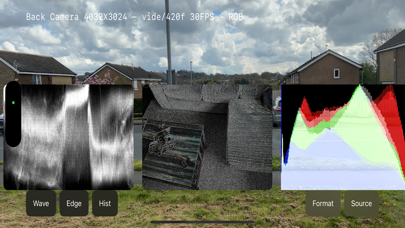


Description by HurryApp LTD Written by the developer, not by AppBrain. Click to read.
Intuitive Display Modes:
- Waveform View: Unveil a waveform monitor overlay, displaying your video image's luminance levels, essential for perfect exposure.
- Edge View: Activate a sharp, black and white edge detection overlay to highlight contours and shapes, enhancing composition and focus.
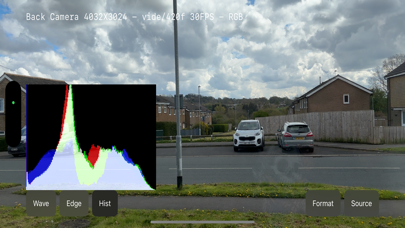
- Histogram View: Examine a detailed histogram overlay that quantifies the brightness distribution of your image, helping you to achieve balanced lighting.
Versatile Input Options:
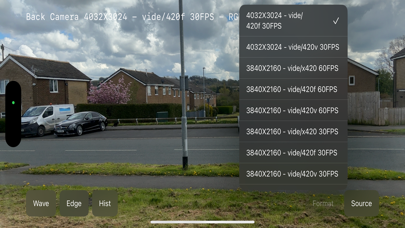
- Format Selection: Easily choose from a variety of resolutions, formats, and frame rates to match your project’s needs.
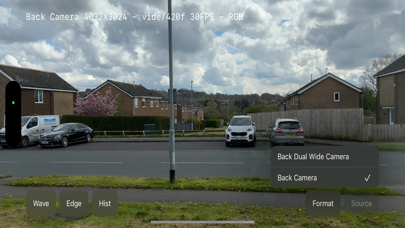
- Source Switching: Seamlessly toggle between different camera sources, ensuring flexibility and control in every shooting scenario.
Our app is simple yet powerful. Whether you're a professional looking to refine your shots or an enthusiast eager to explore the capabilities of your camera, Camera Monitor brings precision to your fingertips. Enhance your camera's functionality and take your visual projects to the next level—download Camera Monitor today and turn your device into a sophisticated monitoring tool.