

Video Editor : Video Maker
Video Editor : Video Maker is made and published by Pranav Virk. AppBrain is an independent app data site and isn't affiliated with Pranav Virk. The app name, icon, screenshots and description belong to Pranav Virk and are shown as published on the App Store.
AppBrain's verdict
EstablishedLoved by users- Rating on App Store
- 4.54
- 140 ratings
- Last updated
- February 7, 2022
Users love it: 4.5 stars from 140 ratings.
Rankings
App Store top chartsApp Store Rankings for Video Editor : Video Maker
Competitors
Similar apps and more from Pranav VirkAlternatives to Video Editor : Video Maker


Releases
Updates seen on the App Store- Version
- 1.1.7
- Launched
- July 2021
No changelog data
User feedback
Ratings and reviews on the App StoreComments on Video Editor : Video Maker for iOS
We don't have enough comments to show example comments. Please check back later.
Technology
Found in the app by AppBrain- Price
- Free
- App size
- 113.4 MB
- Content rating
- Everyone
Technologies used by Video Editor : Video Maker
About the app and developer
About Video Editor : Video Maker
Video Editor : Video Maker is a photo & video app developed by Pranav Virk.
User Ratings
Video Editor : Video Maker is rated 4.54 out of 5 stars. The rating is based on 140 ratings.
App Information
Video Editor : Video Maker is freely available from the App Store. The app size is 113.40 MB. The latest version available is 1.1.7. The last update was on February 7, 2022.
Technical Requirements
The app has a content rating of Everyone. The app has been available on the App Store since July 2021.
Developer information for Pranav Virk
Address:
Frequently asked questions about Video Editor : Video Maker
Is Video Editor : Video Maker free?
Yes. Video Editor : Video Maker is free on the App Store.
Is Video Editor : Video Maker still available?
Yes. Video Editor : Video Maker is on the App Store, and the last update we saw was on February 7, 2022.
How large is Video Editor : Video Maker?
Video Editor : Video Maker is 113.40 MB.
Is Video Editor : Video Maker suitable for children?
App Store rates the content of Video Editor : Video Maker as suitable for everyone.
How do people rate Video Editor : Video Maker?
Video Editor : Video Maker scores 4.54 out of 5 stars, from 140 ratings on the App Store.
Who made Video Editor : Video Maker?
Video Editor : Video Maker was developed by Pranav Virk. It is listed in the photo & video category on the App Store.
What are the best alternatives to Video Editor : Video Maker?
People looking at Video Editor : Video Maker also look at these photo & video apps: Video Merger □ Combine Videos, Eye Color Changer -Enhance Eye, Video Editor ., Ig Followers Reports, YouCut - AI Video Editor.
Store listing
By Pranav Virk, from the App Store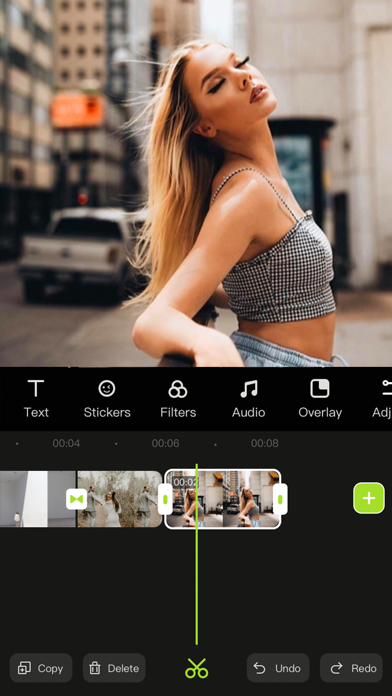


Description by Pranav Virk Written by the developer, not by AppBrain. Click to read.
Here's what Videoeditor can do for you:
Powerful video editing functions
- Upload materials from your phone album
- Adjust the brightness, contrast, saturation and other parameters of the clips
- Add the entry/exit animation of the material.
- Pick color and cut out
- Add a mask to hide part of the layer
- Video splitting and trimming
- Adjust layer order
- Sound extraction from video
- Record your voice and add to video
- Multiple sound equalizer solutions
- Adjust the speed of the video
- Video reverse
- Freeze the key-frame of the clip
- Intuitive time-line with frame-by-frame precision scaling
- Replace material while retaining editing operations
- Shortcut operations for video editing (Redo/Undo/Delete/Copy/Mute)
Abundant resources to inspire creativity
- 500+ featured stickers of different kinds
- Choose photos/videos from third-party material libraries for creation
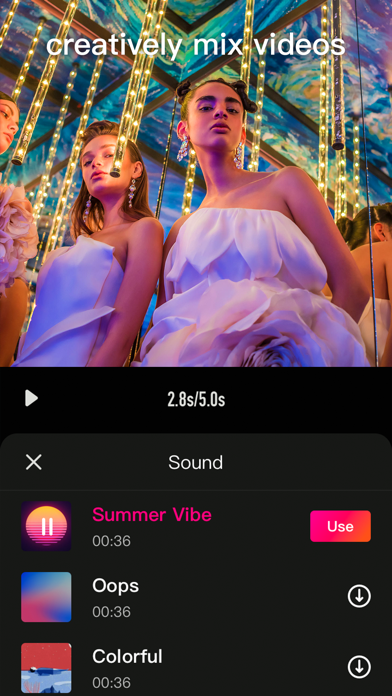
- Pleasant background music
- Various sounds of nature contained in sound effect library
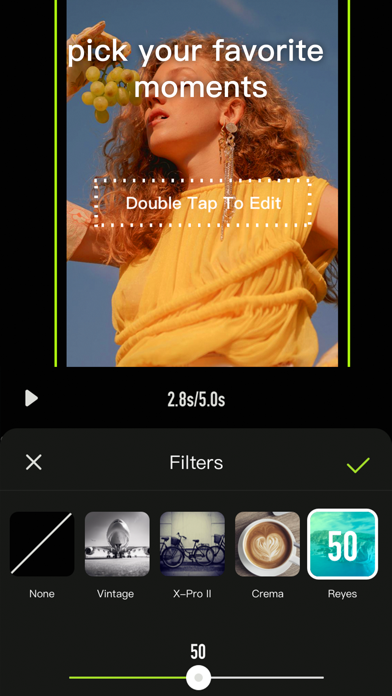
- Various filters to beautify your video
- A variety of selected fonts to choose from
- Various special effects to increase the fun of the video
- Various transition allow natural switching between clips and clips
Various adjustment operations for the canvas
- A variety of canvas sizes to choose from for better display on social media
- Custom canvas background (Solid color / blur)
Multiple video saving options
- Multiple resolutions to meet different needs
- Different frames per second options to adjust the smoothness of the video
***Some features may require in-app purchases.
------------
SUBSCRIPTION PRICING & TERMS
VideoEditor is free to download. Pro Subscription gives you unlimited access to all our featured functions and selected materials.
Premium Features:
- Access to ALL featured filters
- Access to ALL resource libraries (including fancy fonts, stickers, sound effects, music)
- A variety of cool transitions
- Animation effects
- Unlock all masks
- Audio extraction
- Video reverse & freeze
- Color cutout
- Multiple video saving options
- VideoEditor offers two auto-renewing subscription options:
$6.99/Month OR
$29.99/Year (including 3 days free trial).
- These prices are for United States customers. Pricing in other countries may vary, and actual charges may be converted to your local currency depending on the country of residence.
- Payment will be charged to your iTunes Account at confirmation of your subscription
- Subscription automatically renews unless auto-renew is turned off at least 24-hours before the end of the current period
- The account will be charged for renewal within 24-hours prior to the end of the current period, and at the cost of the chosen package
- Any unused portion of a free trial period, if offered, will be forfeited when the user purchases a subscription to that publication, where applicable.
- Your subscription automatically renews unless you turn off in Account Settings 24+ hours before the end of the billing period.
- You can turn off auto-renew at any time from your iTunes account settings, but refunds will not be provided for any unused portion of the term.
Read our Term of Use at: https://s3.us-west-2.amazonaws.com/s3.videocut/page/agreement.html
Read our Privacy Policy at: https://s3.us-west-2.amazonaws.com/s3.videocut/page/privacy.html