

Video Freezer
Video Freezer is made and published by Xompose Ltd. AppBrain is an independent app data site and isn't affiliated with Xompose Ltd. The app name, icon, screenshots and description belong to Xompose Ltd and are shown as published on the App Store.
AppBrain's verdict
- Rating on App Store
- 3.00
- 2 ratings
- Last updated
- January 24, 2024
- Size
- 4.08 MB
It doesn't have enough ratings yet to judge what users think.
User feedback
Ratings and reviews on the App StoreComments on Video Freezer for iOS
We don't have enough comments to show example comments. Please check back later.
Store listing
By Xompose Ltd, from the App Store
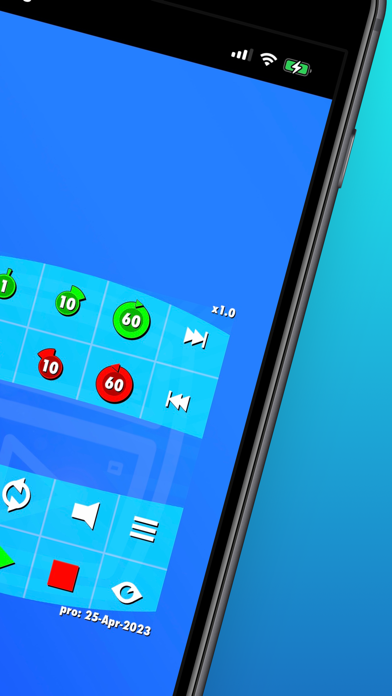


Description by Xompose Ltd Written by the developer, not by AppBrain. Click to read.
+ Your first loop: Press play then Tap the Green and Red flags to set the start point and end point, then Video Freezer will take care of the rest and put it on auto-loop
+ Drag across the center of the screen to seek to specific times and preview the video
+ A quick double tap on the Loop icon will clear markers
BASE vs PRO - The base version is completely free with the main looping controls. See below for the detailed F.A.Q. on Freezing:
[VF PRO]
+ Slow down or Speed up your custom loops. (Playback speeds of 0.1x to 10x)
+ Quick export new video (using the loop, speed & audio mute settings you choose)
+ Convert videos from HDR to view in SDR, (note: at fast speeds over 3x auto compress the video to stay compatible with playback formats)
+ Video rotation independent of device rotation in 90 degree steps for extra convenience
+ Unlocks all gray buttons
+ No review prompts
+ Pro unlocks are Non-Recurring, so renew only when you need !
[FREEZING]
• To loop tap the Green and Red flag markers while playing to set the start point and end point
• Use the Seek Buttons to skip between 0.1 and 60 seconds at a time
• Drag the dynamic Timeline in the centre to quickly preview the video or set new loops
• Tap outside the H.U.D. menu or the Eye icon to hide all menus, tap anywhere once to get them back
• Drag with one finger outside of menu to move the video around the screen, use two fingers Pinch and Zoom in and out
• You can temporarily turn looping off with the dedicated circular Loop button
• Cool Tip 1: A quick double tap on the Loop icon will clear markers
• Cool Tip 2: Just drag the video off any screen edge to auto-recenter it
[NO ADS]
- We have No Ads and No User Accounts, even in the base version
- We are supported only by in-app Pro unlocks from users like you who love the app
- The free trial does not rebill and fully unlocks all Pro features for 10 Days
[ICONIC APP]
Chill with us & Join users worldwide today making Video Freezer one of their essential go-to video apps!
Help us take off by coming back to the store page and rating! Especially if you go Pro, as you will not be prompted again in-app
Tell all your friends, family, colleagues about Video Freezer
[DEVELOPER]
As an independent developer we always welcome feedback, please use the support link any time for questions or new features.
Safety and technology
Found in the app by AppBrain- Price
- Free
- App size
- 4.08 MB
- Content rating
- Everyone
Technologies used by Video Freezer
Releases
Updates seen on the App Store- Version
- 3.9
- Launched
- November 2022
No changelog data
Alternatives
Similar apps and more from Xompose LtdAlternatives to Video Freezer








Rankings
App Store top chartsApp Store Rankings for Video Freezer
About the app and developer
About Video Freezer
Video Freezer is a photo & video app developed by Xompose Ltd.
User Ratings
Video Freezer is rated 3.00 out of 5 stars. The rating is based on 2 ratings.
App Information
Video Freezer is freely available from the App Store. The app size is 4.08 MB. The latest version available is 3.9. The last update was on January 24, 2024.
Technical Requirements
The app has a content rating of Everyone. The app has been available on the App Store since November 2022.
Developer information for Xompose Ltd
Address: