

Video Pause
Video Pause is made and published by Pachyderm Software. AppBrain is an independent app data site and isn't affiliated with Pachyderm Software. The app name, icon, screenshots and description belong to Pachyderm Software and are shown as published on the App Store.
AppBrain's verdict
Established- Rating on App Store
- 3.00
- 17 ratings
- Last updated
- December 31, 2018
It doesn't have enough ratings yet to judge what users think.
Rankings
App Store top chartsApp Store Rankings for Video Pause
Competitors
Similar apps and more from Pachyderm SoftwareAlternatives to Video Pause







More from Pachyderm Software


Releases
Updates seen on the App Store- Version
- 1.9.7
- Launched
- October 2013
No changelog data
User feedback
Ratings and reviews on the App StoreComments on Video Pause for iOS
We don't have enough comments to show example comments. Please check back later.
Technology
Found in the app by AppBrain- Price
- $1.99
- App size
- 2.38 MB
- Content rating
- Everyone
Technologies used by Video Pause
About the app and developer
About Video Pause
Video Pause is a photo & video app developed by Pachyderm Software.
User Ratings
Video Pause is rated 3.00 out of 5 stars. The rating is based on 17 ratings.
App Information
Video Pause costs $1.99. The app size is 2.38 MB. The latest version available is 1.9.7. The last update was on December 31, 2018.
Technical Requirements
The app has a content rating of Everyone. The app has been available on the App Store since October 2013.
Developer information for Pachyderm Software
Address:
Store listing
By Pachyderm Software, from the App Store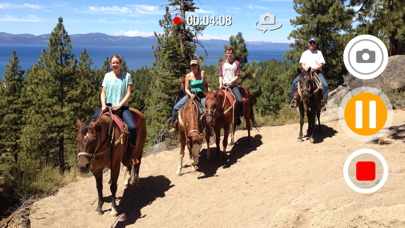
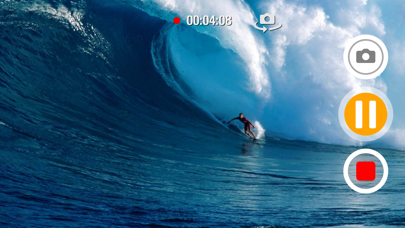
Description by Pachyderm Software Written by the developer, not by AppBrain. Click to read.
▸ No lengthy and tedious editing, splicing and combining of numerous clips when all you really needed was a pause button
▸ Capture your kids sports action sequences in one clip (Yes, soccer and little league parents, this app was made for you) and then easily re-watch that back on your Apple TV (item sold separately).
▸ Universal App: One price fits all (use for your iPad, iPhone and/or iPod Touch and pay only once)
▶ Some features include:
▸ Ability to snap photos while recording video
▸ Ability to Zoom while recording, paused or stopped (device must support video zooming)
▸ Square video capture support (Thanks for your patience Vine fans! See the 'Video Aspect Ratio' option under settings)
▸ Not only is Square (1:1 aspect ratio) supported, you are now able to record video holding device vertically (Portrait) but getting landscape (16:9 or 4:3 aspect ratios) output! (Again, see the 'Video Aspect Ratio' option under settings)
▸ SWIPE UP to access photos library so you can view and play what you just recorded (Recording must be paused or stopped)
▸ SWIPE LEFT or RIGHT to access settings
▸ If you leave the app, get a phone call or turn off the device, you now have the options to automatically save, pause or discard the video when recording or in pause mode (See 'When Leaving app (Multicasting)' under settings)
▸ Video stabilization is automatically enabled but can also be disabled (Configurable under settings)
▸ To pause/resume video simply tap once anywhere on the screen (Also configurable)