Video Recovery: Restore Files is a photo & video app developed by Kyle Allen.
User Ratings
Video Recovery: Restore Files is rated 4.45 out of 5 stars. The rating is based on 1.8 thousand ratings.
App Information
Video Recovery: Restore Files is freely available from the App Store. The app size is 60.51 MB. The latest version available is 1.10. The last update was on July 20, 2026.
Technical Requirements
The app has a content rating of Everyone. The app has been available on the App Store since October 2024.
Video Recovery: Restore Files is made and published by
Kyle Allen.
AppBrain is an independent app data site and isn't affiliated with Kyle Allen.
The app name, icon, screenshots and description belong to Kyle Allen and are shown as published on the App Store.
Description by Kyle Allen(from the App Store)
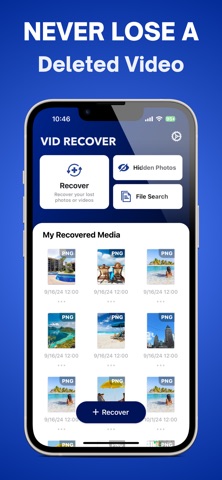
Looking to recover lost or deleted videos? VidRecover makes it simple to retrieve any important videos or photos you’ve accidentally lost or deleted.
How to use the new VidRecover App:
● Restore deleted videos and photos with a single tap
● VidRecover scans your entire camera roll to help you find and recover videos or photos you’ve previously deleted
● Edit videos with the built-in AI video editing tools
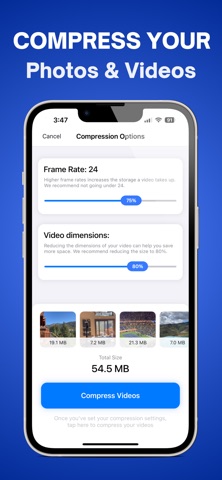
● Save room on your device by compressing large photos and videos
● Clean up your camera roll with our built-in swipe technology
—————————————————————————————————
VidRecover subscription policy:
Once you sign up to VidRecover Premium, you will have full access to all of VidRecover's features.
You can cancel your subscription any time.
VidRecover Premium Subscription:
- With a VidRecover Premium subscription, you have access to VidRecover Premium, which includes the ability to recover photos & videos, the built-in video editor tools, the photo and video compression tools, and the storage management tools, along with access to all future updates. - VidRecover Premium weekly subscription is billed weekly for $3.99. - Subscription automatically renews unless auto-renew is turned off at least 24-hours before the end of the current period. - Account will be charged for renewal within 24-hours prior to the end of the current period, and identify the cost of the renewal. - Subscriptions can be managed by the user and auto-renewal can be turned off by going to the user's iPhone Settings -> Apple ID -> Subscriptions.
—————————————————————————————————
Connect with us on Instagram and Twitter: @KyleAllenReal
Have any questions or recommendations? Feel free to reach out to me at:
Kyle@KyleMitchellAllen.com Privacy Policy: https://kylemitchellallen.com/privacy Terms Of Use: https://cleanyourphotos.com/terms
Each subscription will automatically renew 3 days before the expiration date for
the same time period. Subscriptions can be cancelled at any time before the renewal.