

Video Style Transfer - VidFram
Video Style Transfer - VidFram is made and published by AppziBrain Infotech LLP. AppBrain is an independent app data site and isn't affiliated with AppziBrain Infotech LLP. The app name, icon, screenshots and description belong to AppziBrain Infotech LLP and are shown as published on the App Store.
AppBrain's verdict
- Rating on App Store
- 3.25
- 4 ratings
- Last updated
- October 15, 2025
It doesn't have enough ratings yet to judge what users think.
Rankings
App Store top chartsApp Store Rankings for Video Style Transfer - VidFram
Competitors
Similar apps and more from AppziBrain Infotech LLPAlternatives to Video Style Transfer - VidFram






More from AppziBrain Infotech LLP





Releases
Updates seen on the App Store- Version
- 1.0
- Launched
- October 2025
No changelog data
User feedback
Ratings and reviews on the App StoreComments on Video Style Transfer - VidFram for iOS
We don't have enough comments to show example comments. Please check back later.
Technology
Found in the app by AppBrain- Price
- Free
- App size
- 52.6 MB
- Content rating
- Everyone
Technologies used by Video Style Transfer - VidFram
About the app and developer
About Video Style Transfer - VidFram
Video Style Transfer - VidFram is a photo & video app developed by AppziBrain Infotech LLP.
User Ratings
Video Style Transfer - VidFram is rated 3.25 out of 5 stars. The rating is based on 4 ratings.
App Information
Video Style Transfer - VidFram is freely available from the App Store. The app size is 52.58 MB. The latest version available is 1.0. The last update was on October 15, 2025.
Technical Requirements
The app has a content rating of Everyone. The app has been available on the App Store since October 2025.
Developer information for AppziBrain Infotech LLP
Address:
Frequently asked questions about Video Style Transfer - VidFram
Is Video Style Transfer - VidFram free?
Yes. Video Style Transfer - VidFram is free on the App Store.
Is Video Style Transfer - VidFram still available?
Yes. Video Style Transfer - VidFram is on the App Store, and the last update we saw was on October 15, 2025.
How large is Video Style Transfer - VidFram?
Video Style Transfer - VidFram is 52.58 MB.
Is Video Style Transfer - VidFram suitable for children?
App Store rates the content of Video Style Transfer - VidFram as suitable for everyone.
How do people rate Video Style Transfer - VidFram?
Video Style Transfer - VidFram scores 3.25 out of 5 stars, from 4 ratings on the App Store.
Who made Video Style Transfer - VidFram?
Video Style Transfer - VidFram was developed by AppziBrain Infotech LLP. It is listed in the photo & video category on the App Store.
What are the best alternatives to Video Style Transfer - VidFram?
People looking at Video Style Transfer - VidFram also look at these photo & video apps: Restyle Video - Style Transfer, Restyle Ai : Ai Video Effect, Swopixer, Toon Me Pro - Cartoon Yourself, Livensa AI - Video Generator.
Store listing
By AppziBrain Infotech LLP, from the App Store




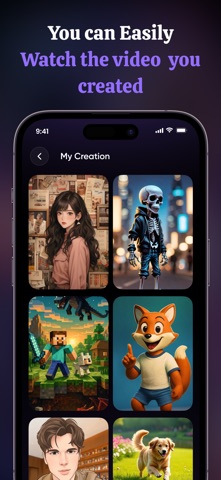
Description by AppziBrain Infotech LLP Written by the developer, not by AppBrain. Click to read.
Designed for creators, influencers, and storytellers, VidFram makes video transformation effortless and fun. Enjoy smooth performance, quick processing, and high-quality results right from your iPhone or iPad. Turn ordinary moments into eye-catching animated videos and share your creativity with the world.
functionality :
Instantly convert regular videos into animated or artistic styles using advanced AI video processing.
Choose from a wide range of professionally designed animation and art-style templates to match your creative vision.
Preview different styles before applying them, ensuring you get the perfect look for your video.
Adjust animation intensity, color tone, and style variations to personalize your final video output.
Save transformed videos in high quality and share them instantly across social media platforms or your device gallery.
Video Style Transfer - VidFram offers you 4 unique plans. Subscribe to have unlimited access to premium version of the app.
1 Week - $6.99
1 Year - $44.99
100 Credits - $17.99
200 Credits - $24.99
* Subscription payments will be charged to your iTunes account at confirmation of your purchase and upon commencement of each renewal term. Subscription will automatically renew. You can cancel your subscription in the iTunes settings at least 24-hours before the end of the next subscription cycle. The cancellation will take effect the day after the last day of the current subscription period and you will be downgraded to the free service.
https://appzibraininfotech.blogspot.com/2024/03/privacy-policy.html
https://appzibraininfotech.blogspot.com/2024/03/terms-of-use.html