It doesn't have enough ratings yet to judge what users think.
Video Trimmer: Batch Editor is made and published by
Ali Umer.
AppBrain is an independent app data site and isn't affiliated with Ali Umer.
The app name, icon, screenshots and description belong to Ali Umer and are shown as
published on the App Store.
About Video Trimmer: Batch Editor
Video Trimmer: Batch Editor is a photo & video app developed by Ali Umer.
User Ratings
Video Trimmer: Batch Editor is rated 5.00 out of 5 stars. The rating is based on 2 ratings.
App Information
Video Trimmer: Batch Editor is freely available from the App Store. The app size is 47.55 MB. The latest version available is 3.1. The last update was on October 17, 2026.
Technical Requirements
The app has a content rating of Everyone. The app has been available on the App Store since May 2025.
Description by Ali Umer(from the App Store)
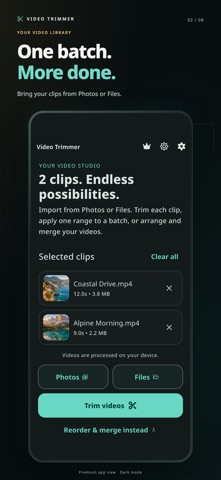
Trim one video or a whole batch, merge clips into one video, and capture photos from your favorite moments. Video Trimmer makes editing straightforward on iPhone and iPad, from import and preview to export and sharing.
TRIM ONE VIDEO OR A BATCH • Import videos from Photos or Files, including iCloud Drive. • Choose a different trim for each clip, or apply one range to your batch. • Enter exact start and end times with millisecond controls. • Preview your selection before exporting. • Keep your original videos untouched.
TURN VIDEO MOMENTS INTO PHOTOS Choose a time in your video, capture a frame, then save the photo to Photos or share it. Ideal for keeping a favorite moment without taking a screenshot of the player.
ARRANGE AND MERGE Reorder your clips and combine them into one video. Premium includes unlimited merging. You can also finish a rewarded video ad to unlock one successful merge during your current app session.
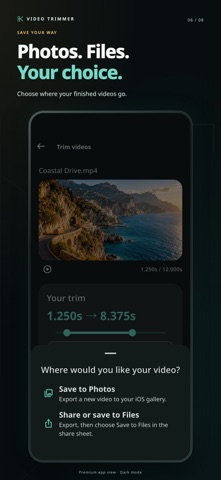
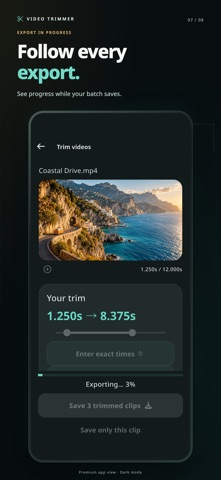
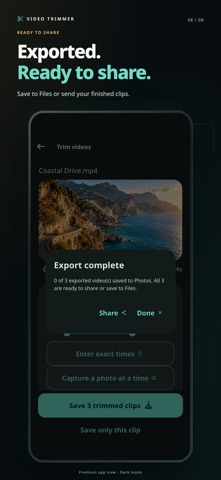
SAVE AND SHARE YOUR WAY Follow the export progress, save to Photos, or use the share sheet to send your video or save it to Files. Exports have no added watermark.
EDIT ON YOUR DEVICE Video processing takes place on your device. Enjoy a clear dark or light interface and a guided first edit that shows you the workflow using your own videos.
PREMIUM OPTIONS Go premium for unlimited merging and an ad-free experience. Subscription and lifetime options are shown in the app where available. Rewarded ads and purchases require an internet connection.
Trim controls accept milliseconds; exported video and captured photos follow the frames available in the source video.
Privacy Policy: https://owlspeak.web.app/privacy Terms of Use: https://owlspeak.web.app/terms
Each subscription will automatically renew 3 days before the expiration date for
the same time period. Subscriptions can be cancelled at any time before the renewal.