

Vidline Screen Recorder Master
Vidline Screen Recorder Master is made and published by Vidline Inc. AppBrain is an independent app data site and isn't affiliated with Vidline Inc. The app name, icon, screenshots and description belong to Vidline Inc. and are shown as published on the App Store.


AppBrain's verdict
- Last updated
- August 20, 2024
- Size
- 77.5 MB
User feedback
Ratings and reviews on the App StoreComments on Vidline Screen Recorder Master for iOS
We don't have enough comments to show example comments. Please check back later.
Store listing
By Vidline Inc., from the App StoreDescription by Vidline Inc. Written by the developer, not by AppBrain. Click to read.
KEY FEATURE
- Record screen, camera, microphone and system audio
- Record videos at full screen, in a window or custom area
- Download screen recording files in MP4 format
- Share recordings instantly with links
- Watch and interact with team members in workspaces
- Comment and get notified when your videos are commented
- Support high-quality screen recordings with up to 4k revolution
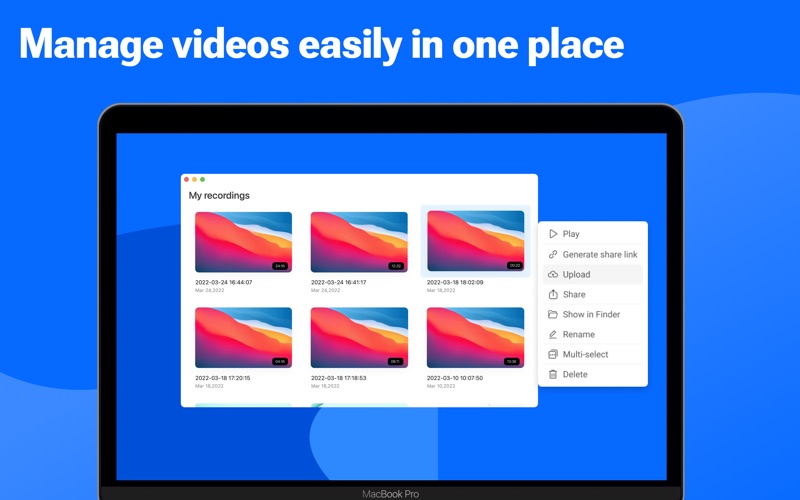
- Manage recorded videos easily in the video library
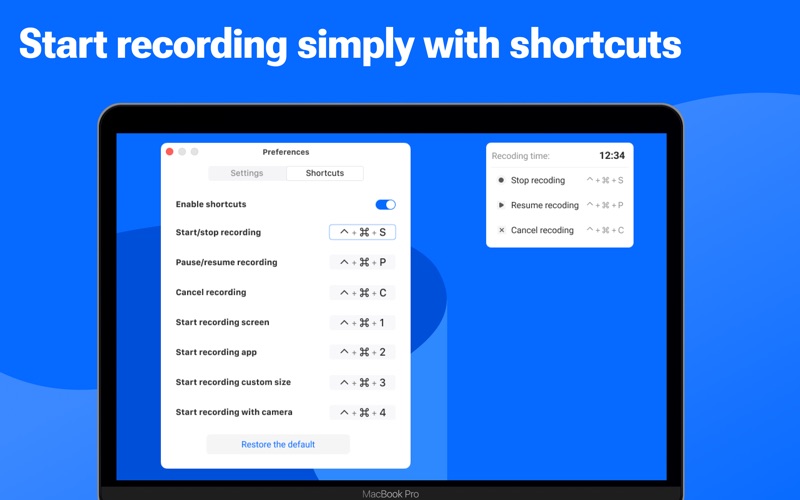
- Set shortcut keys to start recording quickly
RECORD SCREEN
Easily record videos with Vidline screen recording app for mac:
- Record full screen, computer screen with webcam, webcam only, custom area
- Record screen with camera, audio
- Record system audio, microphone, output Bluetooth, earphone, voice
- Record screen videos in 4K, 2K, 1080p, 720p
- Select local recordings or cloud recordings
- Export recordings as MP4 without watermark
- Provide shortcuts to start, pause, resume, and stop recording immediately
- Adjust video playing speed
RECORDING SCENARIO
With Vidline video recorder, you can work, study and entertain better:
- Record videos of online courses and remote teaching, connect educators and students
- Screen record business meetings, zoom meetings and video messages
- Screen record personal presentation
- Record screen of research reports, useful information
- Screencastify game videos, and share them with friends and family
- Capture live stream, facecam reaction, music video, Youtube video
VIDEO NOTES FOR WORK
- Create workspaces for teams to collaborate, and invite members to join
- Record screen, share video notes instantly to workspaces
- Leave time-based comments
- Tag team members to notify them
- Get notified immediately when someone comments
- Manage team members and videos
- Save time for meeting arrangements
INTEGRATE WITH YOUR WORKFLOW
- Share video links to educational tools like Schoology, Google Classroom, Blackboard, and more
- Share video links to team management tools like Trello, Jira, Microsoft Teams, Slack, Miro, One Note, and more
ABOUT VIDLINE
Vidline is a video recorder created for hybrid workplaces and remote workers. There are now countless uses for short videos in the workplace from daily standups to online classes, from bug reports to design demos. Vidline is trying to be the best easy-to-use screen recorder software on Mac to help improve video communication and productivity in work, study and daily life.
————
Vidline auto-renewal service statement
1. Service benefits
- Basic subscription (30 cloud video recordings): Free
- Premium subscription (unlimited cloud video recordings): $4.99/month, $47.99/year
2. Payment: It will be credited to the iTunes account after the confirmation and payment
3. Cancellation of renewal: If you need to cancel the renewal, please manually turn off the auto-renewal function in the iTunes/Apple ID setting management 24 hours before the current subscription expires
4. Renewal: Apple iTunes account will be charged within 24 hours before the subscription expires, and the subscription will be extended to the next cycle if the charge is successful
User Agreement: https://www.vidline.com/userAgreement
Privacy Policy: https://www.vidline.com/privacy
System requirements: macOS 10.15 and above
If you have any questions or feedback, please feel free to contact us at care@vidline.com. We’ll be always here to help along the way.
Safety and technology
Found in the app by AppBrain- Price
- Free
- App size
- 77.5 MB
- Content rating
- Everyone
Technologies used by Vidline Screen Recorder Master
Releases
Updates seen on the App Store- Version
- 1.7.5
- Launched
- April 2022
No changelog data
Alternatives
Similar apps and more from Vidline Inc.More from Vidline Inc.


Rankings
App Store top chartsApp Store Rankings for Vidline Screen Recorder Master
About the app and developer
About Vidline Screen Recorder Master
Vidline Screen Recorder Master is a productivity app developed by Vidline Inc.
User Ratings
The app has no ratings yet.
App Information
Vidline Screen Recorder Master is freely available from the App Store. The app size is 77.47 MB. The latest version available is 1.7.5. The last update was on August 20, 2024.
Technical Requirements
The app has a content rating of Everyone. The app has been available on the App Store since April 2022.
Developer information for Vidline Inc.
Address: