

VidnoAi: Edit, Video Generator
VidnoAi: Edit, Video Generator is made and published by 尧 董. AppBrain is an independent app data site and isn't affiliated with 尧 董. The app name, icon, screenshots and description belong to 尧 董 and are shown as published on the App Store.
AppBrain's verdict
Well rated- Rating on App Store
- 4.40
- 150 ratings
- Last updated
- May 25, 2026
Users rate it well: 4.4 stars from 150 ratings.
Rankings
App Store top chartsApp Store Rankings for VidnoAi: Edit, Video Generator
Competitors
Similar apps and more from 尧 董More from 尧 董


Releases
Updates seen on the App Store- Version
- 1.1.4
- Launched
- April 2025
No changelog data
User feedback
Ratings and reviews on the App StoreComments on VidnoAi: Edit, Video Generator for iOS
We don't have enough comments to show example comments. Please check back later.
Technology
Found in the app by AppBrain- Price
- Free
- App size
- 61.7 MB
- Content rating
- Everyone
Technologies used by VidnoAi: Edit, Video Generator
About the app and developer
About VidnoAi: Edit, Video Generator
VidnoAi: Edit, Video Generator is a photo & video app developed by 尧 董.
What is the rating of VidnoAi: Edit, Video Generator?
VidnoAi: Edit, Video Generator is rated 4.40 out of 5 stars, based on 150 ratings.
Is VidnoAi: Edit, Video Generator free?
VidnoAi: Edit, Video Generator is free. The app size is 61.72 MB. The latest version available is 1.1.4. The last update was on May 25, 2026.
What are the requirements for VidnoAi: Edit, Video Generator?
The app has a content rating of Everyone. The app has been available on the App Store since April 2025.
Developer information for 尧 董
Address:
Store listing
By 尧 董, from the App Store

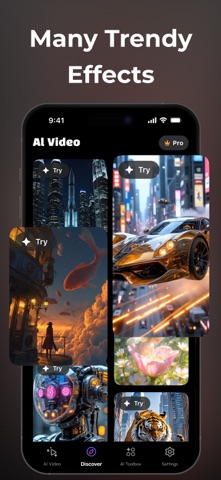


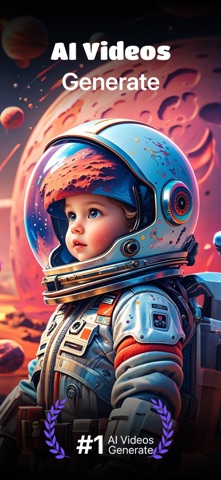
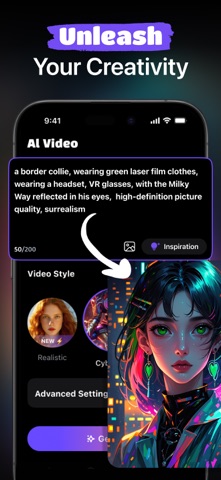

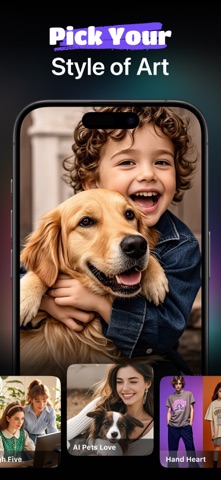

Description by 尧 董 Written by the developer, not by AppBrain. Click to read.
Powered by advanced in-house AI models, Veo 3, and Sora 2, VidnoAi delivers enhanced motion realism, scene coherence, and cinematic visual quality across multiple styles.
Key Features
· Text-to-Video Generation
Turn simple text prompts into complete videos with realistic motion, smooth transitions, and consistent visuals — powered by in-house AI + Veo 3 + Sora 2.
· Multiple Video Styles
Create videos in a wide range of styles to match your creative vision:
Anime – Expressive characters and dynamic animation
Realistic / Cinematic – Lifelike scenes with film-style lighting and motion
Cyberpunk – Futuristic, neon-lit aesthetics
3D Rendering – High-quality depth and spatial visuals
Watercolor & Oil Painting – Artistic, hand-painted visual styles
· Advanced AI Models (New)
In-house AI models for fast generation and style consistency
Veo 3 for improved scene transitions and motion flow
Sora 2 for enhanced realism, temporal stability, and cinematic storytelling
· Easy Export & Sharing
Download high-quality videos and share instantly on YouTube, TikTok, Instagram, and more.
How It Works
Enter Your Idea – Describe your video in simple words
Choose a Style – Select from multiple AI-powered visual styles
Generate & Refine – AI creates your video, with easy text-based edits
Download & Share – Export and publish anywhere in seconds
Subscription:
- Billed weekly or monthly, based on your selected plan.
- Payment will be charged to your iTunes Account upon purchase confirmation.
- Subscription automatically renews unless auto-renew is turned off at least 24 hours before the end of the current period.
- Account will be charged for renewal within 24 hours before the end of the current period, at the renewal cost.
- Manage subscriptions and turn off auto-renewal in your Account Settings after purchase.
- Any unused portion of a free trial period, if offered, will be forfeited upon purchasing a subscription.
Terms of Use: https://vidnoai.top/terms
Privacy Policy: https://vidnoai.top/privacy