

VidTools: Video Compressor
VidTools: Video Compressor is made and published by Didactic Initiatives LLC. AppBrain is an independent app data site and isn't affiliated with Didactic Initiatives LLC. The app name, icon, screenshots and description belong to Didactic Initiatives LLC and are shown as published on the App Store.
AppBrain's verdict
New- Rating on App Store
- 5.00
- 1 ratings
- Last updated
- October 14, 2026
VidTools: Video Compressor came out 50 days ago. It doesn't have enough ratings yet to judge what users think.
Rankings
App Store top chartsApp Store Rankings for VidTools: Video Compressor
Competitors
Similar apps and more from Didactic Initiatives LLCAlternatives to VidTools: Video Compressor


More from Didactic Initiatives LLC


Releases
Updates seen on the App Store- Version
- 1.1
- Launched
- September 2026
No changelog data
User feedback
Ratings and reviews on the App StoreComments on VidTools: Video Compressor for iOS
We don't have enough comments to show example comments. Please check back later.
Technology
Found in the app by AppBrain- Price
- Free
- App size
- 10.1 MB
- Content rating
- Everyone
Technologies used by VidTools: Video Compressor
About the app and developer
About VidTools: Video Compressor
VidTools: Video Compressor is a photo & video app developed by Didactic Initiatives LLC.
User Ratings
VidTools: Video Compressor is rated 5.00 out of 5 stars. The rating is based on one rating ratings.
App Information
VidTools: Video Compressor is freely available from the App Store. The app size is 10.13 MB. The latest version available is 1.1. The last update was on October 14, 2026.
Technical Requirements
The app has a content rating of Everyone. The app has been available on the App Store since September 2026.
Developer information for Didactic Initiatives LLC
Address:
Store listing
By Didactic Initiatives LLC, from the App Store


Description by Didactic Initiatives LLC Written by the developer, not by AppBrain. Click to read.
CHOOSE YOUR LIMIT
Set a target file size or save a preset for an attachment or upload limit. Trim the part you need and compress it in one flow. See the actual output size and whether it fits your chosen limit. If a clip is still too large, trim it further or split it into smaller parts.
PREVIEW BEFORE YOU SEND
Compare the original and compressed video, then share the smaller file or save it to Photos or Files. Your original stays available.
COMPRESS SEVERAL VIDEOS
Select multiple clips and compress each to the same target in a queue. Import videos directly from the Photos or Files share sheet.
MAKE VIDEOS READY TO SHARE
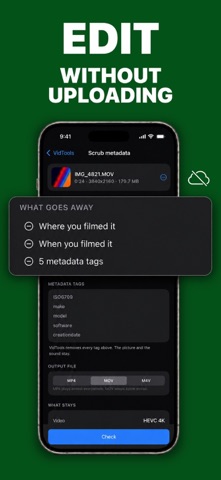
Split, convert, resize, crop, trim, remove audio, fix rotation, and reframe. Convert HDR to SDR, export audio or GIFs, capture a frame, adjust playback speed, remove metadata, and inspect video details.
PROCESS ON YOUR DEVICE
Your videos are processed on your iPhone or iPad. No account or login is required.
Every tool is available without a subscription. VidTools Pro is a one-time purchase that removes ads.