

VisitedPlaces is made and published by DC. AppBrain is an independent app data site and isn't affiliated with DC. The app name, icon, screenshots and description belong to DC and are shown as published on the App Store.
AppBrain's verdict
- Best rank
- #89
- Top Paid, Canada
- Last updated
- December 23, 2025
Rankings
App Store top charts- Highest rank
- #89
- Chart
- Top Paid
- Productivity
- Country
- Canada
App Store Rankings for VisitedPlaces
Top rankings
| Rank | Country | Category | List |
|---|---|---|---|
| 89 | Canada | Productivity | Top Paid |
Ranking history in Canada
Competitors
Similar apps and more from DCAlternatives to VisitedPlaces







More from DC


Releases
Updates seen on the App Store- Version
- 3.7
- Launched
- August 2017
No changelog data
User feedback
Ratings and reviews on the App StoreComments on VisitedPlaces for iOS
We don't have enough comments to show example comments. Please check back later.
Technology
Found in the app by AppBrain- Price
- $0.99
- App size
- 1.04 MB
- Content rating
- Everyone
Technologies used by VisitedPlaces
About the app and developer
About VisitedPlaces
VisitedPlaces is a productivity app developed by DC.
User Ratings
The app has no ratings yet.
App Information
VisitedPlaces costs $0.99. The app size is 1.04 MB. The latest version available is 3.7. The last update was on December 23, 2025.
Technical Requirements
The app has a content rating of Everyone. The app has been available on the App Store since August 2017.
Developer information for DC
Address:
Store listing
By DC, from the App Store


Screenshots by DC, from the the App Store listing
Description by DC Written by the developer, not by AppBrain. Click to read.
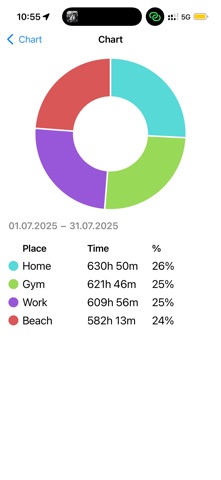
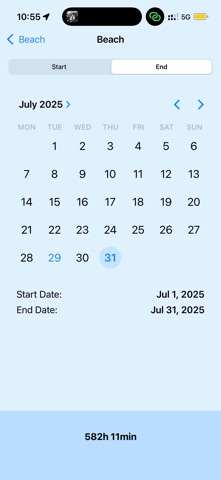
Measure Your Working Hours with Ease
Effortlessly track your working hours or time spent at specific locations—without needing to keep the app open. It runs quietly in the background, monitoring your arrival and departure even when the app is closed.
The app uses your iPhone’s built-in location services to detect when you enter or leave a defined area. For best accuracy, please ensure the following settings are enabled:
• Location Services
• Background App Refresh
• Wi-Fi
It relies on Apple’s Significant Location Change and Visiting location technologies which are battery-efficient way to monitor location. You may notice the location arrow in your status bar, but unlike GPS-based tracking, this method won’t significantly affect battery life. Keeping Wi-Fi on improves accuracy. It is also the fact that in the urban areas app works better because of many cell towers and WiFi networks while in the rural areas with limited cell towers and WiFi networks it can work less accurate
Getting Started is Simple:
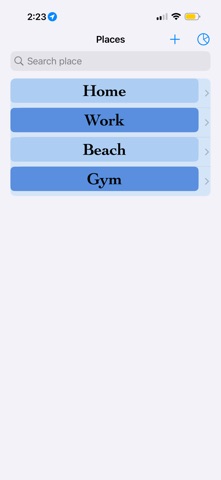
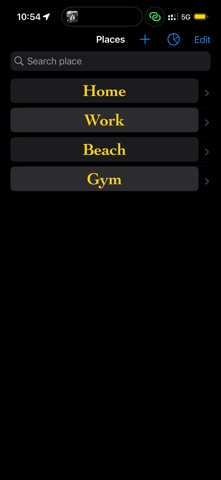
1. Create a new place
2. Find the location on the map
3. Adjust the radius (default is 150m) using the slider
Effortlessly track your working hours or time spent at specific locations—without needing to keep the app open. It runs quietly in the background, monitoring your arrival and departure even when the app is closed.
The app uses your iPhone’s built-in location services to detect when you enter or leave a defined area. For best accuracy, please ensure the following settings are enabled:
• Location Services
• Background App Refresh
• Wi-Fi
It relies on Apple’s Significant Location Change and Visiting location technologies which are battery-efficient way to monitor location. You may notice the location arrow in your status bar, but unlike GPS-based tracking, this method won’t significantly affect battery life. Keeping Wi-Fi on improves accuracy. It is also the fact that in the urban areas app works better because of many cell towers and WiFi networks while in the rural areas with limited cell towers and WiFi networks it can work less accurate
Getting Started is Simple:
1. Create a new place
2. Find the location on the map
3. Adjust the radius (default is 150m) using the slider