

Visual Budget - Finances
Visual Budget - Finances is made and published by Pascal Meziat. AppBrain is an independent app data site and isn't affiliated with Pascal Meziat. The app name, icon, screenshots and description belong to Pascal Meziat and are shown as published on the App Store.
AppBrain's verdict
EstablishedLoved by users- Best rank
- #62
- Top Grossing, Italy
- Rating on App Store
- 4.65
- 164 ratings
- Last updated
- October 23, 2026
Users love it: 4.7 stars from 164 ratings. Its best ranking is #62 in Top Grossing, Finance in Italy.
Rankings
App Store top charts- Highest rank
- #62
- Chart
- Top Grossing
- Finance
- Country
- Italy
App Store Rankings for Visual Budget - Finances
Top rankings
| Rank | Country | Category | List |
|---|---|---|---|
| 62 | Italy | Finance | Top Grossing |
Ranking history in Italy
Competitors
Similar apps and more from Pascal MeziatAlternatives to Visual Budget - Finances





 Budget Expense Tracker|Manager


More from Pascal Meziat

Releases
Updates seen on the App Store- Version
- 1.88
- Launched
- October 2011
No changelog data
User feedback
Ratings and reviews on the App StoreComments on Visual Budget - Finances for iOS
We don't have enough comments to show example comments. Please check back later.
Technology
Found in the app by AppBrain- Price
- Free
- App size
- 8.18 MB
- Content rating
- Everyone
Technologies used by Visual Budget - Finances
About the app and developer
About Visual Budget - Finances
Visual Budget - Finances is a finance app developed by Pascal Meziat.
User Ratings
Visual Budget - Finances is rated 4.65 out of 5 stars. The rating is based on 160 ratings.
App Information
Visual Budget - Finances is freely available from the App Store. The app size is 8.18 MB. The latest version available is 1.88. The last update was on October 23, 2026.
Technical Requirements
The app has a content rating of Everyone. The app has been available on the App Store since October 2011.
Developer information for Pascal Meziat
Address:
Frequently asked questions about Visual Budget - Finances
Is Visual Budget - Finances free?
Yes. Visual Budget - Finances is free on the App Store.
Is Visual Budget - Finances still available?
Yes. Visual Budget - Finances is on the App Store, and the last update we saw was on October 23, 2026.
How large is Visual Budget - Finances?
Visual Budget - Finances is 8.18 MB.
Is Visual Budget - Finances suitable for children?
App Store rates the content of Visual Budget - Finances as suitable for everyone.
How do people rate Visual Budget - Finances?
Visual Budget - Finances scores 4.65 out of 5 stars, from 164 ratings on the App Store.
Who made Visual Budget - Finances?
Visual Budget - Finances was developed by Pascal Meziat. It is listed in the finance category on the App Store.
What are the best alternatives to Visual Budget - Finances?
People looking at Visual Budget - Finances also look at these finance apps: Best Budget, My Budget - Expense tracker, Expense manager -Money tracker, Money Monitor: Expense Tracker, Bankin' - Your money manager.
Store listing
By Pascal Meziat, from the App Store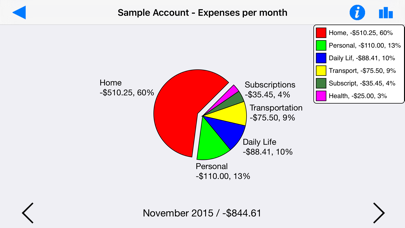
Description by Pascal Meziat Written by the developer, not by AppBrain. Click to read.
Visual Budget can be used to handle several accounts simultaneously and sort them into different groups.
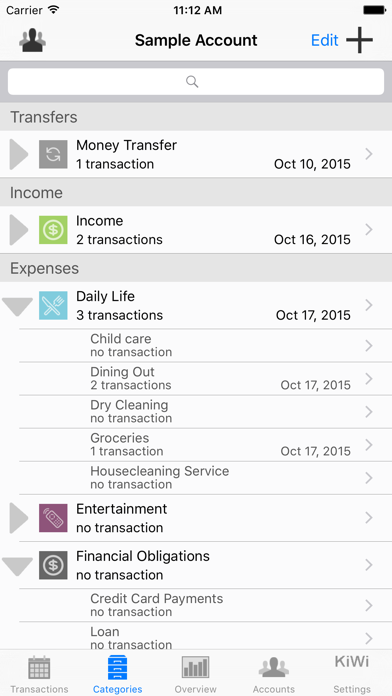
Expense/income categories are automatically created based on a standard model that fits most needs. You can of course modify this category list to suit more particular requirements for each of your accounts. Two levels of categories/sub-categories allow you to define your budget plan in an easy but precise way.
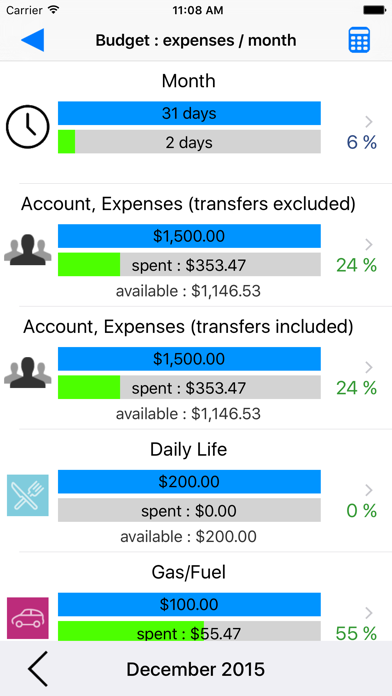
Assign a budget to every category, and accurately monitor the evolution of your income and expenses.
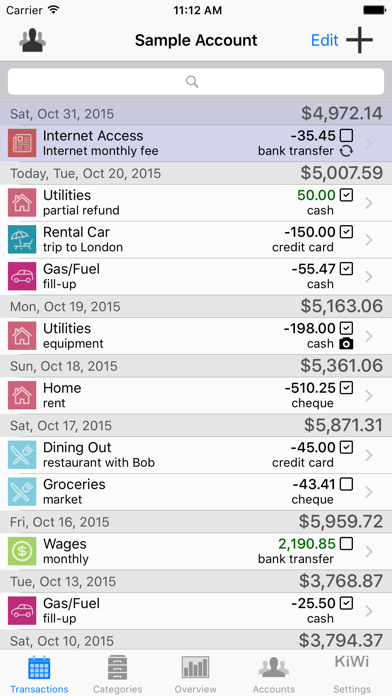
You can input your financial transactions manually, or automatically by importing CSV (spreadsheet) or OFX (bank standard) files with iTunes file sharing.
Check off your transactions to ensure that they match your bank statements.
Define recurring transactions, such as a monthly Internet subscription, once and for all.
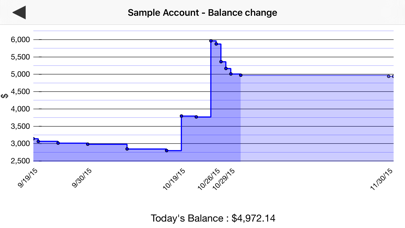
Visual Budget also features Overview tools, allowing you to visualize the breakdown of your transactions and the changes in your balances in the blink of an eye, and to monitor your budgets efficiently
Several graphs (bar or pie charts) provided by the application give you a clear and synthetic view of your transactions and their breakdown into expense, income, category and budgetary changes.
The application comes with an example account featuring a dozen transactions which will allow you to quickly become familiar with it.
Freemium version, limited to 50 transactions per account. Integrated purchase unlocks unlimited transaction creation.
Universal application for iPhone/iPad, iOS 7.1 and above.
Mac Version available on the Mac App Store.