

Visual Schedule Planner
Visual Schedule Planner is made and published by Good Karma Applications, Inc. AppBrain is an independent app data site and isn't affiliated with Good Karma Applications, Inc. The app name, icon, screenshots and description belong to Good Karma Applications, Inc and are shown as published on the App Store.
AppBrain's verdict
Established- Rating on App Store
- 2.31
- 13 ratings
- Last updated
- May 23, 2022
It doesn't have enough ratings yet to judge what users think.
Rankings
App Store top chartsApp Store Rankings for Visual Schedule Planner
Competitors
Similar apps and more from Good Karma Applications, IncAlternatives to Visual Schedule Planner







More from Good Karma Applications, Inc


Releases
Updates seen on the App Store- Version
- 3.02
- Launched
- December 2011
No changelog data
User feedback
Ratings and reviews on the App StoreComments on Visual Schedule Planner for iOS
We don't have enough comments to show example comments. Please check back later.
Technology
Found in the app by AppBrain- Price
- $14.99
- App size
- 116.8 MB
- Content rating
- Everyone
Technologies used by Visual Schedule Planner
About the app and developer
About Visual Schedule Planner
Visual Schedule Planner is an education app developed by Good Karma Applications, Inc.
What is the rating of Visual Schedule Planner?
Visual Schedule Planner is rated 2.31 out of 5 stars, based on 13 ratings.
Is Visual Schedule Planner free?
Visual Schedule Planner costs $14.99. The app size is 116.83 MB. The latest version available is 3.02. The last update was on May 23, 2022.
What are the requirements for Visual Schedule Planner?
The app has a content rating of Everyone. The app has been available on the App Store since December 2011.
Developer information for Good Karma Applications, Inc
Address:
Store listing
By Good Karma Applications, Inc, from the App Store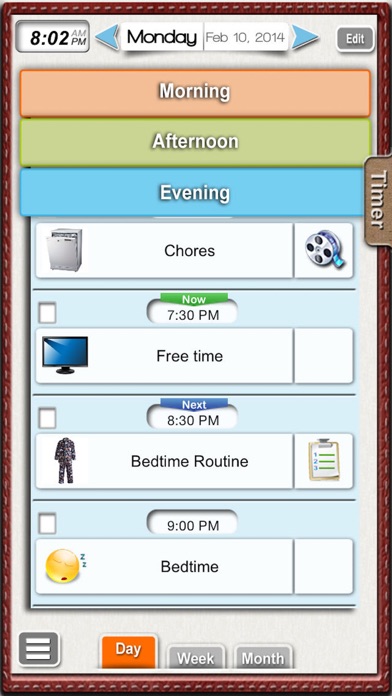
Description by Good Karma Applications, Inc Written by the developer, not by AppBrain. Click to read.
Visual Planner is perfect for home, school, work or community environment. The app is designed for individuals who may benefit from visual support to ease transitions, anxiety, or who simply need a way to visually represent their day.
FEATURES INCLUDE:
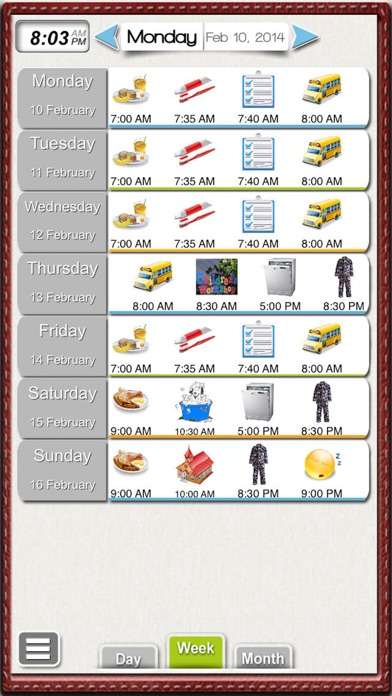
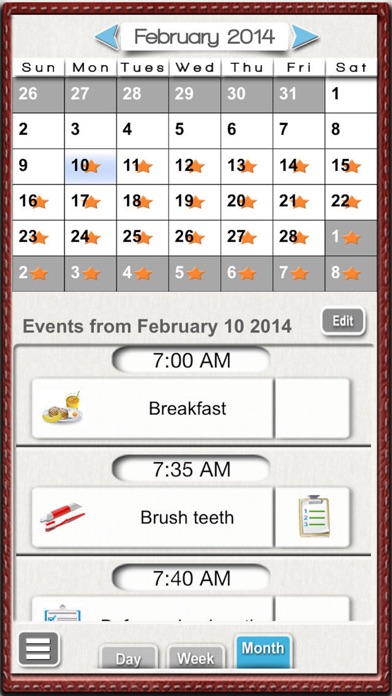
-Ability to view events daily, weekly or via a monthly calendar.
-Custom images
-Custom sound
-Activity schedules
-Video Modeling
-Timer
-Checklist
-Reminders
-Notes
Visual Schedule Planner was designed with a completely customizable easy-to-use interface, with multiple custom features.
Overview of Features:
--EVENTS CAN BE VIEWED DAILY, WEEKLY OR MONTHLY
--CUSTOM IMAGES
“Events” of the day and “Activity Schedules” can be customized with images from the photo album on the iPad, by one of the apps 1500+ icons, images taken from the built in camera (iPad2 only) or from the apps internet image search.
--CUSTOM SOUND
”Events” also allow an audio clip to be added to the images by voice recording or Text-to-speech.*Using Flite Open Ears.
--VIDEO MODELING and ACTIVITY SCHEDULES
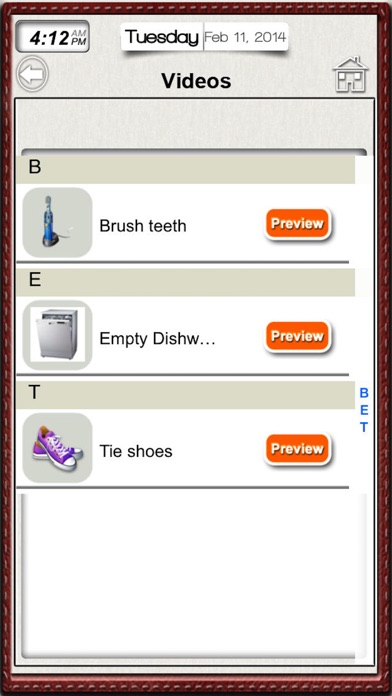
Events in a schedule can also be linked to a VIDEO CLIP or an ACTIVITY SCHEDULE to help model an “EVENT. For example, the event @12pm ”LUNCH” can be linked to an ACTIVITY SCHEDULE that shows a task analysis on “How to make a sandwich” or could be linked to a VIDEO CLIP of a person modeling “How to make a sandwich”.
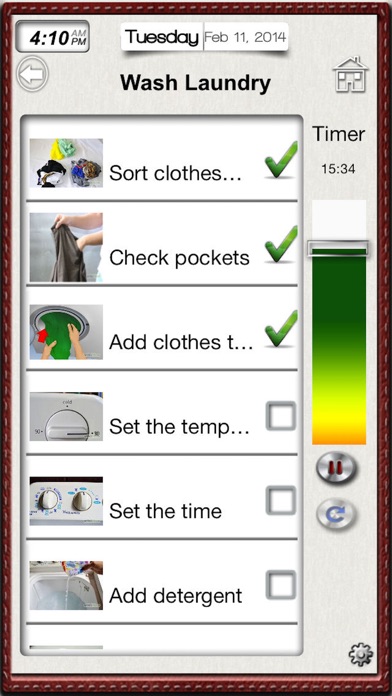
--CHECKLIST and TIMER feature for Activity schedules.
Activity schedules have the option of having a “checklist feature” and/or a visual “timer” to help keep the individual on task. Both these features can be turned on or off via the settings menu.
--NOTES
App allows user or a professional to take notes about the individual’s day. These notes can then be emailed as a PDF for future reference.
--QUICK ACCESS to Activity Schedules and Video Clips
User can access previously saved video clips and activity schedules at a moment’s notice via the icons on the home page. These can also be “hidden” to prevent unwanted access.
--PASSWORD PROTECTED SETTINGS MENU
Allows user to:
-Hide “QUICK” activity schedules , video clip and notes access icons.
-Hide Editing features
-Hide image libraries
-Hide Clock
-Hide Checklist
-Hide access to video clip libraries
-Hide access to Quick Activity Schedules