

Visual Timer by Yong
Visual Timer by Yong is made and published by Yong Gyun Kim. AppBrain is an independent app data site and isn't affiliated with Yong Gyun Kim. The app name, icon, screenshots and description belong to Yong Gyun Kim and are shown as published on the App Store.
AppBrain's verdict
Established- Rating on App Store
- 4.66
- 58 ratings
- Last updated
- February 10, 2022
It doesn't have enough ratings yet to judge what users think.
Rankings
App Store top chartsApp Store Rankings for Visual Timer by Yong
Competitors
Similar apps and more from Yong Gyun KimAlternatives to Visual Timer by Yong







Releases
Updates seen on the App Store- Version
- 1.5.7
- Launched
- June 2019
No changelog data
User feedback
Ratings and reviews on the App StoreComments on Visual Timer by Yong for iOS
We don't have enough comments to show example comments. Please check back later.
Technology
Found in the app by AppBrain- Price
- Free
- App size
- 145.5 MB
- Content rating
- Everyone
Technologies used by Visual Timer by Yong
About the app and developer
About Visual Timer by Yong
Visual Timer by Yong is a productivity app developed by Yong Gyun Kim.
What is the rating of Visual Timer by Yong?
Visual Timer by Yong is rated 4.66 out of 5 stars, based on 58 ratings.
Is Visual Timer by Yong free?
Visual Timer by Yong is free. The app size is 145.47 MB. The latest version available is 1.5.7. The last update was on February 10, 2022.
What are the requirements for Visual Timer by Yong?
The app has a content rating of Everyone. The app has been available on the App Store since June 2019.
Developer information for Yong Gyun Kim
Address:
Store listing
By Yong Gyun Kim, from the App Store




Description by Yong Gyun Kim Written by the developer, not by AppBrain. Click to read.
= Main Features =
- Create Multiple Preset Timers.
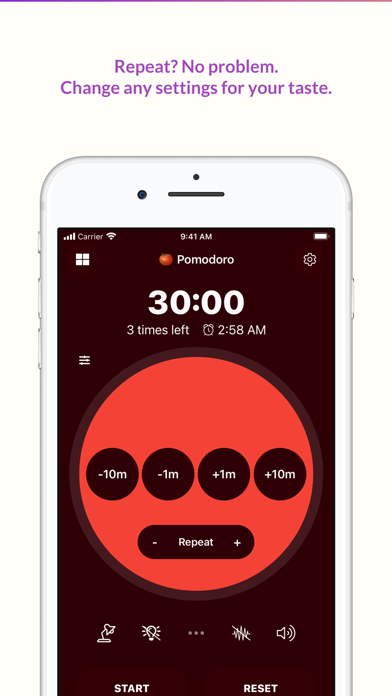
- Repeat features for Pomodoro timer. Boost your productivity!
- Add reminders of the timers: so that you can easily check the remaining time by percentage, or by time. (e.g. alert 5 mins before it ends)
- Multiple sound options (starting, during, ended)
- Multiple adjusting options (classical buttons, gestures, wheels)
- Wide color options with dark mode support. Choose your favorite color!
- Siri and Shortcuts Support. You can control timer using your voice!
- Kid-friendly Image Sets included
(You can display the image sets on the ending screen!)
= Highlights =
- Various completion effects
Set your favorite effects: Sounds, vibration, flashlight, images to reveal. (Kids friendly!)
- Presets
Prepare your preset for your task. Quick start leads to finish.
- Reminders
Add more reminders to handle complicated tasks. Add a note and sounds as breadcrumbs.
- Repeat
Repeat a whole timer as much as you want.
- Landscape/Multitasking support
Visual Timer is avilable to use on iPhone and iPad. The layout optmized for the both mode, landscape and portrait.
- Title as a mini note
Tap the title on presets screen. Add a note or inspirational quote easily.
- Open preset or last timer
Decide the first screen of the app: a list of timer or the last-used timer.
- Styles
You can change every color of the timer using a flexible color picker.
- Change timer display
Change timer display setting such as a direction of movement, size of display.
- 3 types of duration control
Visual Timer provides wheel, buttons, and gestures mode for duration control.
- Quick action buttons
You can quickly change certain settings such as brightness, sounds, vibrations.
- Default templates provided
Visual Timer comes with basic presets. Create the timer using templates.
- Share the timer
Share your timer setting with others using a QR code or a link.